ODYS PDV 67003 DVB-T
50
EN
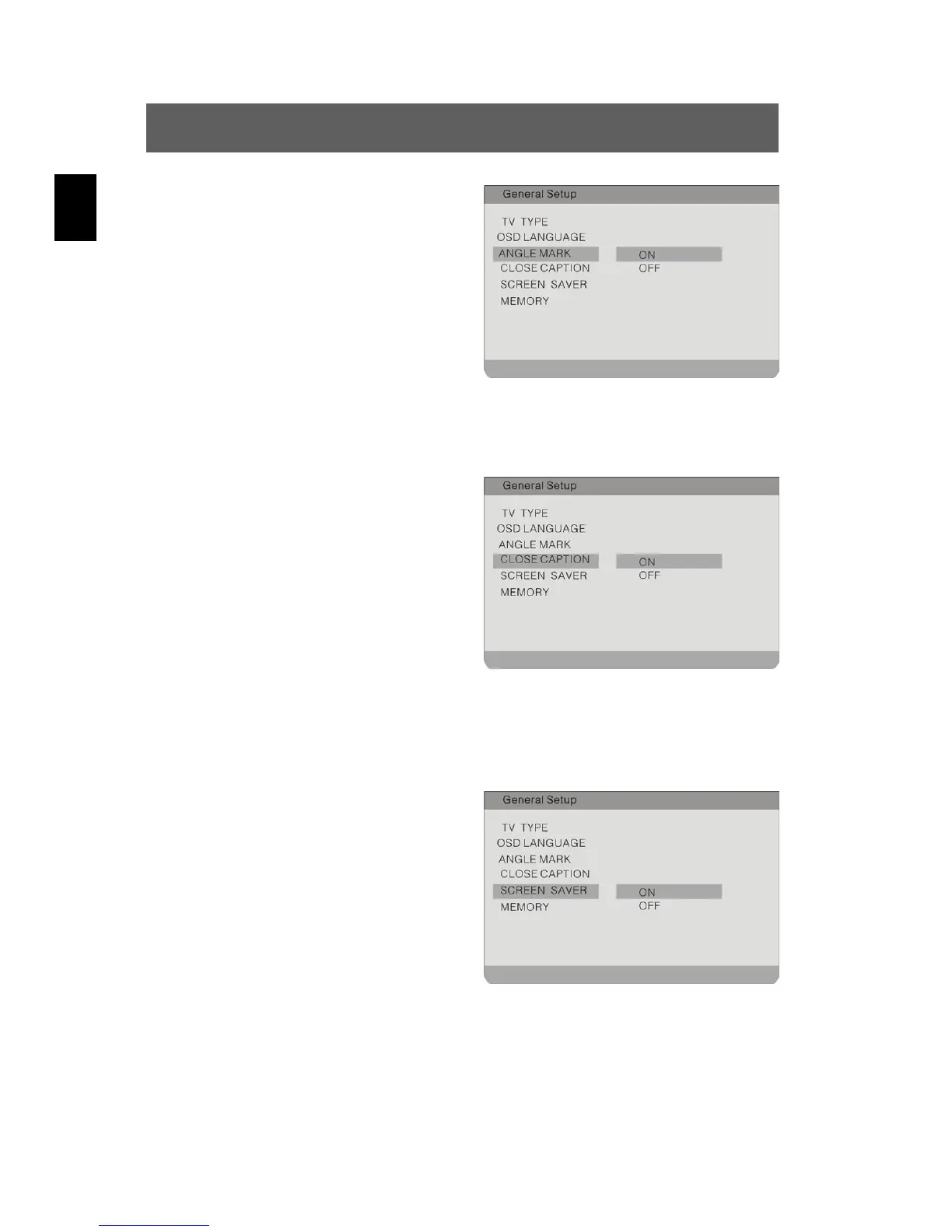
Angle Mark
To activate/deactivate the camera
perspectives
Highlight the option using the
buttons. Switch to the option's
setting by pressing ENTER or
.
Possible settings are ON and OFF.
Use the
buttons to highlight
the desired setting and confirm with
ENTER. Press
to exit the option's
setting.
Close Caption
To activate/deactivate subtitles
Highlight the option using the
buttons. Switch to the option's
setting by pressing ENTER or
.
Possible settings are ON (default) and
OFF.
Use the
buttons to highlight the desired setting and confirm
with ENTER. Press
to exit the option's setting.
Screen Saver
To activate/deactivate screen saver
Highlight the option using the
buttons. Switch to the option's
setting by pressing ENTER or
.
Possible settings are ON (default) and
OFF.
Use the
buttons to highlight the desired setting and confirm
with ENTER. Press
to exit the option's setting.


 To Next Page