MENU SYSTEM
HISTOGRAM
HIST
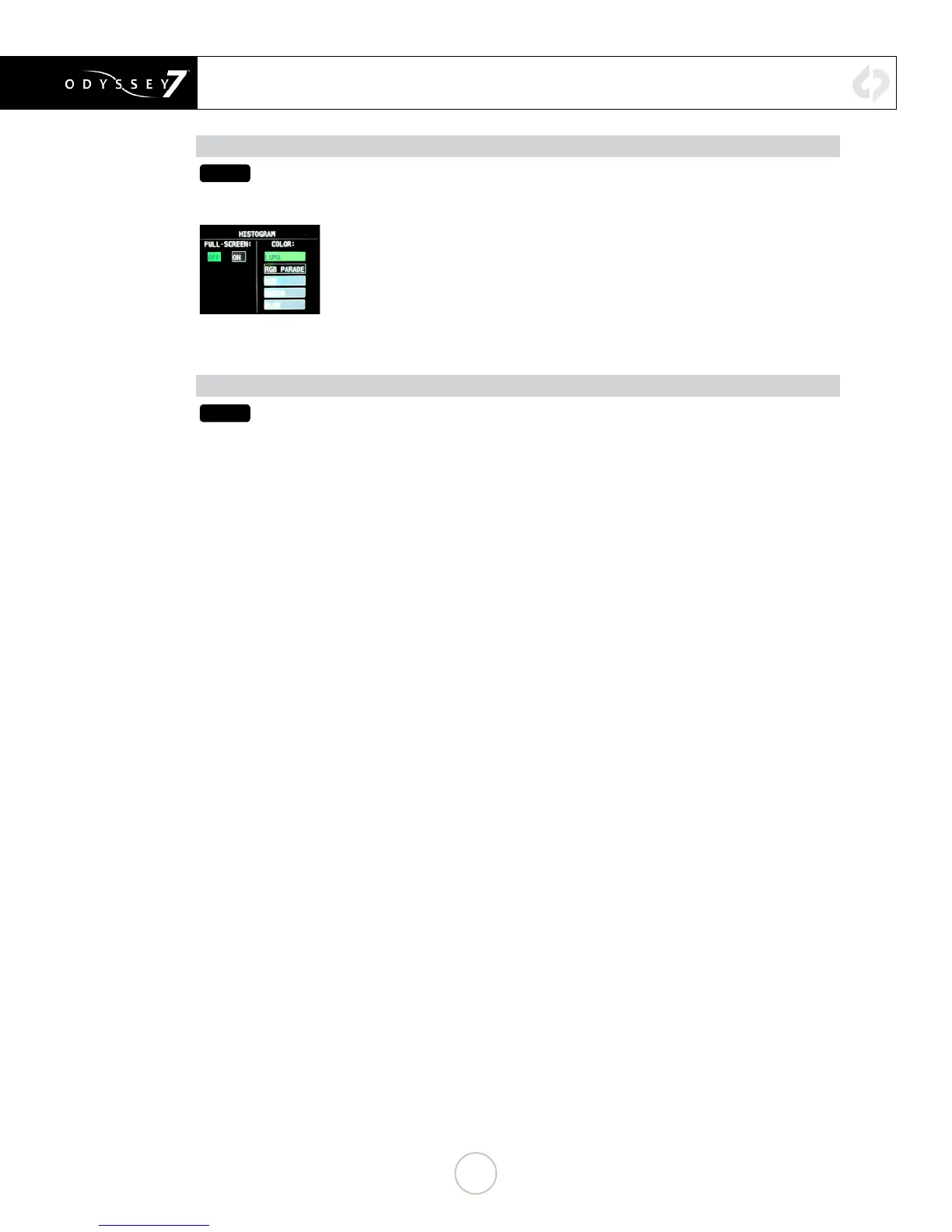
Tapping button activates Histogram. Holding button brings up Histogram settings. A
Histogram is an exposure tool indicating brightness by volume of image across a horizontal
plane. The brighter the image the farther it is to the right. The more of an image registering
at a particular brightness the taller the line graph at that brightness. It can be set for overall
brightness [LUMA], with the three primary colors separated and displayed individually
[RGB PARADE], or as the individual primary colors only [RED] [GREEN] [BLUE].
The Histogram can be displayed across the full width of the image display or in the lower
right corner. With the large display, the RGB PARADE shows three individual Histograms
one above another in the appropriate colors, while in the small display mode they are
overlapped. The HD video image is visible behind the Histogram at all times for image
reference.
HIDE (HIDE MENUS & SCREEN OVERLAYS/ VIDEO)
HIDE
While the Odyssey’s OLED screen provides an excellent image with intuitive touch screen
controls and information displays, sometimes one does not want to see it all. The Hide
function can be set to make either the controls & displays disappear or the video image go
black. A tap anywhere on the screen brings the full display back.
28


 To Next Page