MENU SYSTEM
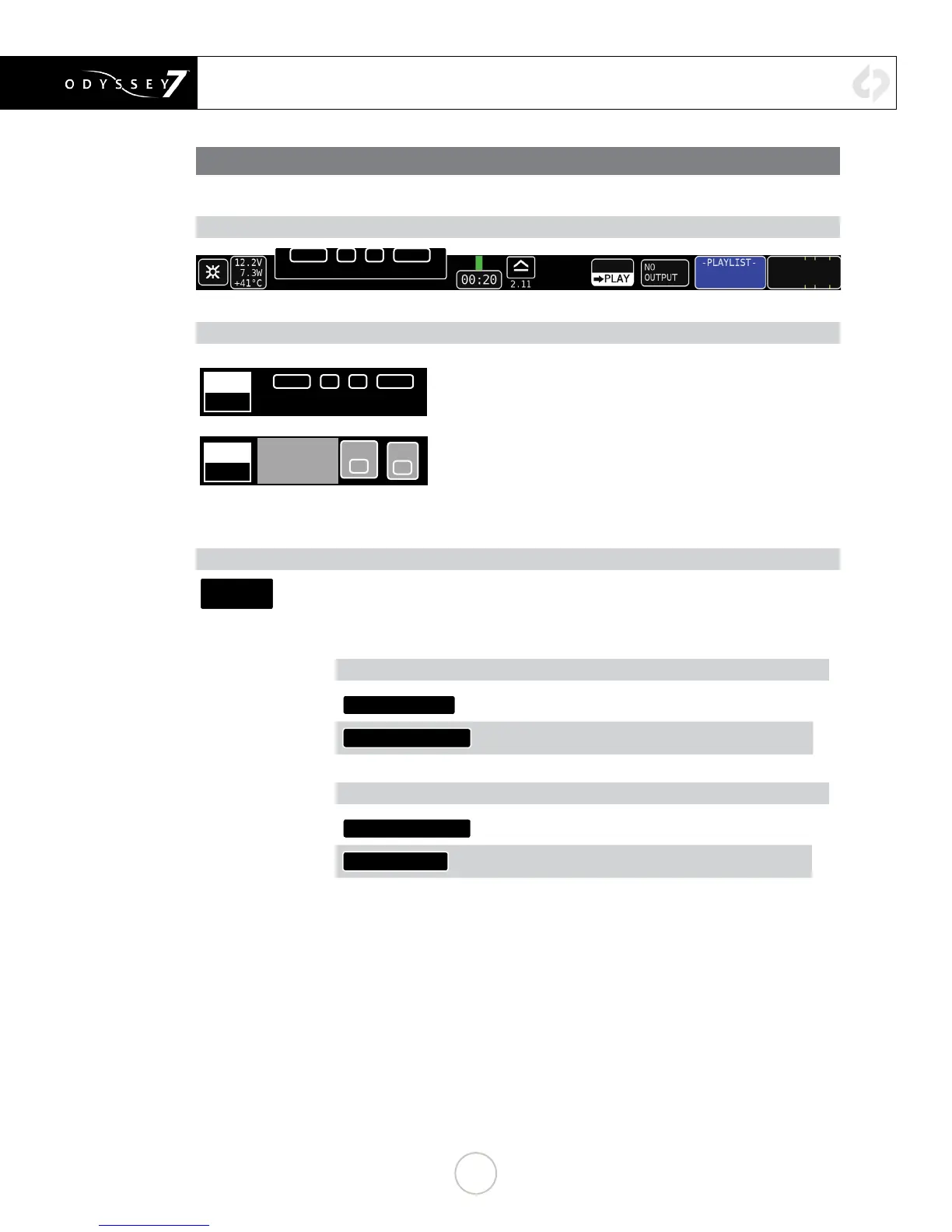
UPPER TOOL BAR (PLAY MODE)
UPPER TOOL BAR CONTROLS (PLAY MODE)
MARKER CONTROLS (PLAY MODE ONLY)
MARK
CLIP
<PREV
▲
►◄
NEXT>
MARKERS:
MARK
CLIP
<ENTER CLIP
NOTES HERE>
GOOD
BAD
Clip Notes such as “Good Take” can be made for each clip. Text
plus Good or Bad notes.Markers are agged reference points within
a le. Single ags as well as in/out points can be marked. Used in
conjunction with the Convergent Design Apple ProRes Transfer Utility
(1.4 or above) markers are translated into Final Cut 7 and FCPX
.XML les. These can be imported into Final Cut 7, FCPX and Adobe
Premiere. Up to 16 In and 16 Out points can be marked in a single
clip, but more than one pair of In and Out points can only be read by
FCPX.
OUTPUT STATUS/PROJECT RATE (PLAY MODE ONLY)
29PSF
4:2:2
Displays current SDI/HDMI output status and settings. Tapping button brings up detailed
information on the Input/Output Status and allows you to select input and output settings
from available options.
INPUT OPTIONS
VIDEO CADENCE:
(See MENU SYSTEM // SETUP MENU)
TIMECODE SOURCE:
(See MENU SYSTEM // SETUP MENU)
OUTPUT OPTIONS
OUTPUT OVERLAYS:
Turn Output Overlays on or off
RECORD TALLY:
Turn Record Tally on or off
<PREV
▲
►◄
NEXT>
MARKERS:
29


 To Next Page