MENU SYSTEM
SETUP MENU
The SETUP Menu functions as both a detailed status display as well as a selection point to change
status and settings. It allows you to setup the Odyssey7 and adjust settings for monitoring and recording
including the type of camera input, recording format, video cadence, frame rate, audio source, timecode
source and record trigger. Many of the controls are also available by pressing other Upper Toolbar buttons.
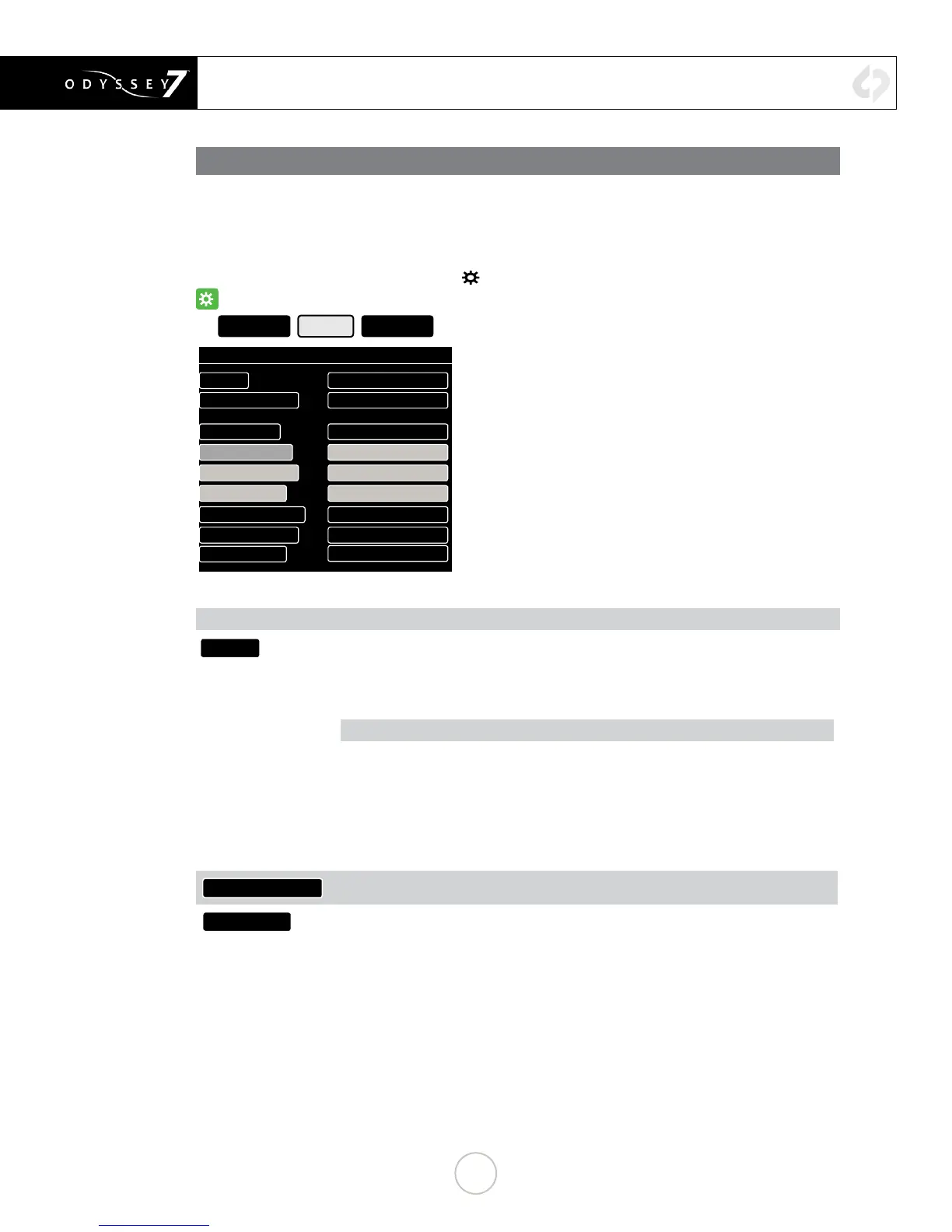
The SETUP menu is accessed by tapping
☼
then tapping SETUP.
☼
╚
ODYSSEY SETUP OUTPUTS
SET UP MONITORING / RECORDING
CAMERA: SONY
MONITOR->RECORD HD->UHD PRORES
∟
( ACTIVATED )
VIDEO CODEC: PRORES HQ
VIDEO CADENCE: PROGRESSIVE/PSF
AUDIO CHANNELS: 2
AUDIO SOURCE: SDI/HDMI
TIMECODE SOURCE: SEED/RECORD RUN
RECORD TRIGGER: RECORD BUTTON
PROJECT RATE:
FOLLOWS INPUT
SETUP MENU OPTIONS
CAMERA:
Tapping status boxes brings up a list of selections for each. Choice of CAMERA determines
MONITOR -> RECORD selections for that camera. CAMERA also determines Trigger,
Timecode and LUT integration.
AVAILABLE CAMERAS:
Sony FS7/FS700
Sony (F3, F5 and F55 and others)
Canon (C500 and others)
ARRI (ARRI Alexa)
Other (sundry HD video sources)
Panasonic
RED
MONITOR->RECORD
Displays options for the currently selected camera
VIDEO CODEC
Displays current recording format. In compressed recording, tap status box for list of
options. Currently available compressed video formats include Apple ProRes 422 (HQ),
Apple ProRes 422 and Apple ProRes 422 (LT).
15


 To Next Page