General Information
Table of ContentsIntroductionInstallationMain ScreenQuick StartGeneral InformationColor Editor
Mini Magic Box - Design Card Converter
Mini Magic Box - Design Card Converter
Software Manual
35
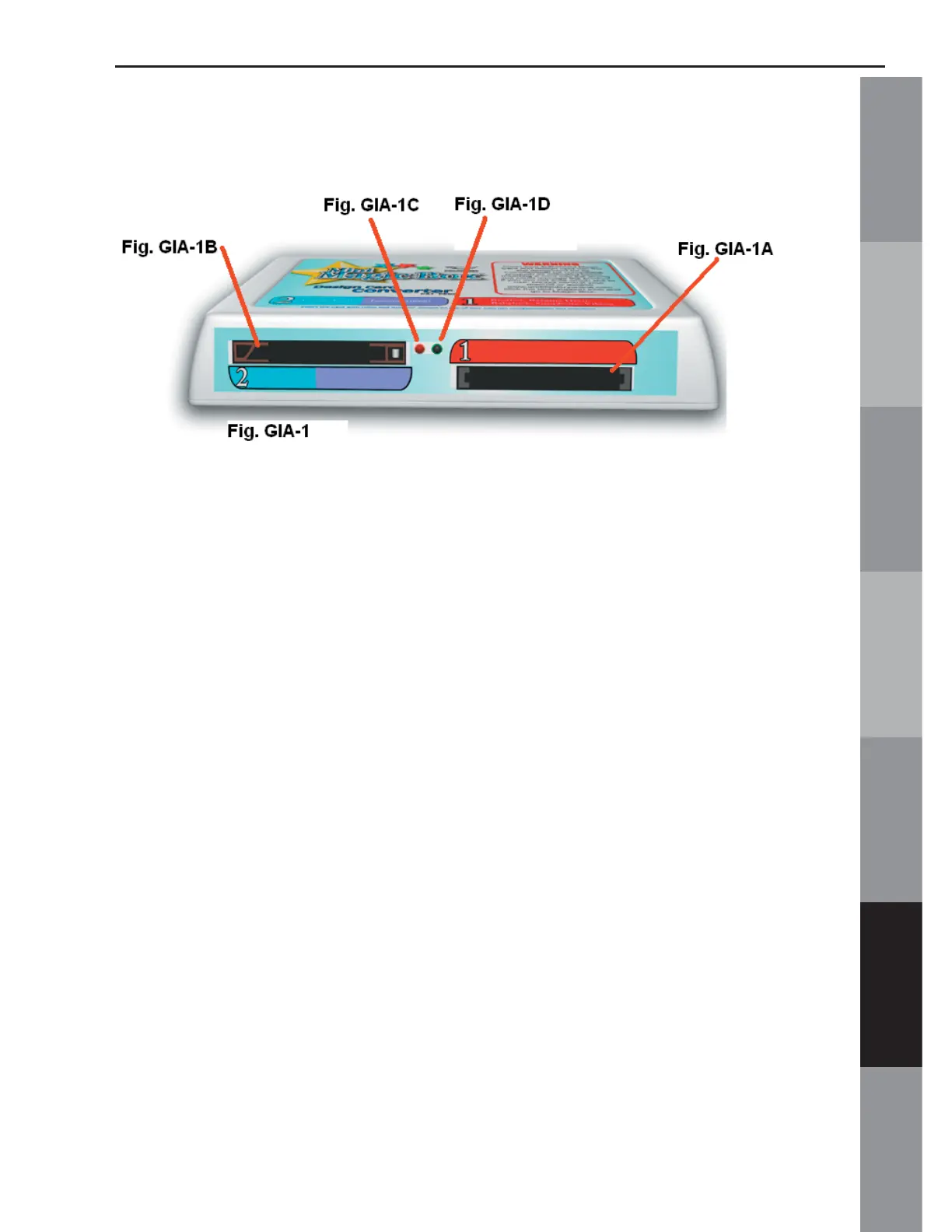
The Mini Magic Box (Fig. GIA-1)
NOTE: The Mini Magic Box is a smaller version of the Magic Box and has two slots instead of four.
Fig. GIA-1A Right Card Slot #1
This slot is the correct card slot for Bernette-Deco,
Brother, Viking, Babylock and Simplicity Cards.
Fig. GIA-1B Left Card Slot #2
This is the correct card slot for Bernina artista, Janome
10000 and Pfaff Cards.
Fig. GIA-1C Red Light
The red light is the activity light. It indicates that
the Magic Box is either Loading or Writing a card.
WARNING! Do not remove the card or attempt to
perform another function when the red light is on.
Fig. GIA-1D Green Light
The green light indicates that the Magic Box is ON,
and is available for use.



 To Next Page