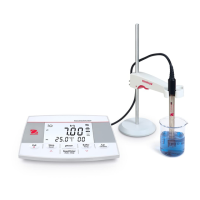
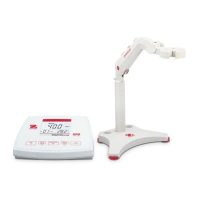
EN-14 AB23PH Bench pH Meter
5. MAINTENANCE
5.1 Error message
Repeat the self-diagnosis procedure
and make sure that you finish pressing
all six buttons within two minutes.
Measured values out of
range
Check if the electrode is properly
connected and placed in the sample
solution.
Measured buffer
temperature out of range
(<0 °C or >50 °C)
Keep the pH buffer temperature within
the range for calibration
Offset out of range
offset > 60mV or < - 60 mV
Make sure the pH buffer is correct and
fresh; Clean or replace the pH
electrode.
Make sure the buffer is correct and
fresh; Clean or replace the pH
electrode.
Meter cannot recognize the
buffer
Make sure the buffer is correct and
fresh; check if the buffer has not been
used more than once.
The current data set has
already been stored once
An endpoint reading can only be stored
once. Perform a new measurement to
store.
The sample temperature
out of range
Check the sample temperature, the
temperature sensor.
Note: If an error happens, the meter will also beep 3 times to alert.
If the troubleshooting section does not resolve your problem, contact an OHAUS technical
support agent. For assistance in the United States, call toll-free 1-800-526-0659 between
8:00 AM and 5:00 PM Eastern Standard Time. An OHAUS Technical Support Specialist
will be available to assist you. Outside the USA, please visit our website www.ohaus.com
to locate the OHAUS office nearest you.
5.2 Meter maintenance
Never unscrew the two halves of the housing!
The meter does not require any maintenance other than occasional wipe with a damp
cloth and the replacement of depleted batteries.
The housing is made of acrylonitrile butadiene styrene (ABS). This material is attacked
by some organic solvents, such as toluene, xylene and methyl ethyl ketone (MEK). Any
spillage should be immediately wiped off.


 To Next Page