CHAPTER 1 GETTING STARTED
Ohaus Corporation www.ohaus.com 12 Navigator Series Service Manual
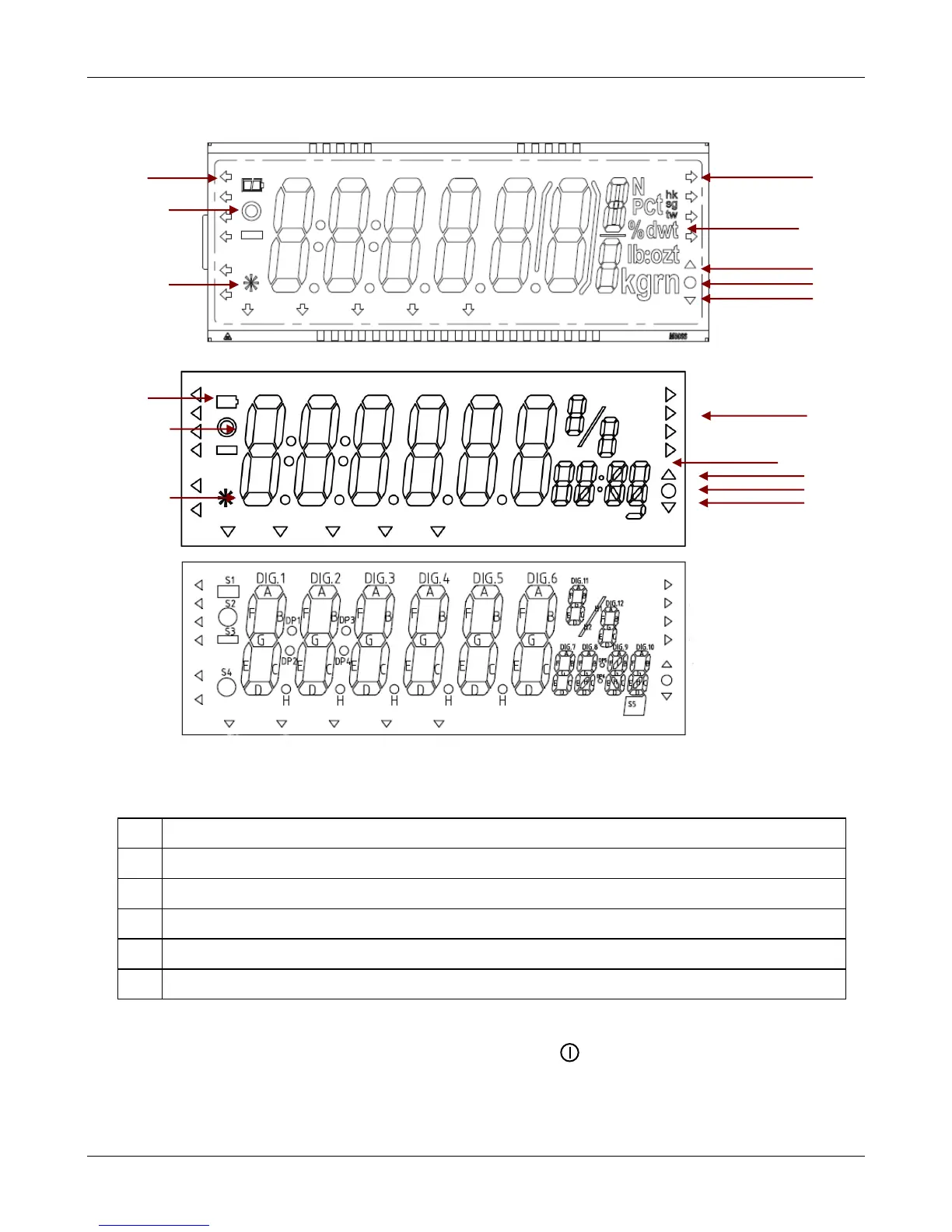
1.6.2 Overview of the Display Indicators
LCD
LED (old)
LED (new)
Figure 1-3. Navigator Display Indicators
TABLE 1-4 DISPLAY INDICATORS
Indicates that the measured value has become stable.
Indicates that the indicated value is within the center of zero.
Symbols for weighing units or modes
Arrows indicate the current operation mode of the IR Sensors
High, Accept, Low indicators for check weigh mode.
1.6.3 Power On
With power connected, AC Adapter or battery, press Zero/ . After segment display, “OHAUS”
and software revision number, the display will show * 0.00 and the current unit (standard weighing
mode).



 To Next Page