CHAPTER 4 TESTING
Ohaus Corporation www.ohaus.com 26 Navigator Series Service Manual
4.2 OPERATIONAL TEST
1 Connect a functioning Power Adapter to the scale power receptacle located on the bottom of the
scale, or install the required batteries.
2 Plug the Power Cord into a suitable power source.
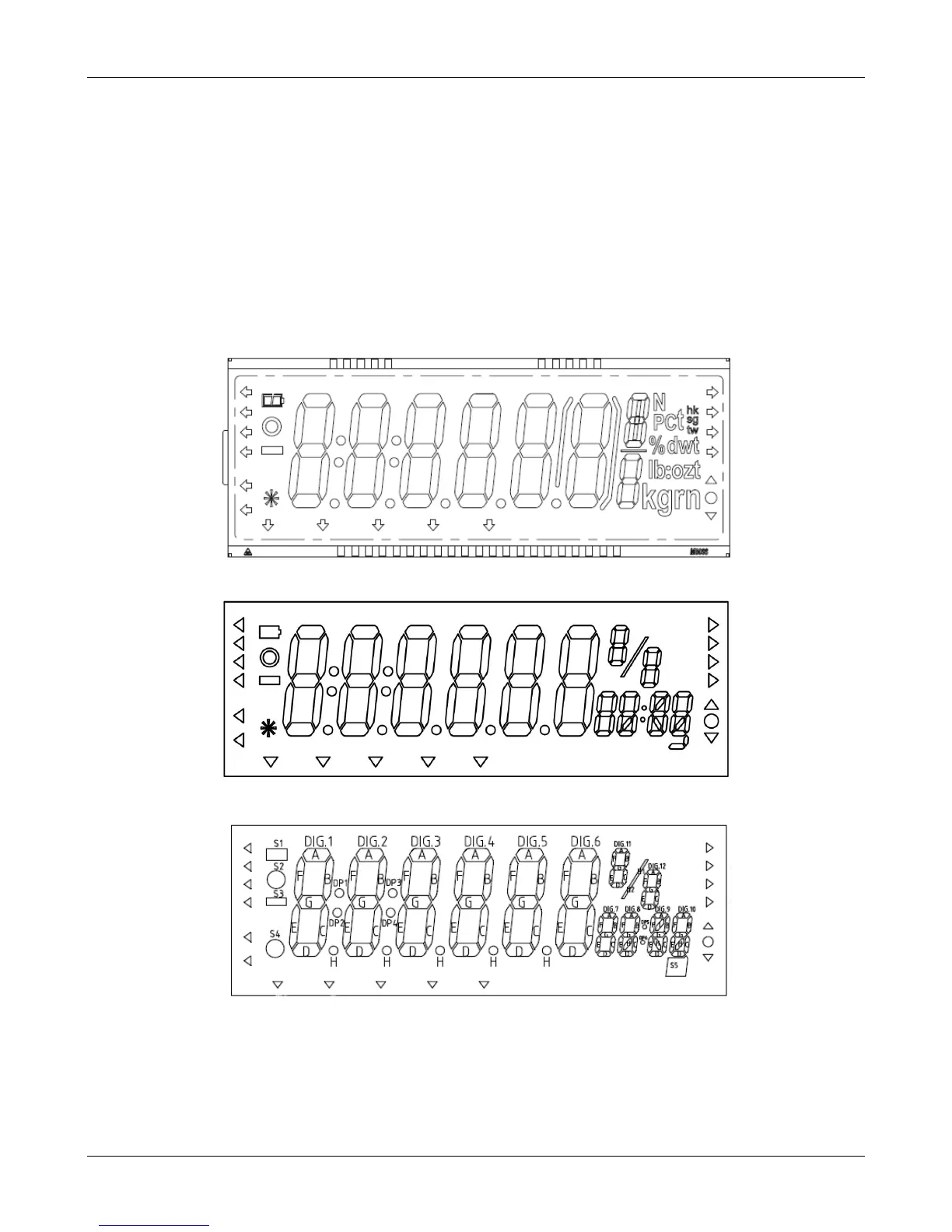
4.3 SEGMENT DISPLAY TEST
Turn the scale on, and ensure that all segments are enabled and displayed briefly. This is a
Segment Display Test. (See Figure 4-1 and Figure 4-2)
Figure 4-1 LCD Segment Display
Figure 4-2 LED (old) Segment Display
Figure 4-3 LED (new) Segment Display
4.4 LOAD CELL TEST USING RAMP
To test the Load Cell using RAMP, see Appendix B.



 To Next Page