PR Series Balance EN-11
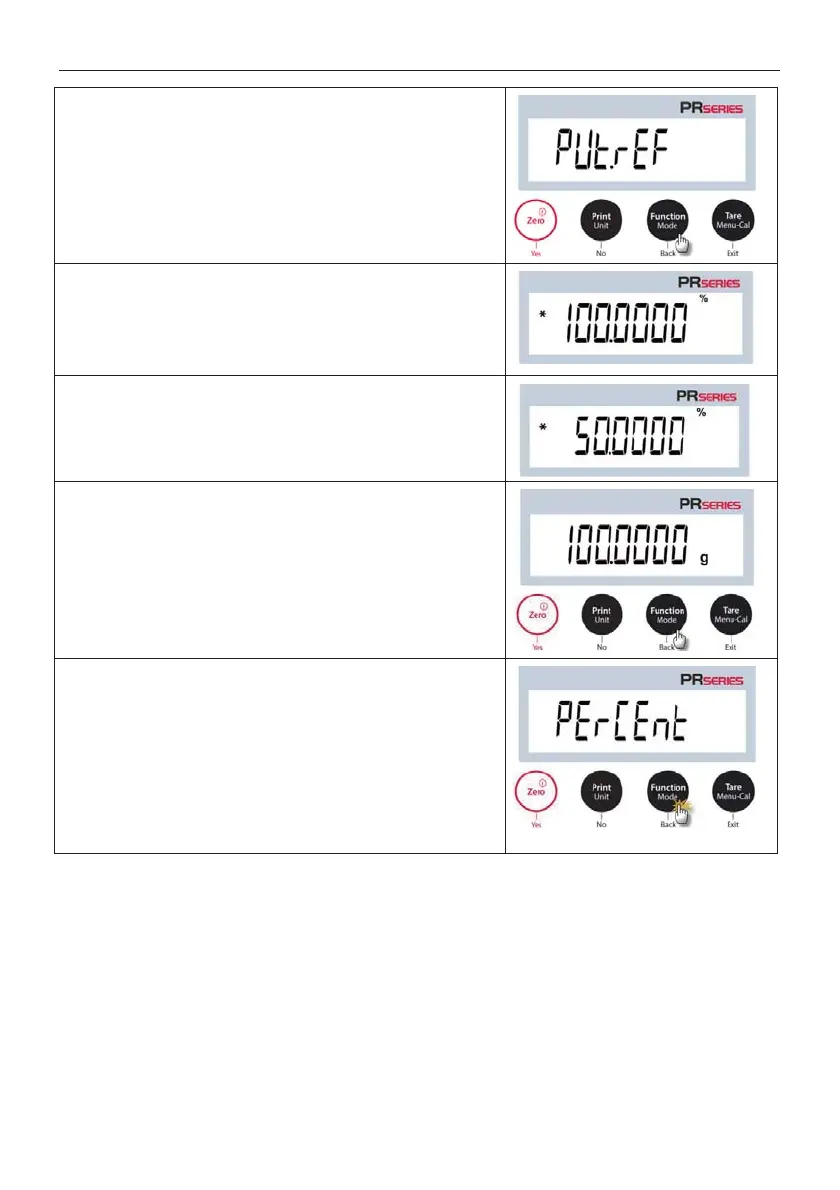
3. Press Yes, and PUt.ref (put the reference weight) will
display.
4. Place the reference sample on the pan to display the weight.
When the reading is stable, the * appears.
5. Press the Function / Mode button so that the
reference sample
is stored in memory. The display will show
100%.
6. Remove the reference sample, and place the test object on
the pan.
The ratio of the test object to the reference sample
weight is displayed as a percentage.
7. To view the reference sample weight or the percentage of the
test object weight to the reference sample weight
Function / Mode button.
8. To establish a new reference sample weight, long press the
Function / Mode button and repeat the steps described
above.



 To Next Page