SD SERIES BENCH SCALE EN-7
• Auto Shut-Off: To extend battery life, the scale will automatically turn off
after approximately four minutes of inactivity. This feature is only active
during battery operation.
Dynamic Weighing
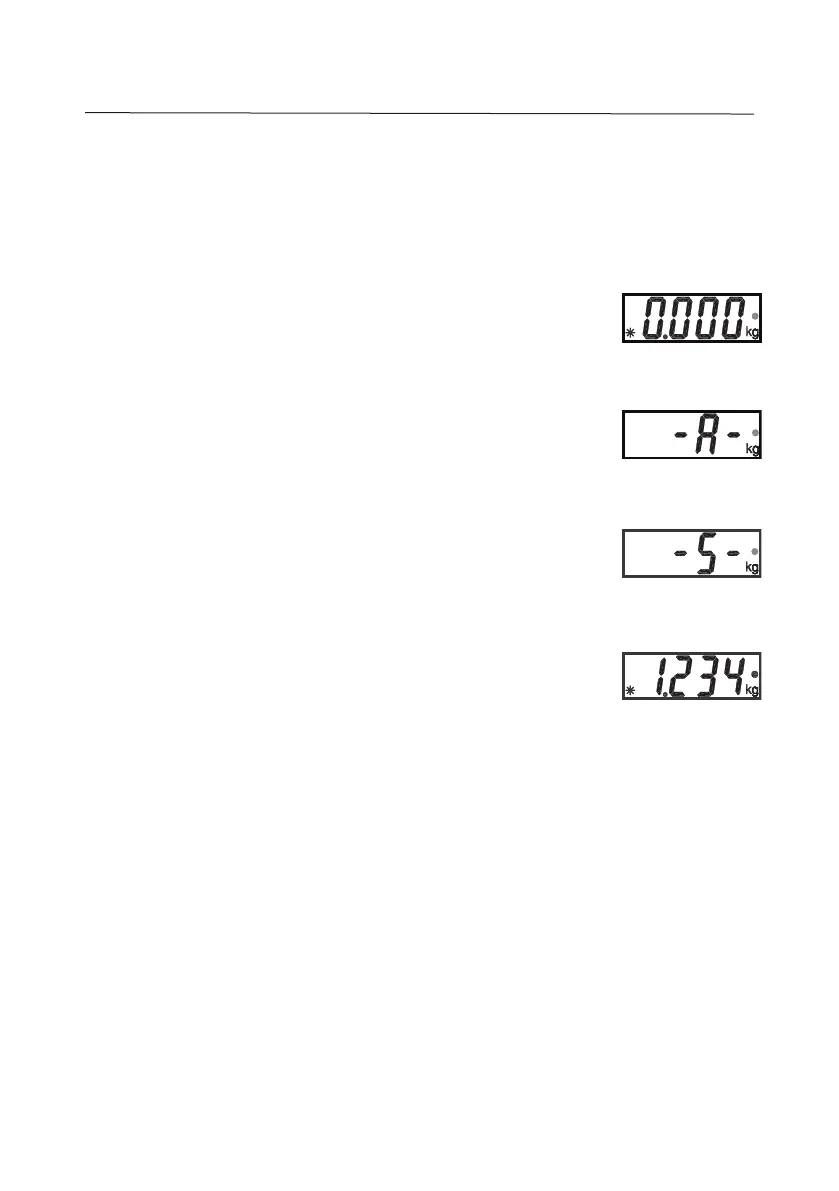
1. With platform empty, press the UNITS
Cal
button until the
indicator • flashes next to the desired measuring unit.
2. Place a mass on the platform. The scale will show “-A-”.
NOTE: If using a container, press ON/ZERO
Off
to tare the
weight and return to zero.
3. With a mass on the platform or container, a short press of
UNITS
Cal
will start the averaging countdown from
5 seconds.
4. The averaged weight is then displayed. The indicator •
stops flashing when the process is complete.
5. The display will hold until a button is pressed.
6. To repeat the process press
UNITS
Cal
with a mass on the
platform or container.
7. To Exit, remove the mass from the platform or container and
press
UNITS
Cal.


 To Next Page