48
RS232 INTERFACERS232 INTERFACE
RS232 INTERFACERS232 INTERFACE
RS232 INTERFACE
Precision Plus balances are equipped with
a bi-directional RS232 compatible inter-
face for communication with printers and
computers. When the balance is con-
nected directly to a printer, displayed data
can be output at any time by simply press-
ing PRINT, or by using the Auto Print
feature.
Connecting the balance to a computer
enables you to operate the balance from
the computer, as well as receive data
such as displayed weight, weighing mode,
stability status, etc.
The following sections describe the hard-
ware and output signal formats provided
with the balance.
HardwareHardware
HardwareHardware
Hardware
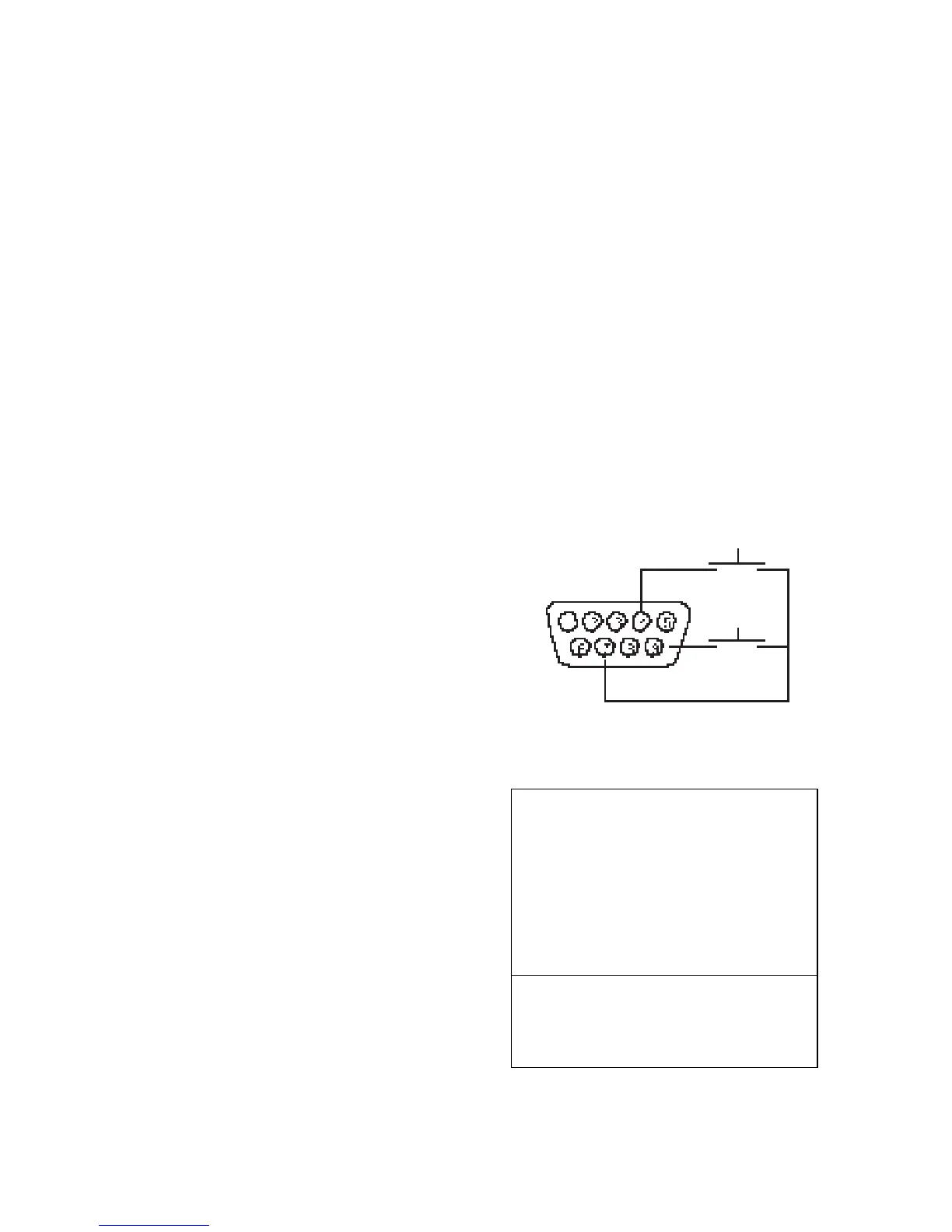
On the rear of the balance, a 9-pin sub-
miniature “D” connector is provided for
interfacing to other devices. The pinout
and pin connections are shown in the
adjacent illustration.
The balance will not output any data un-
less pin 5 (CTS) is held in an ON state (+3
to +15 VDC). Interfaces not utilizing the
CTS handshake may tie pin 5 to pin 6 to
defeat it.
Output FormatsOutput Formats
Output FormatsOutput Formats
Output Formats
Data output can be initiated in one of three
ways: 1) By pressing PRINT; 2) Using the
Auto Print feature; 3) Sending a print com-
mand (“P”) from a computer.
The output format is illustrated in the
RS232 command table which follows.
PRINT *
1 5VDC (50 mA max.)
2 Data Out (TXD)
3 Data In (RXD)
4* Tare (External signal)
5 Clear To Send (CTS)
6 Data Terminal Ready (DTR)
7 Ground
8 Request To Send (RTS)
9* Print (External signal)
* External PRINT and/or TARE
switches may be installed as
shown in the diagram. Momentary
contact switches must be used.
TARE *








 To Next Page