PAGE 27
© 2022 OJ Electronics A/S
The “for a few hours...” option lets you determine the length of time the displayed
target temperature/setpoint should remain valid. The time set defines when
the thermostat will revert to Scheduled Operation. The period of time until the
thermostat reverts to Scheduled Operation can be set from 15 minutes and up to 24
hours.
You can set the:
• Hour
• Minutes (in 15-minute intervals: 00, 15, 30, or 45)
• AM or PM (if 24-hour time format is selected, this is not applicable)
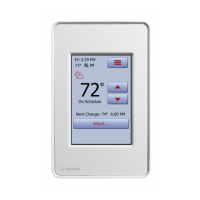
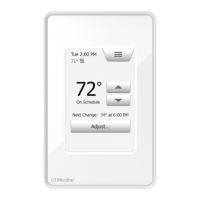
1. On the home screen, adjust the temperature to the preferred level using the
“Arrow Up” and “Arrow Down” buttons.
2. Tap the “Adjust…” button.
3. Then tap the “for a few hours...” button.
4. Tap the “Arrow” buttons for the parameter that you want to change.
5. Confirm your choice with “√” or discard it with “X”. The thermostat will
automatically return to the home screen.
9.2.1.1 Adjust... for a few hours





 To Next Page