PAGE 41
© 2022 OJ Electronics A/S
10.3.6 Daylight Saving Time
When enabled, the “Daylight Saving Time” function will automatically adjust the
thermostat clock to daylight saving time.
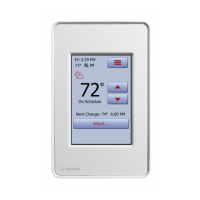
1. Tap the “Menu” button on the home screen.
2. Then tap the “User Settings” button to access the various user settings.
3. Tap the “Daylight Saving Time” button.
4. Tap the “OFF/ON” button to the setting that you prefer.
5. Confirm the setting with “√” or discard it with “X”.
The thermostat will automatically return to “User Settings”.





 To Next Page