OCS SMART _ USER MANUAL _ VERSION 1.00 OJMAR 14
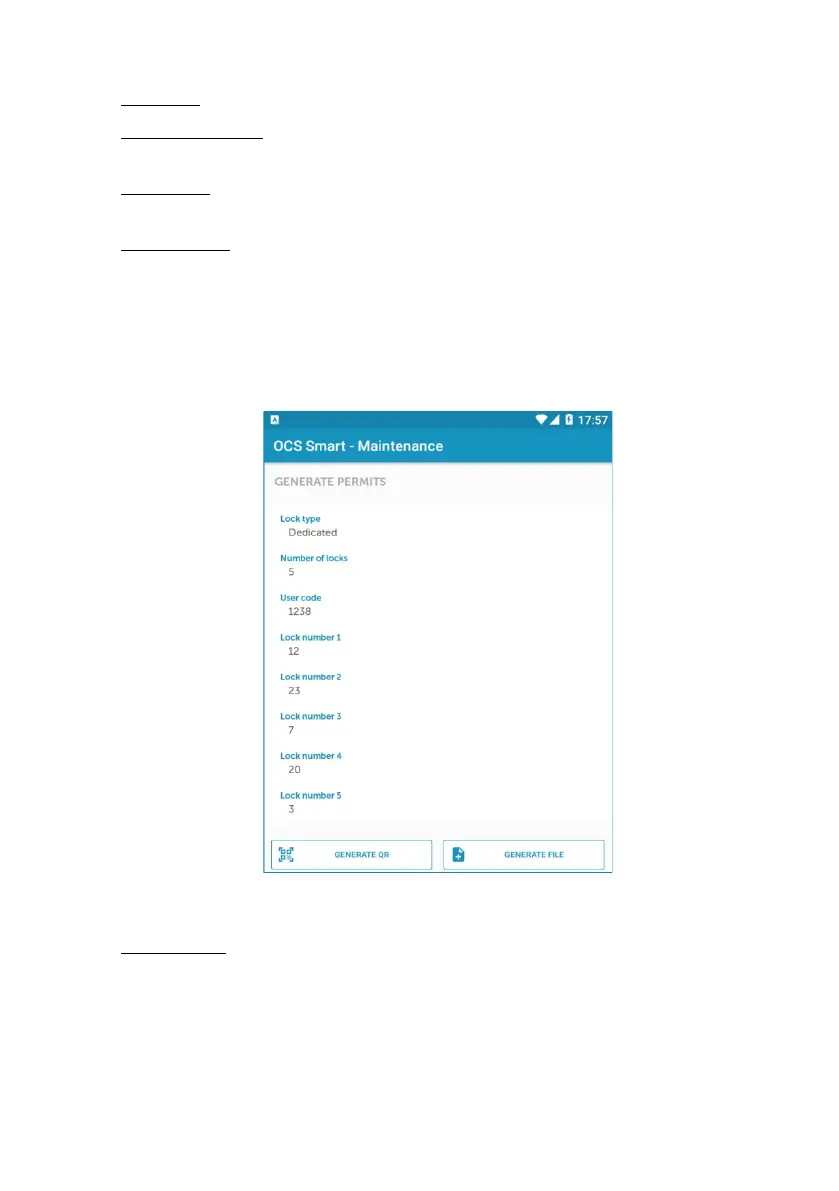
1. Lock type: For selecting whether the user will have free or dedicated locks.
2. Number of locks: Sets the number of locks that will be assigned to the user
(Maximum of 3 free locks or 6 dedicated locks).
3. User code: When the dedicated lock type has been chosen, this option is
displayed, allowing you to set the code that the assigned locks will have.
4. Lock number: When the dedicated lock type has been chosen, as many locks as
were set in point 2 (from 1 to 6) are displayed.
Select the number of the lock that you want to assign to the user.
• EXAMPLE: The following screen shows a user who has been assigned 5
dedicated type locks. They are locks 12, 23, 7, 20 and 3. The opening code for
all of them is 1238.
Figure 2.4
5. Generate QR: Once the parameters have been set, tapping this button generates
a QR code. This QR code must be shown to the user, who, through their mobile,
can read the code and import the information.



 To Next Page