OCS SMART _ USER MANUAL _ VERSION 1.00 OJMAR 18
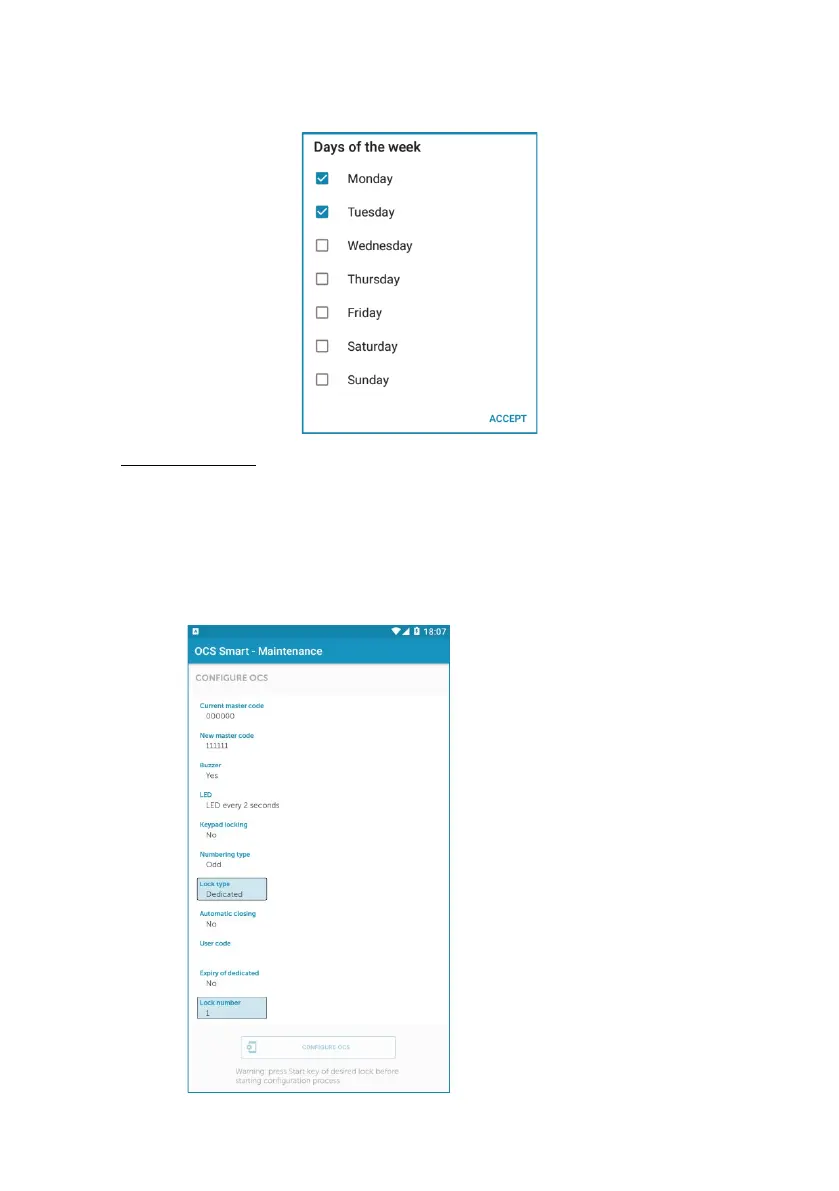
Step 2: Choose the days of the week and tap ‘‘ACCEPT’’ to confirm.
7. Numbering type: When the lock is configured, the locker ID number changes
automatically:
All: Changes to the next locker (1, 2, 3, 4 ,…).
Even. Changes to the next locker with an even ID number (2, 4, 6, 8, …).
Odd. Changes to the next locker with an odd ID number (1, 3, 5, 7, …).
• EXAMPLE:
Once the settings have been
chosen and the "Configure
OCS" button has been tapped,
lock 1 will be initialized and it
will automatically go from lock
number 1 to 3.



 To Next Page