1_OCS SMART APP OJMAR 19
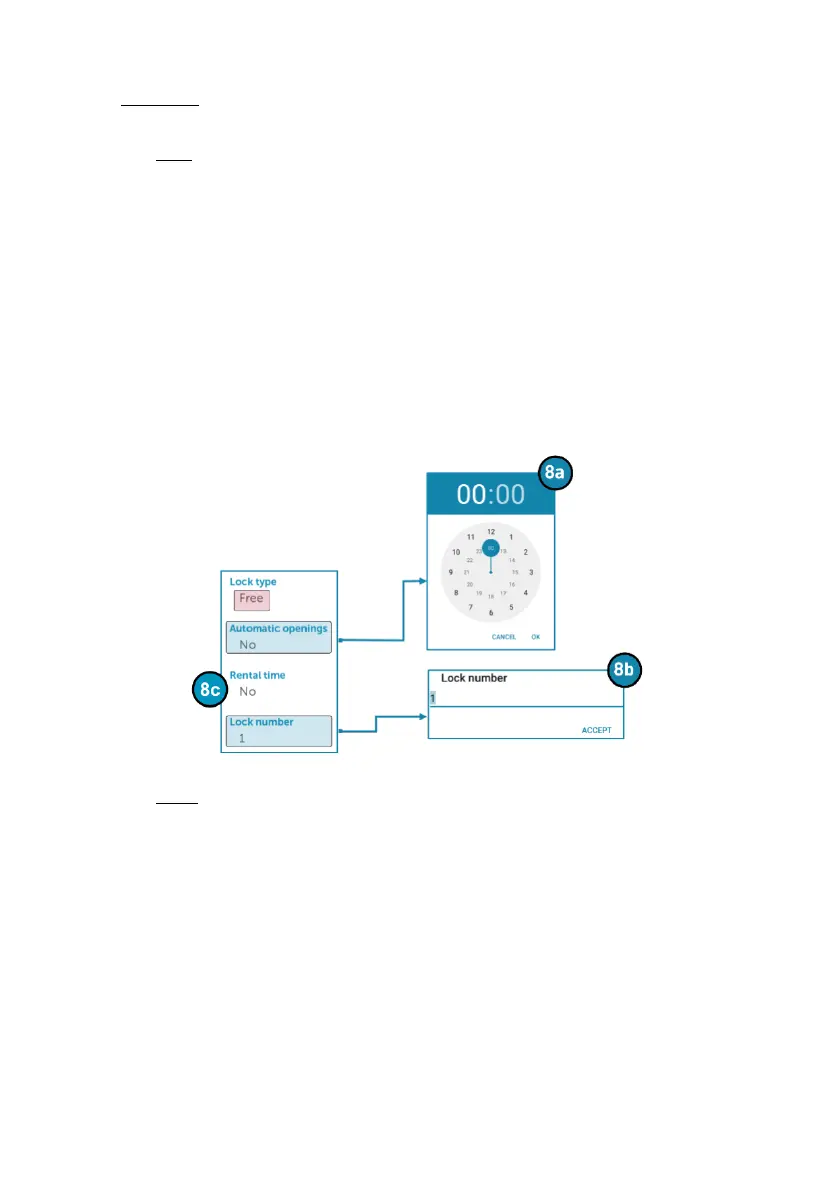
8. Lock type: The lock can be configured to be of free or dedicated type. The options
to set vary depending on the type of option selected:
Free:
8a: This menu allows you to set of the time in hours and minutes, for when
the lock will open automatically.
8b:This menu item allows you to assign a number to the lock.
8c: This menu item allows you to set the duration of time the locker will be
locked.
• NOTE: ‘‘Rental time’’ cannot be used if the ‘‘Automatic openings’’
feature is being used
Fixed:
8d: If automatic closing is active, close the locker door and after a few
seconds the OCS Smart will Lock itself automatically. if it is not active, it
must be locked manually using the user code or the app
8e: Sets the code that the user will use to open the lock.
8f: Allows a date and time for when the lock will stop being in use by a user.
• NOTE: By default there is no expiration date.
8g: Assigns a number to the lock.



 To Next Page