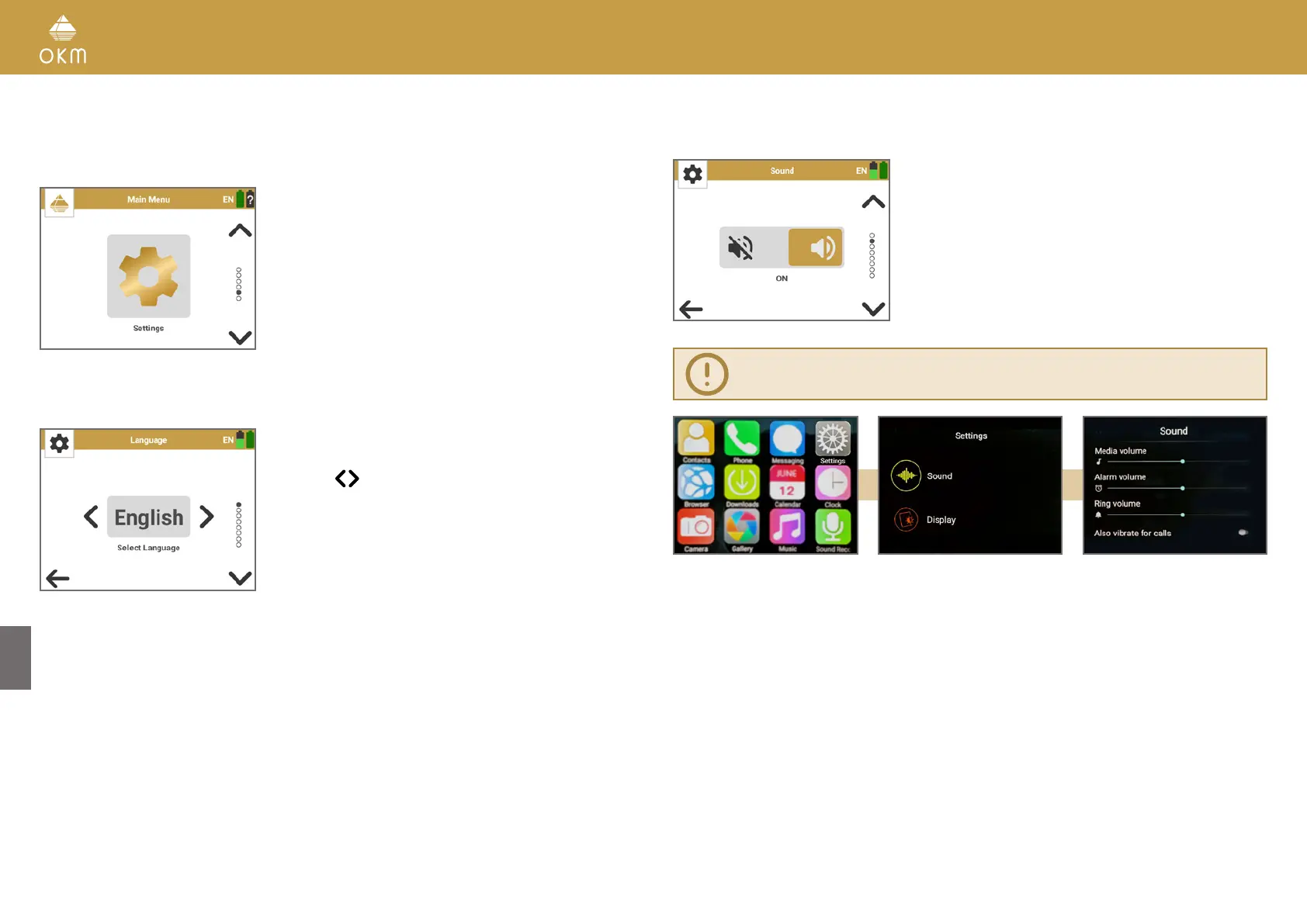
5.6 SETTINGS
The following settings can be adjusted from the settings menu:
• Language
• Sound
• Vibration
• GPS
• App Theme
• Length Unit
• Activation
• Update
5.6.1 Language
The Rover UC can be used in different languages to sim-
plify the handling.
Use the
buttons to loop through the languages. The
selected language will automatically be applied.
After selecting your preferred language it
will be indicated in the toolbar icon with the
2-letter-code according to ISO-639-1. Currently we
support the following languages:
(AR)
български (BG)
Deutsch (DE)
Ελληνικά (EL)
English (EN)
Español (ES)
(FA)
Français (FR)
Italiano (IT)
日本語 (JA)
Polski (PL)
Русский (RU)
Türkçe (TR)
中文 (ZH)
5.6.2 Sound
Toggle between ON and OFF.
The operating modes 3D Ground Scan and
Magnetometer provide an acoustic feedback (sound)
that can be turned on or off.
You may use the included Bluetooth headphones to
avoid attracting attention with sounds or turn the
sound off.
Volume Settings of the Rover UC Operating Modes with acoustic feedback
must be adjusted via the Smartwatch Settings!
• Adjust the Volume of the Magnetometer via the Smartwatch Media Volume:
Android App List > Settings > Sound > Media volume
• Adjust the Volume of the 3D Ground Scan via the Smartwatch Ring Volume:
Android App List > Settings > Sound > Ring volume
26 / 34



 To Next Page