28 / 34
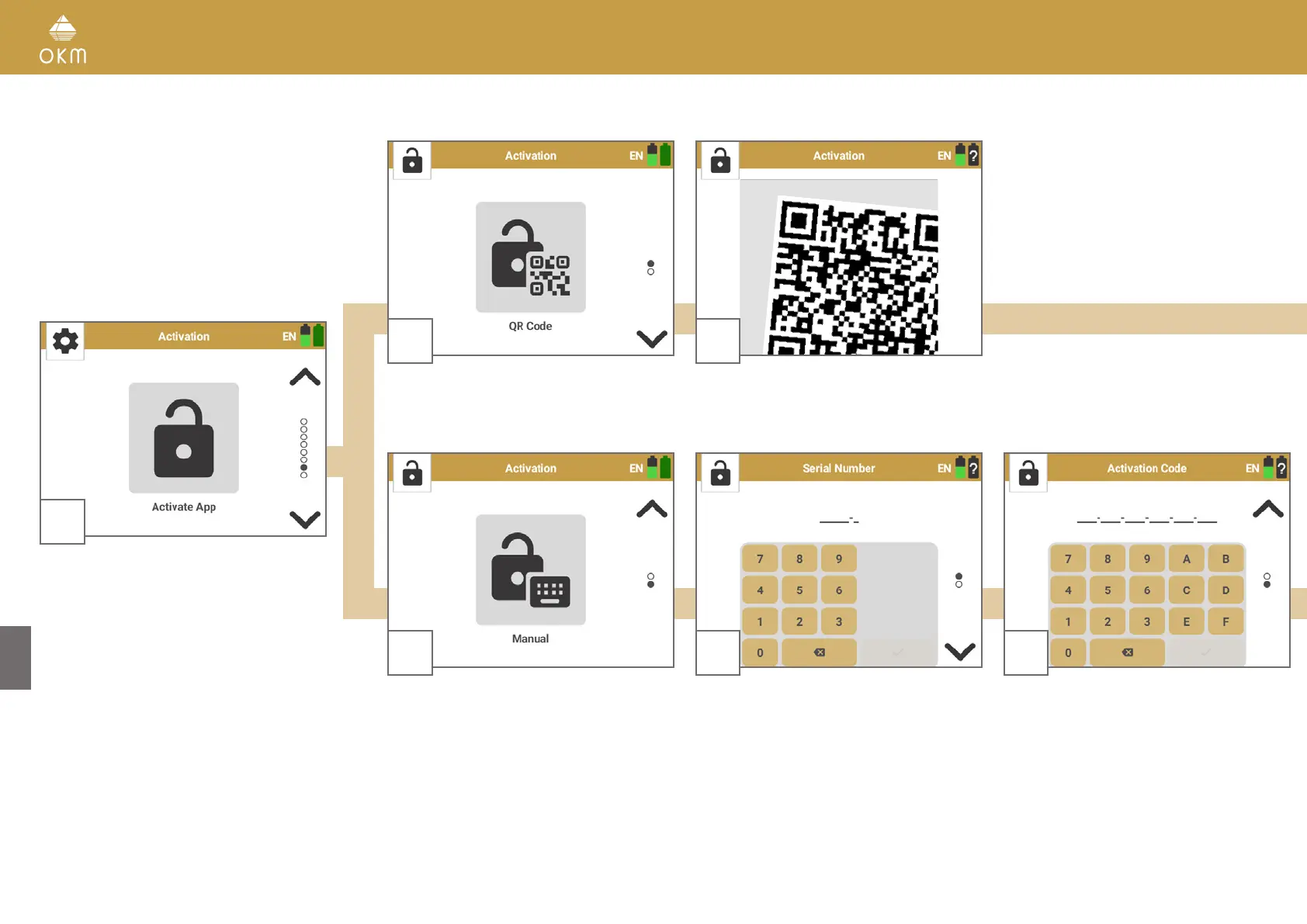
5.6.7 Activation
2
If you have problems using or you do not have a
QR Code, select Manual.
3
In the next step enter the OKM Rover UC
Serial Number.
4
In the next step enter the OKM Rover UC
Activation Code.
1
The OKM Rover UC App is usually pre-confi-
gured on the included Android device.
Activation may be necessary
• if you want to use your own Android device
• if you want to add further Android devices
• if you need to reset the pre-configured
device and need to install the App again.
Start Activate App from the Rover UC settings
menu.
2
If you have received a QR Code from OKM for
an automatic activation, select QR Code.
3
Use the Smartwatch camera to scan the QR
Code that comes with the detector.



 To Next Page