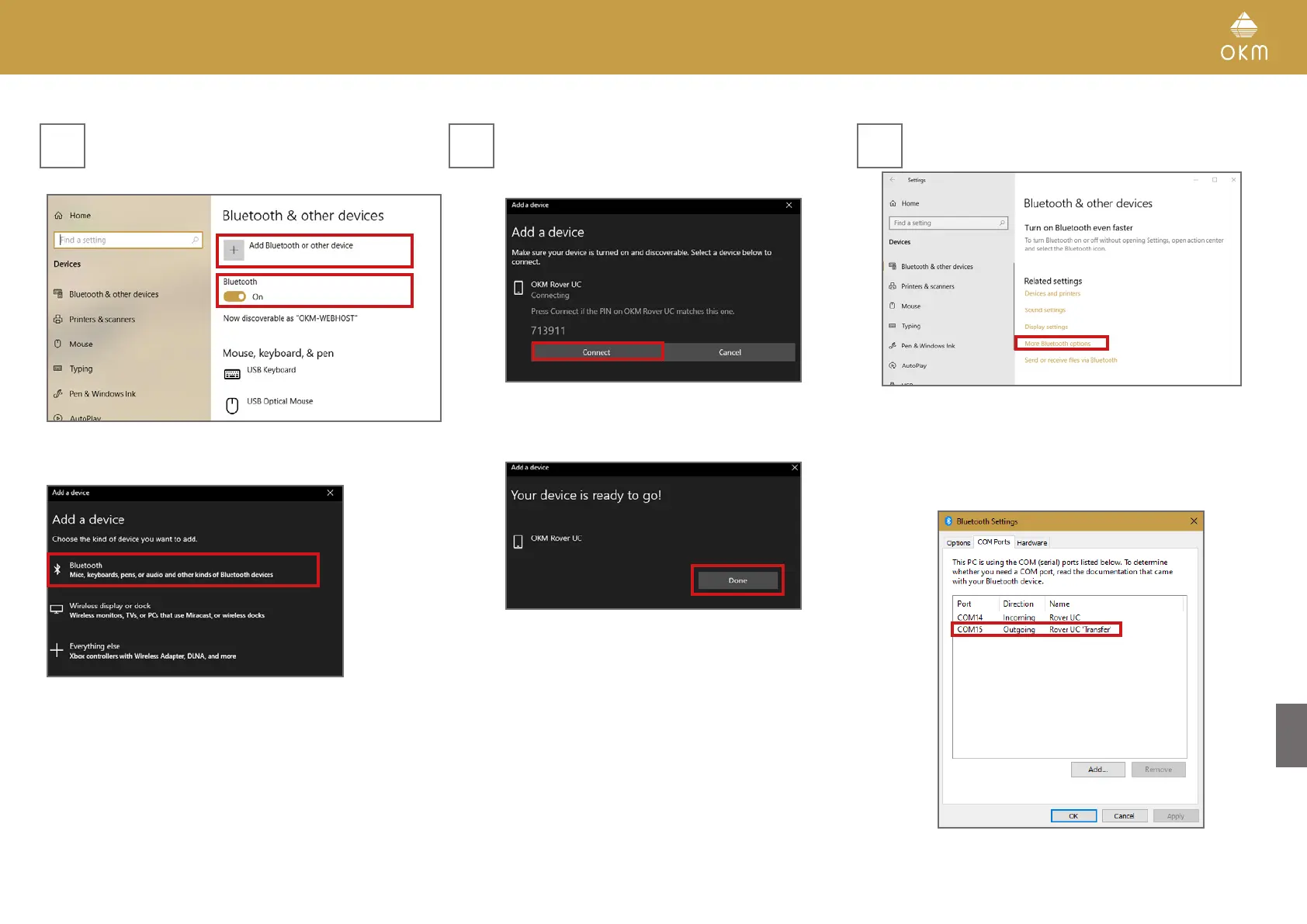
Make sure Bluetooth is enabled.
Then click on Add Bluetooth or other device.
Then click on Bluetooth.
In the "Add Bluetooth or other device" dialog select
Bluetooth and OKM Rover UC. In order to connect,
confirm the PIN:
1. Click Pair on the Smartwatch.
2. Click Connect in the Windows dialog.
Confirm with click on Done.
Scroll down in the dialog window and
select More Bluetooth options.
Make sure your device is powered on.
In the new dialog window select the tab COM Ports
and note your port for OKM Rover UC ‘Transfer’
which is required for File Import
see section 6.2 IMPORTING SCAN DATA on page 32
4 5 6
31 / 34



 To Next Page