47
7.2 PROGRAMMAZIONE PARAMETRI
-LIVELLI DEI MENU’-
La modica dei parametri del dispositivo può
avvenire tramite Personal Computer (disponendo
dell’apposito software e del modulo d’interfaccia
e cavi adeguati), o tramite tastiera;
In quest’ultimo caso l’accesso ai vari parametri
è organizzato in sottolivelli a cui si può accedere
premendo contemporaneamente i tasti “mode”
ed “on-off” (vedi sopra).
Ogni livello di menu è identicato da un codice
mnemonico visualizzato sul display.
7.2.1 Struttura del menu
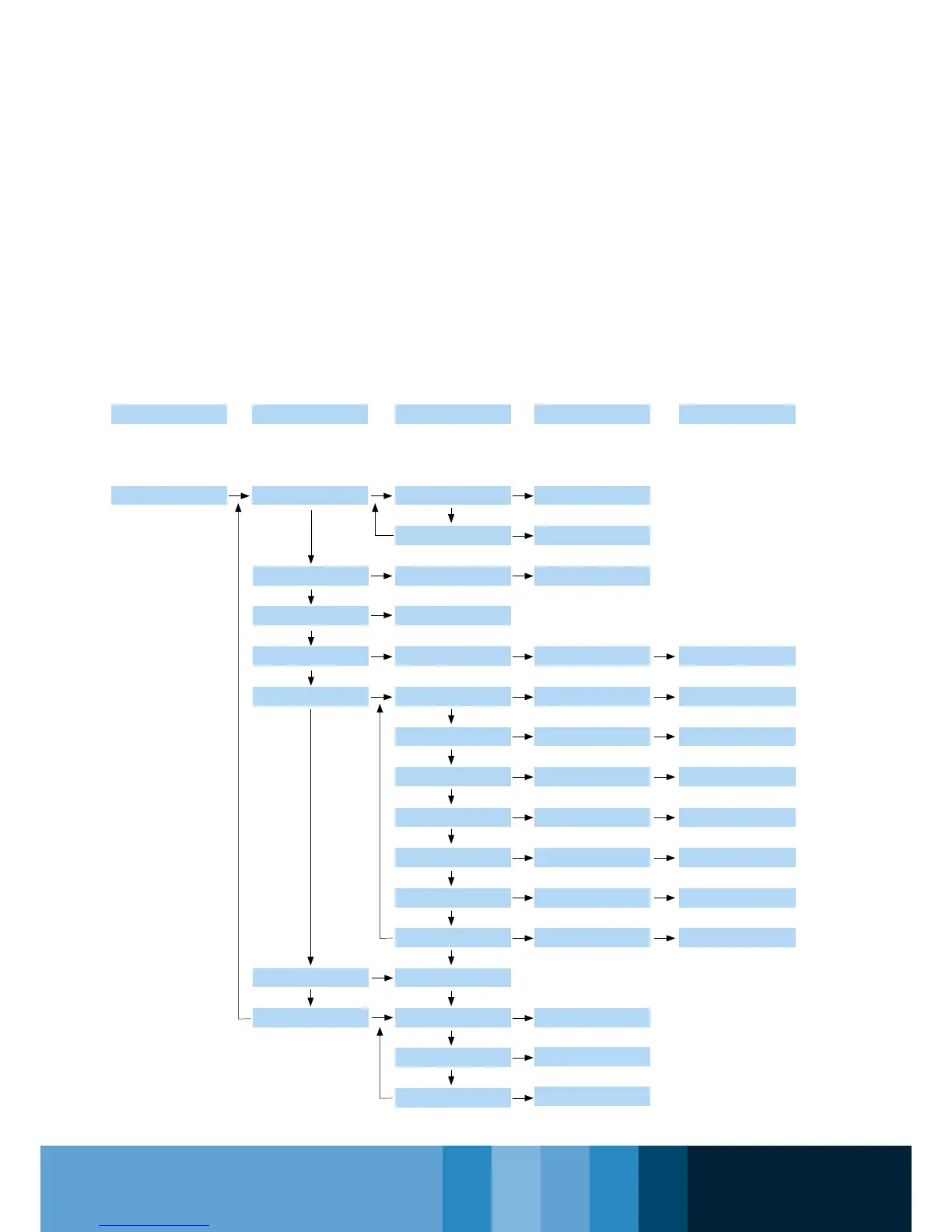
La struttura è organizzata come descritto nel
seguente schema:
Level 0 Level 1 Level 2 Level 3 Level 4
Controll Prode
Current Alarm
Label Set Cooling Coo
Set Cooling Value
Set Heating Value
Analogues Input Value
Digital input Status
Number of hours
parameters
Number of hours
parameters
Parameters value
Set point SET
Label Set Heating HEA
Input code to 1...to 4
Current allarms Code E00
Input code to 01...to 5
Conguration
Parameters CnF
Conguration
Parameters CP
Fan Parameters FAn
Allarm Parameters ALL
Pump Parameters PUP
Antifreeze Parameters
Fro
Defrost Parameters
dFr
Password value
Compressor
1 hours OH1
Compressor
2 hours OH2
Pump1 hours OPH
Parameters value
Parameters value
Parameters value
Parameters value
Parameters value
Parameters value
Parameters value
Anlogue Inputs TP
Alarms Err
Digital input Id
Parameters Par
Password Pss
Operating Hours OHr
Number of hours
parameters
Parameters index d01
Parameters index P01
Parameters index r01
Parameter index H01
Parameter index C01
Parameter index F01
Parameter index A01
7.2 PARAMETER PROGRAMMING
- MENU LEVELS -
The device parameters can be set up and
changed through a personal computer (provided
that suitable software, interface and cables are
available) or through the keypad;
In this latter case, access to the various
parameters is organised in menu sublevels which
can be accessed by simultaneously pressing the
“Mode” and “On-Off” keys (see above).
Every menu level is identied by a mnemonic
code displayed on the display.
7.2.1 Structure of the menu
The structure is organized as described in the
following diagram:



 To Next Page