4-81
Using the Operation Panel
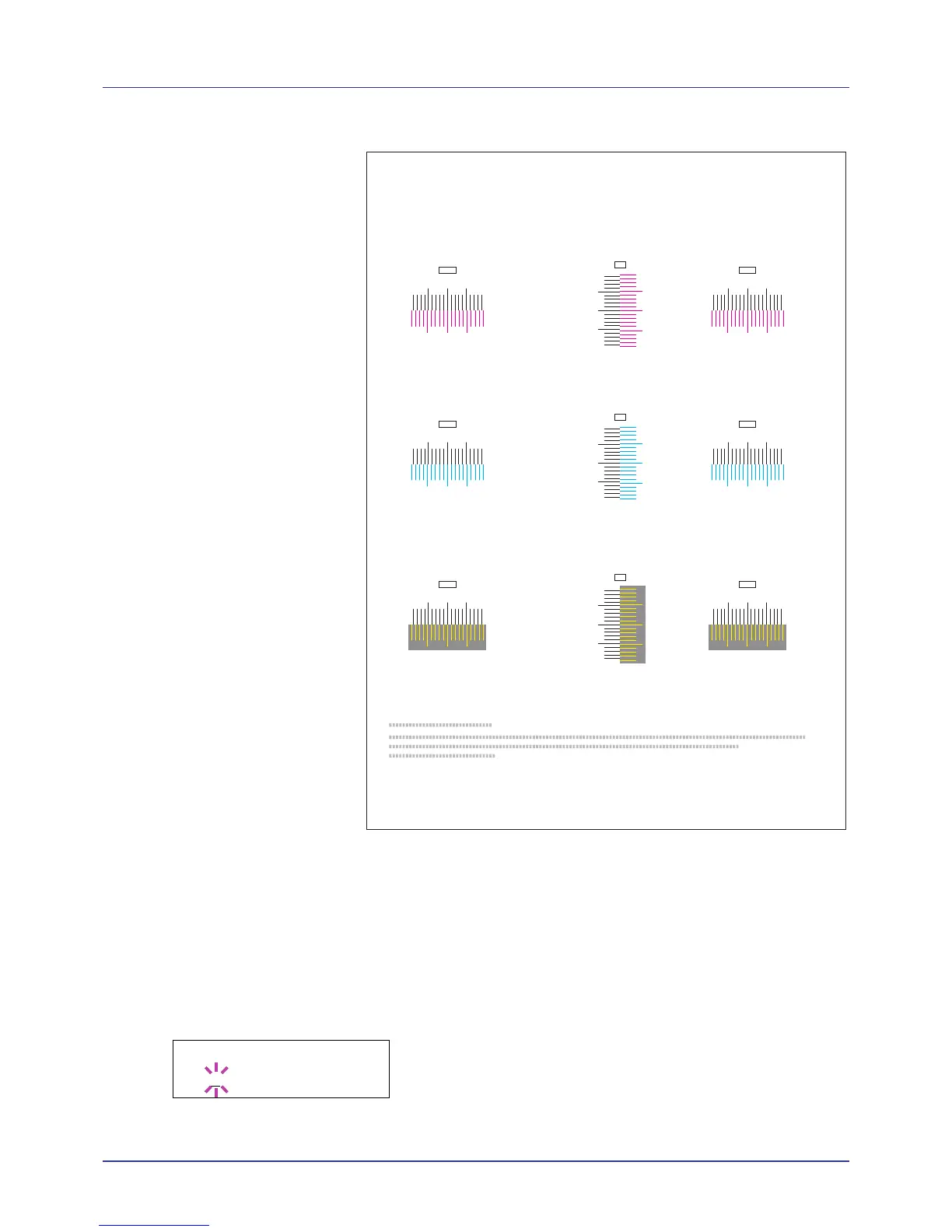
Sample Color Registration Correction Chart
7 When printing ends, the display returns to Ready.
Adjust Magenta
Corrects the registration for magenta (red).
1 Press Z while Adjust/Maintenance > is displayed.
2 Press U or V repeatedly until >Registration Normal > appears.
3 Press Z.
4 Press U or V repeatedly until >>Adjust Magenta appears.
5 Press [OK]. 0 will be displayed for each value and the cursor (_) will
flash under the left (L) value.
I
H
G
F
E
D
C
B
A
0
1
2
3
4
5
6
7
8
9
MH-L
I
H
G
F
E
D
C
B
A
0
1
2
3
4
5
6
7
8
9
CH-L
I
H
G
F
E
D
C
B
A
0
1
2
3
4
5
6
7
8
9
YH-L
I
H
G
F
E
D
C
B
A
0
1
2
3
4
5
6
7
8
9
MH-R
I
H
G
F
E
D
C
B
A
0
1
2
3
4
5
6
7
8
9
CH-R
I
H
G
F
E
D
C
B
A
0
1
2
3
4
5
6
7
8
9
YH-R
MV
9
8
6
4
2
0
B
D
F
H
7
5
3
1
A
C
E
G
I
CV
YV
9
8
6
4
2
0
B
D
F
H
7
5
3
1
A
C
E
G
I
9
8
6
4
2
0
B
D
F
H
7
5
3
1
A
C
E
G
I
Color Registration Correction Chart














 To Next Page