Using the Operation Panel
4-8
Using the Menu Selection System
Menu Selection System
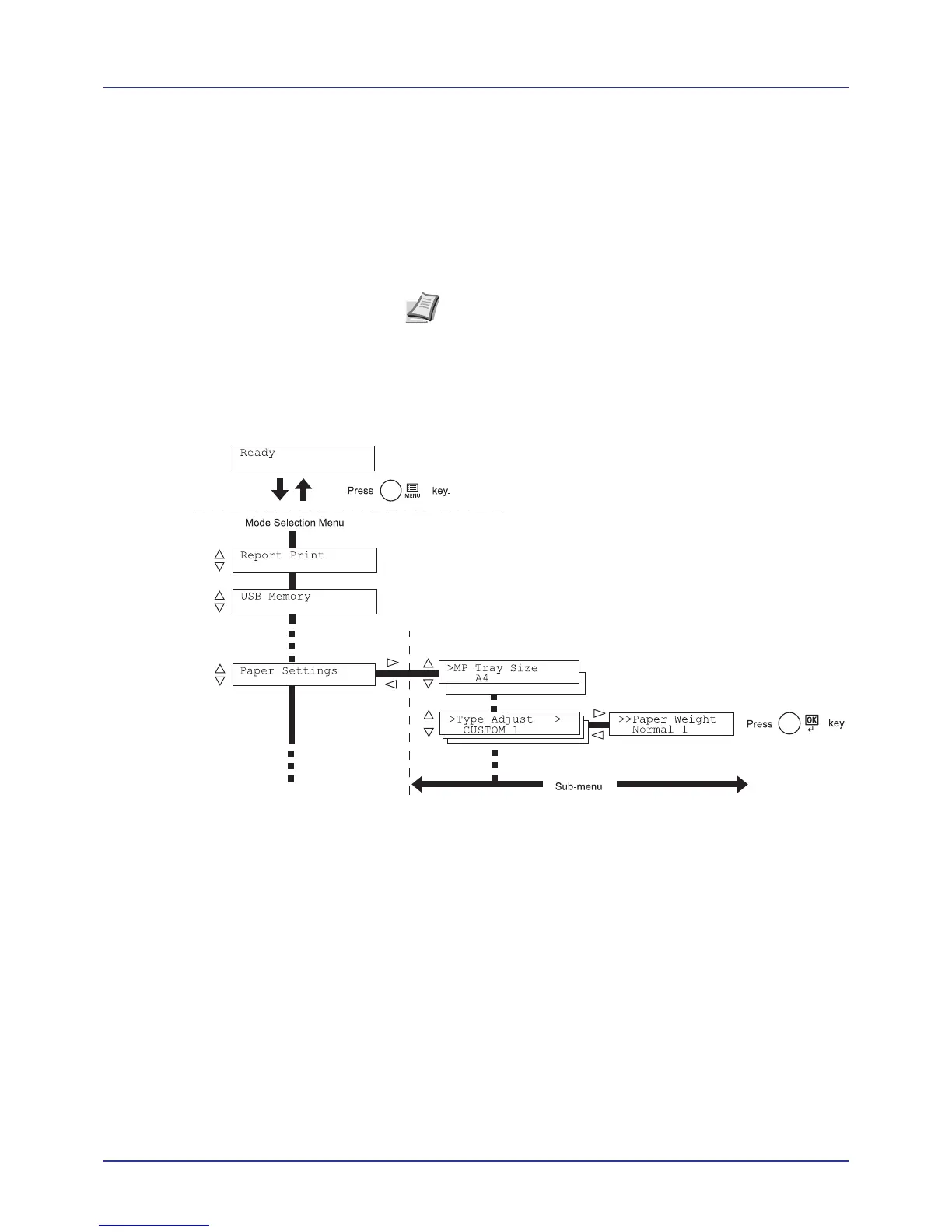
This section explains how to use the menu selection system.
[MENU] on the operation panel allows you to use the menu to configure
the printer settings to your specific needs. Settings can be made when
Ready, Processing, or a similar message is indicated on the printer
message display.
Entering the Mode Selection Menu
Press [MENU] when Ready is indicated on the printer message display.
The mode selection menu is displayed.
Note Settings that are received from application software and
the printing system driver will take priority over settings made in
the operation panel.














 To Next Page