Printing Operation
2-8
10
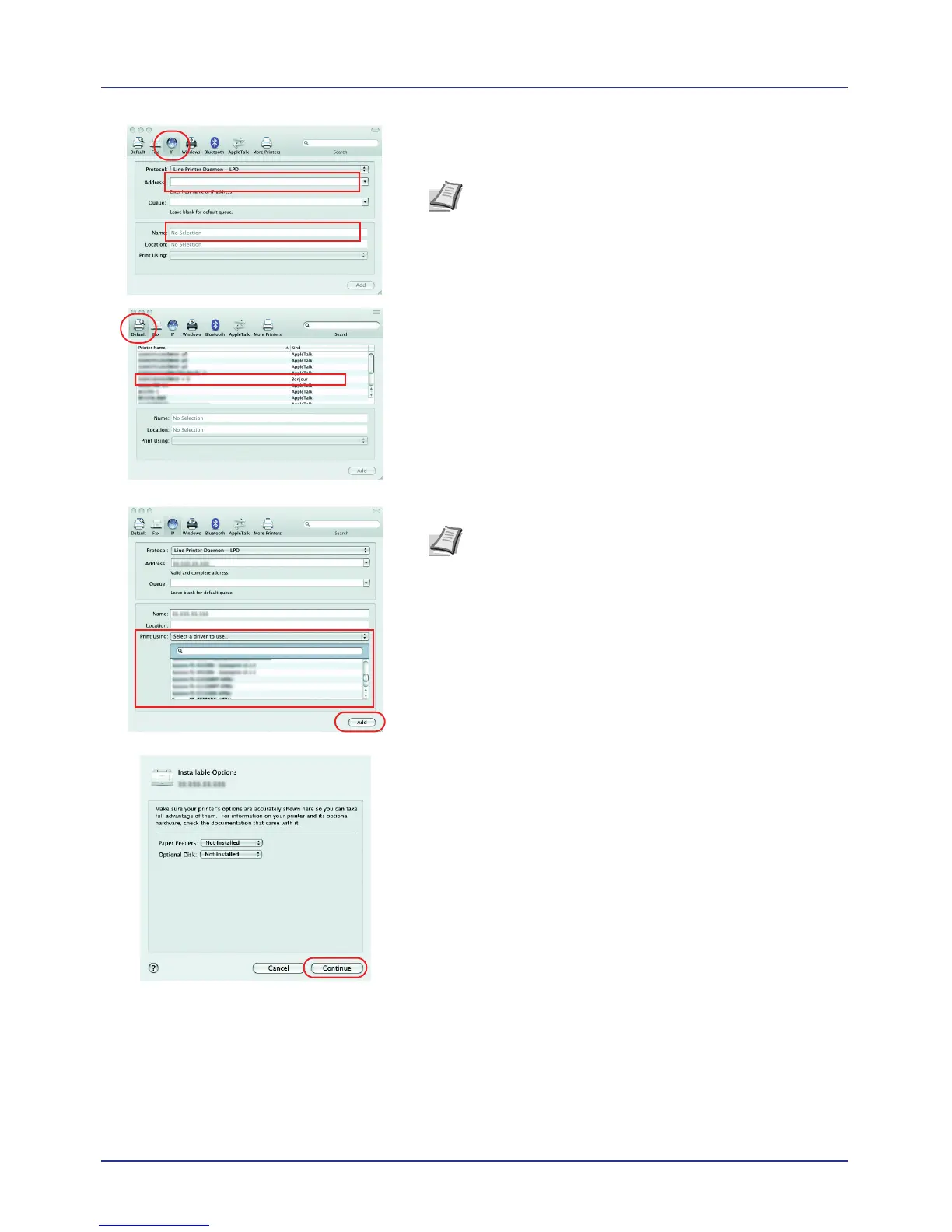
Click the IP icon for an IP connection or the AppleTalk icon for an
AppleTalk connection and then enter the IP address and printer
name.
For a Bonjour connection, click the default icon and select the printer
for which Bonjour appears in Kind.
11
Select the installed printing system driver and click Add.
12
Select the options available for the printer and click Continue.
Note AppleTalk is not supported by OS X 10.6.
Note When a Bonjour connection is used, the printing
system driver is automatically selected.














 To Next Page