Copy Functions
1-4 ADVANCED OPERATION GUIDE
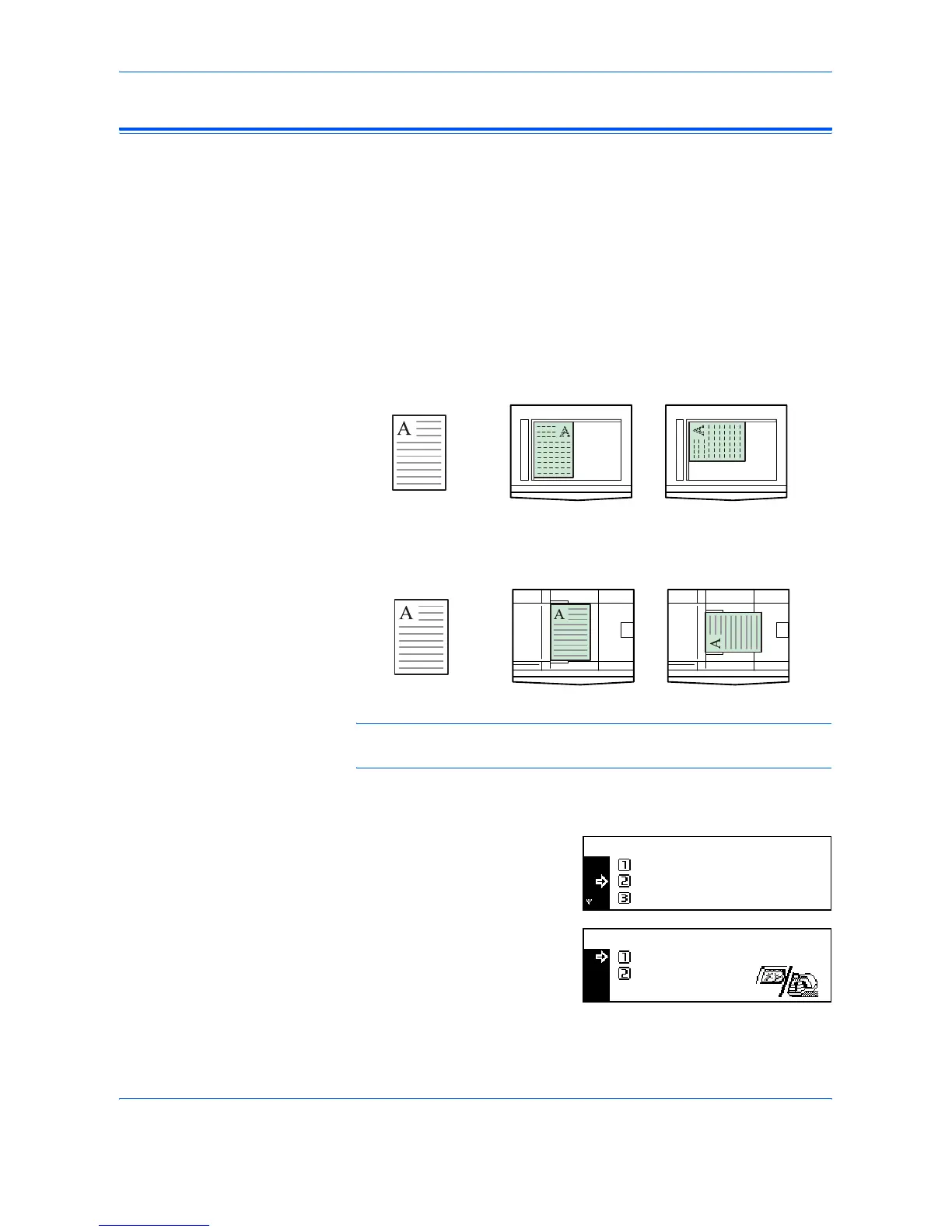
Original Placement
You must specify the orientation of the original when using the following
functions:
- Duplex Copying
- Split Copying (from 2-sided originals)
- Margin mode
- Border Erase mode
- Combine mode
- Auto Selection mode (Optional)
- Stapling (Optional)
When the originals are positioned on the Platen:
When the originals are loaded in the Document Processor:
NOTE: To change the default setting for Original Orientation, refer to
Original Orientation, on page 3-20.
1
Press [Function].
2
Press S or T to select Orig.
direction and press [Enter].
3
Press S or T to select Rear or
Left top and press [Enter].
Original Rear Left Top
Original Rear Left Top
Continuous Scan
Function:
End
Orig. Direction :
:
Rear
Off
Orig. Direction:
Rear
Left top
*












 To Next Page