43
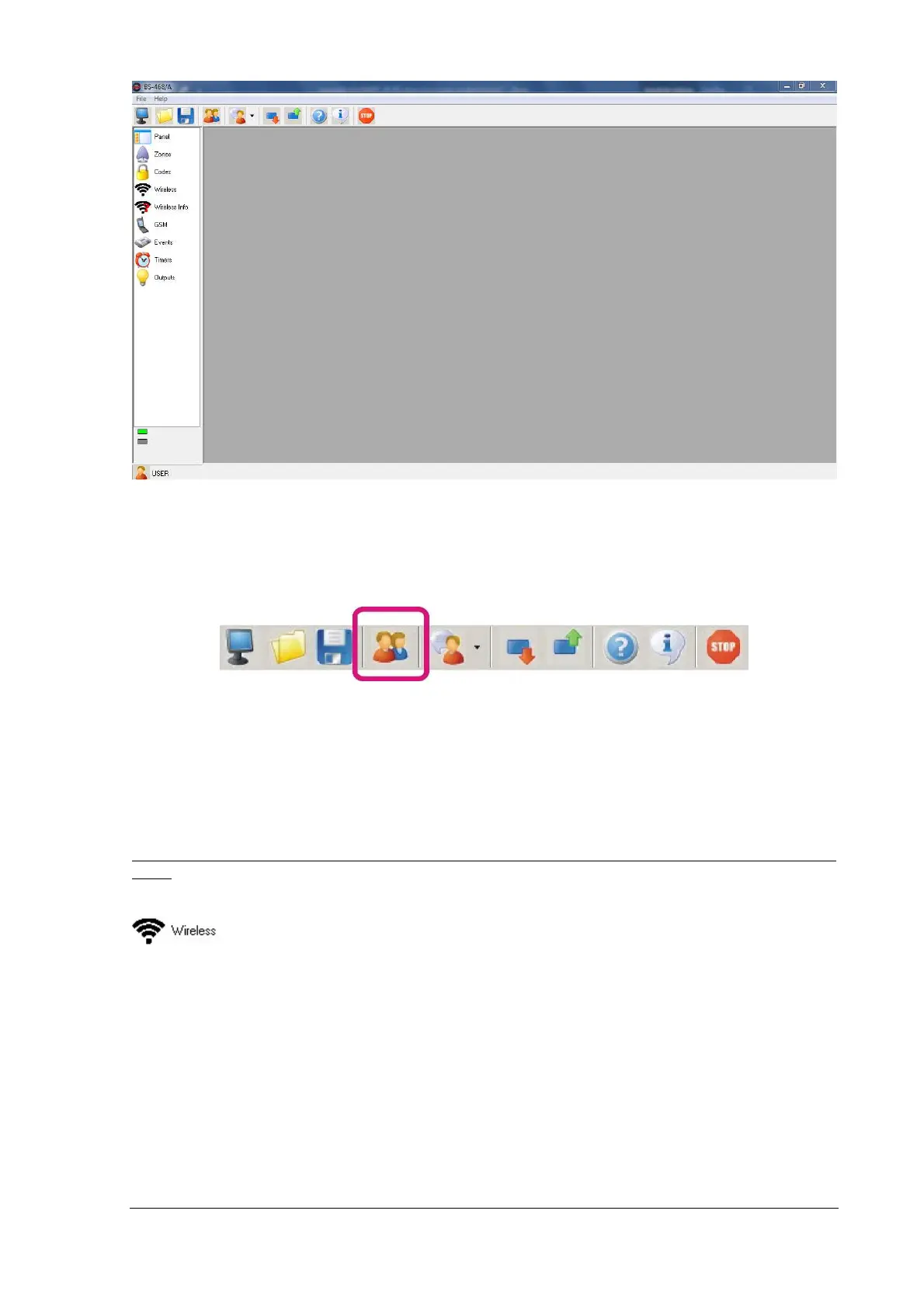
In the lower left corner, the user type that is enabled can be found. Double-clicking on it will reset the
panel to a simple user level. This type of user is not able to program the table.
Depending on the level of access we have (technical or master user), we can make the corresponding
changes. To change the user type, we press the user icon in the main toolbar.
A window appears asking us to give a password. Depending on the code, the access level is different.
The factory setting for the technician code is (9 9 9 9), and for master code (1 2 3 4).
From now and on we can change or view all the settings of the panel, such as zones, passwords,
events, timers and outputs.
Be noted that depending on the password entered, only the corresponding level features can be al-
tered.
If there is a wireless zone extension card plugged in, we press the wireless zone tab button
and the wireless zones window appears. Then we press "Refresh all" and we wait the
process to finish. If there are any wireless zones installed, they will be visible now (see next page's
screen).


 To Next Page