48
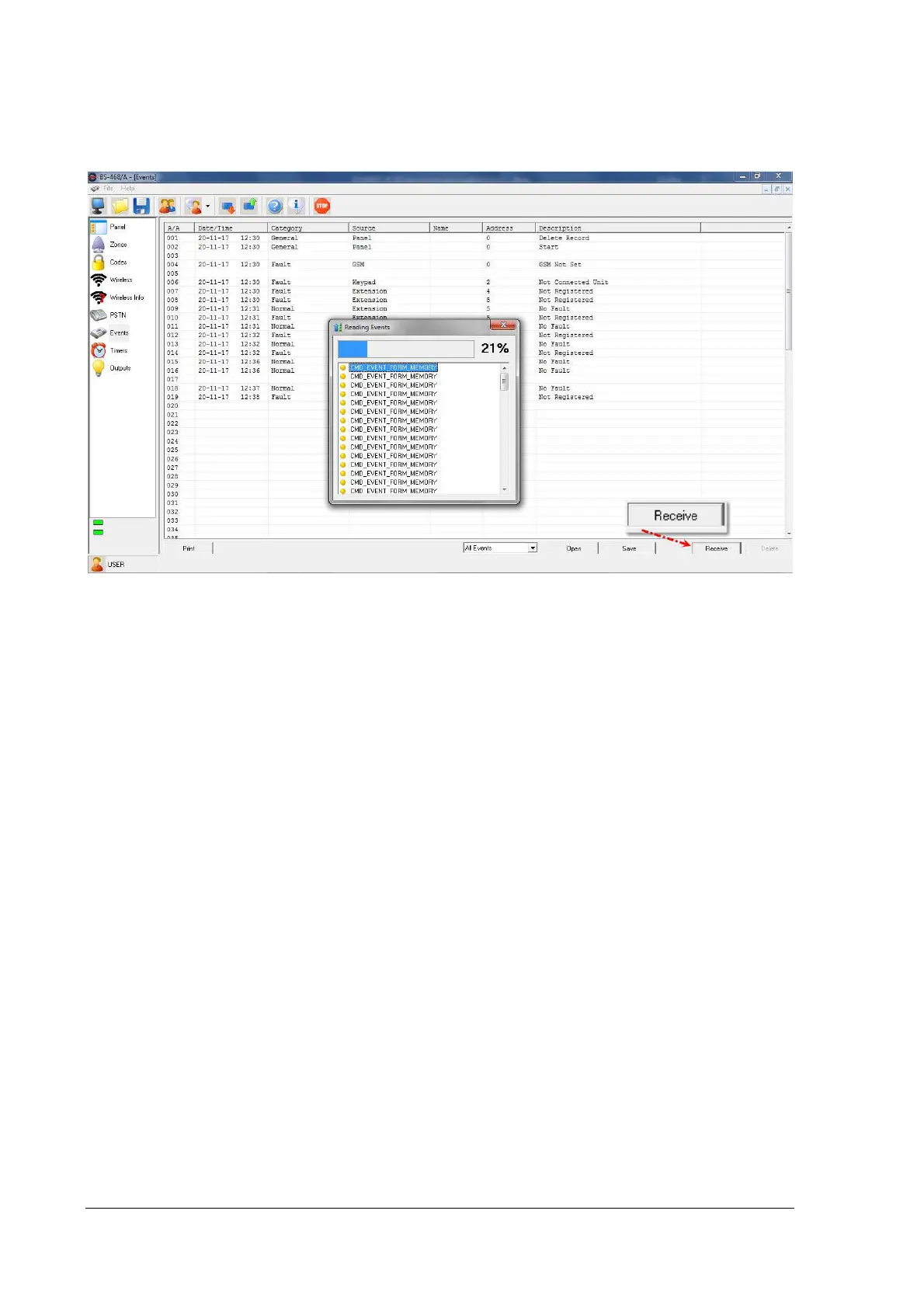
"Events" Window
In "Events" window we can see the system's events. "Events" is the only window that is visible by all
kind of users.
Press 'Receive' in order to download all events from the panel.
The columns that appear are:
A / A: The event number.
Date and time of the event.
Category: It may be Alarm, Fault, General, Normal, Bypass, Warning, etc.
Source: Where the event came from. It can be the Panel, Keypad, Zone, GSM, Code, Output etc.
Name: If the source is a zone, the zone name is shown in this column.
Address: The address of the source of the event. This is NOT the wireless devices ID.
Description: A description of the event.


 To Next Page