42
Online Operation
First connect the mini-USB cable to a BS-466/A keyboard or the USB Type-B cable on the board. The
two modes of connection are shown in the above photos.
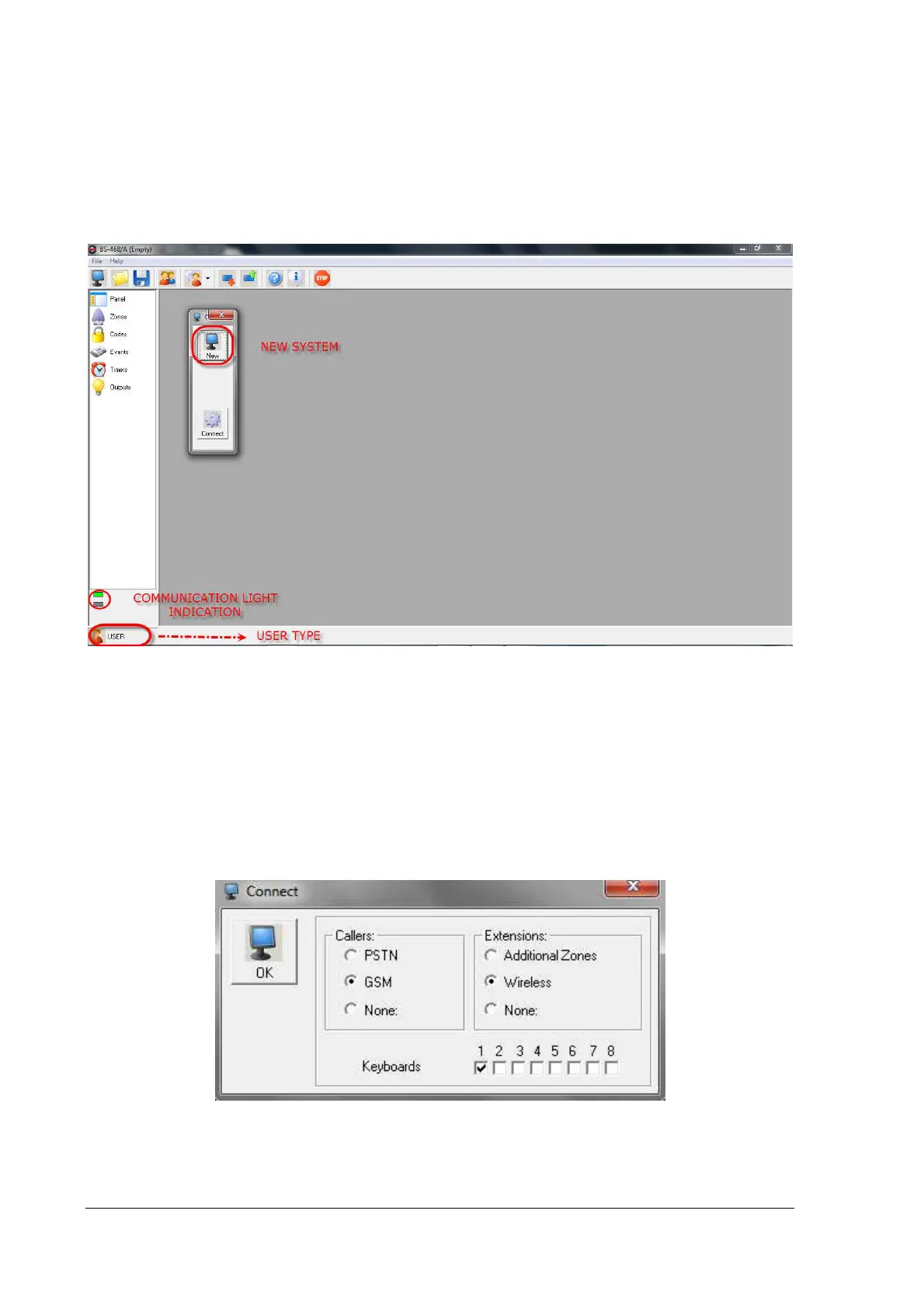
Launch the BS-468 program on the PC. After a short startup screen, we see the home screen. Com-
munication lights in the bottom left corner must be green. The bottom indicator is not permanently
green, but it flashes when the panel sends data to PC.
PC-468 initial screen
We press the connect button and the window bellow appears. After a while the current attached de-
vices of the panel will appear. While the panel tries to enumerate the connected system peripherals,
the "OK" button is not active.
The picture bellow shows an example of a system that has 1 BS-466/A keyboard and the wireless
zones extension card BS-479.
Press "OK" to continue. The next window appears.


 To Next Page