50
"Timers" Window
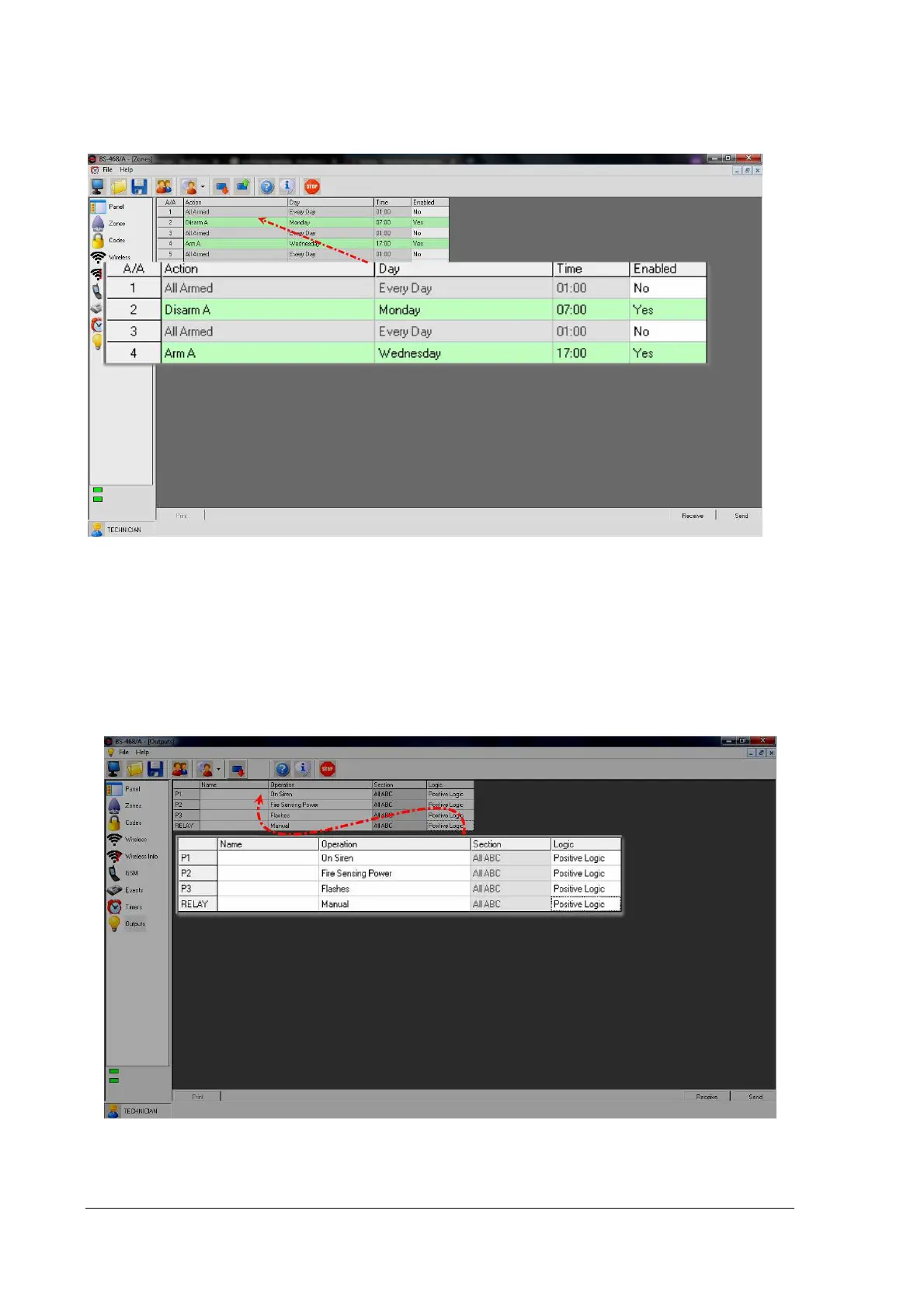
Through "Timers" window we can program the panel to arm and disarm at specific times.
The picture above shows "Timer 2" set to disarm Sector A every Monday at 7:00 while "Timer 4" arms
the system every Wednesday at 17:00.
"Outputs" Window
In "Outputs" window we can see and set the panel's outputs functions. Their operation is described in
a previous chapter.
In the "Name" column we can write a name to remember the function of e.g. WATERING. This infor-
mation exists only in the PC file and not in the table.


 To Next Page