13
BX3M-CB/CBFM
a
b
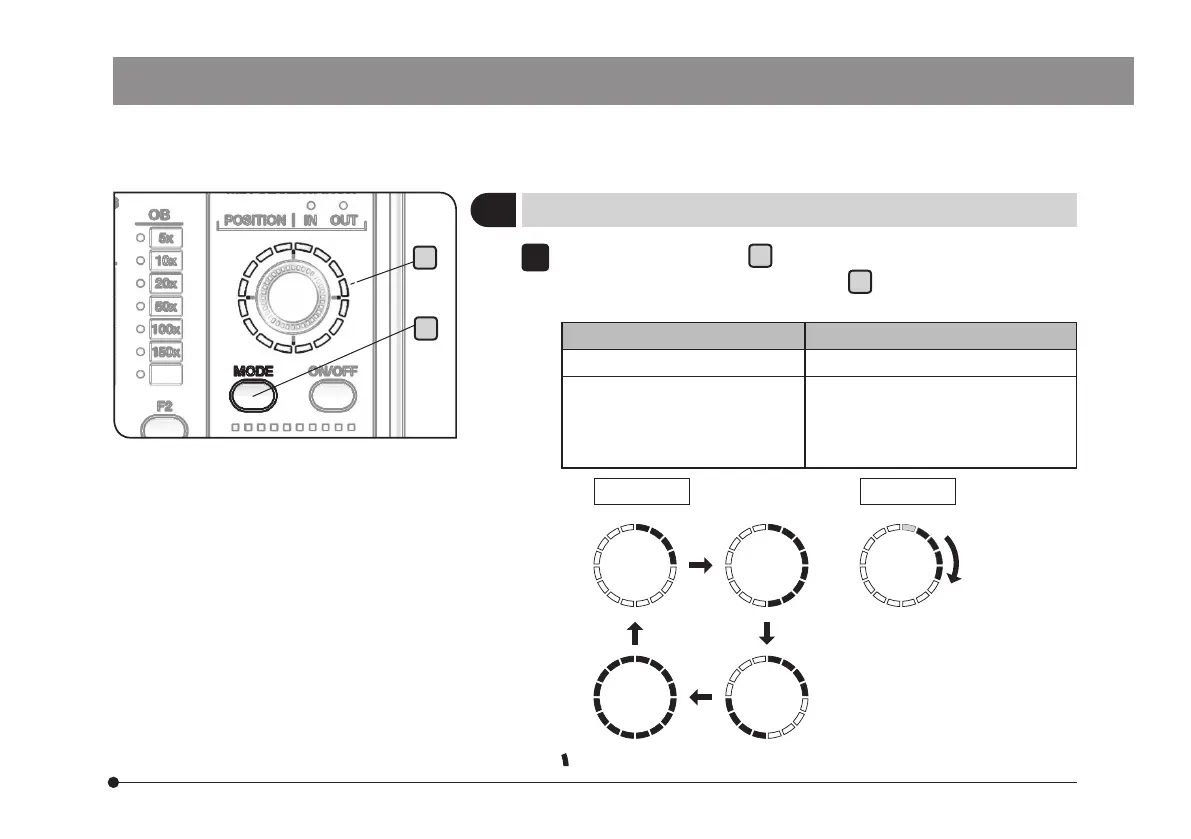
Press the MODE button
a
of the hand switch (BX3M-HS) to select
the illumination pattern. The indicator
b
turns ON according to the
illumination pattern.
Operation Function
Short press Changes the illumination pattern.
Long press
(Short press while the
illumination pattern is rotating
automatically)
The illumination pattern rotates
automatically clockwise.
(The automatic rotation stops.)
Long pressShort press
: The illumination turns ON and the indicator turns ON in blue.
1
4
Selecting the illumination pattern



 To Next Page