EasyManua.ls Logo

Olympus bx40 - Page 48

Olympus bx40
223 pages
Print Icon
To Next Page IconTo Next Page
To Previous Page IconTo Previous Page
Loading...
7
7702
ASV
U
S
Mi
E
ГА
44!
lim
1022
22
Y
bl
l
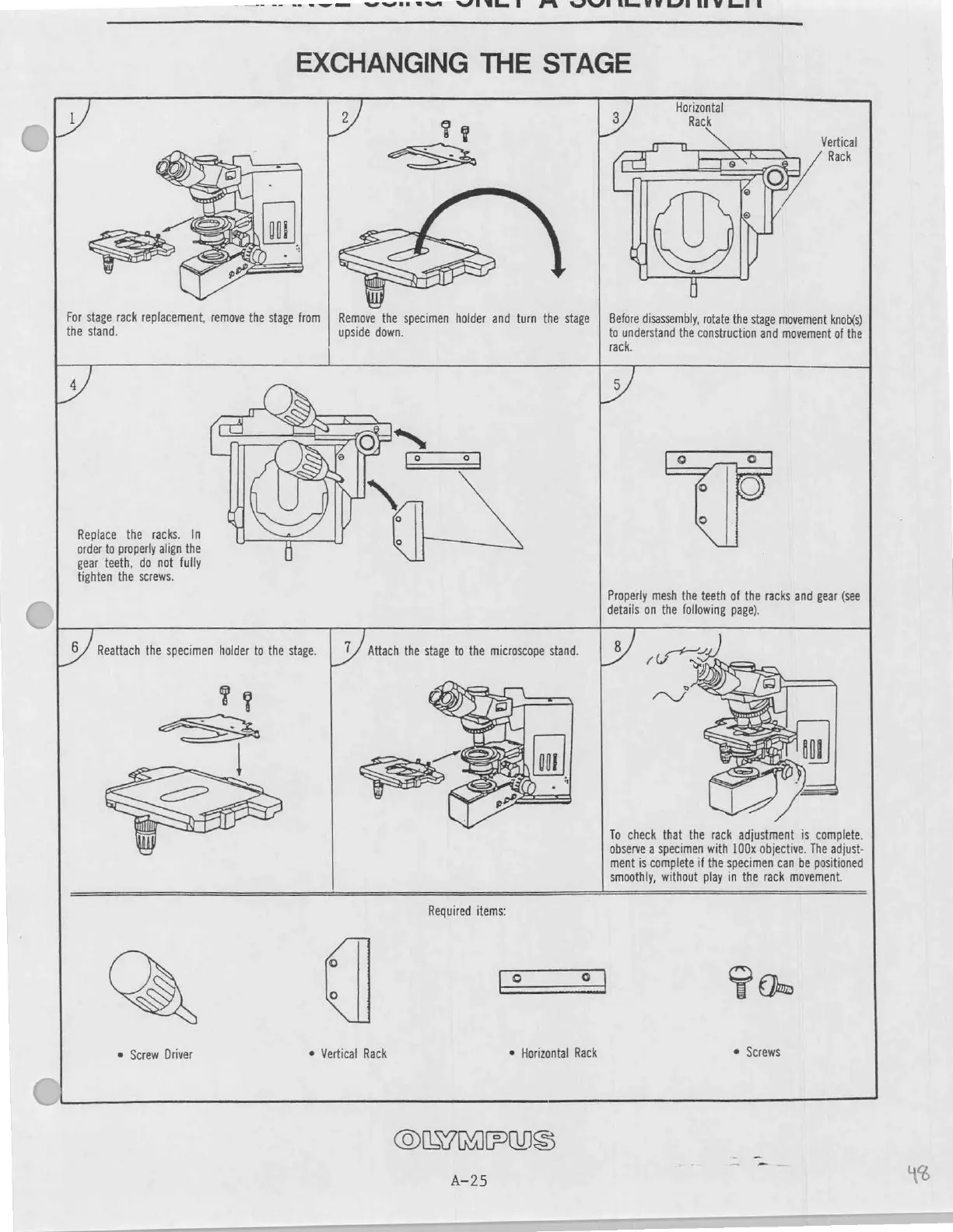
EXCHANGING
THE
STAGE
For
stage
rack
replacement,
remove
the
stage
from
the
stand.
Remove
the
specimen
holder
and
turn
the
stage
upside
down.
y
Horizontal
Rack
Vertical
Rack
70.
©
i
Before
disassembly,
rotate
the
stage
movement
knob(s)
to
understand
the
construction
and
movement
of
the
rack.
Replace
the
racks.
In
order
to
properly
align the
gear
teeth,
do
not
fully
tighten
the
screws.
Properly
mesh
the
teeth
of
the
racks
and
gear
(see
details
on
the
following
page).
EX
Reattach
the
specimen
holder
to
the
stage.
To
check
that
the
rack
adjustment
is
complete.
observe
a
specimen
with
100x
objective.
The
adjust-
ment
is
complete
if
the
specimen
can
be
positioned
smoothly, without
play
in
the
rack
movement.
©
Screw
Driver
Vertical
Rack
Required
items:
©
Horizontal
Rack
Ta
©
Screws
OLYMPUS
А-25
ца
16

Other manuals for Olympus bx40

Related product manuals