14
BX41
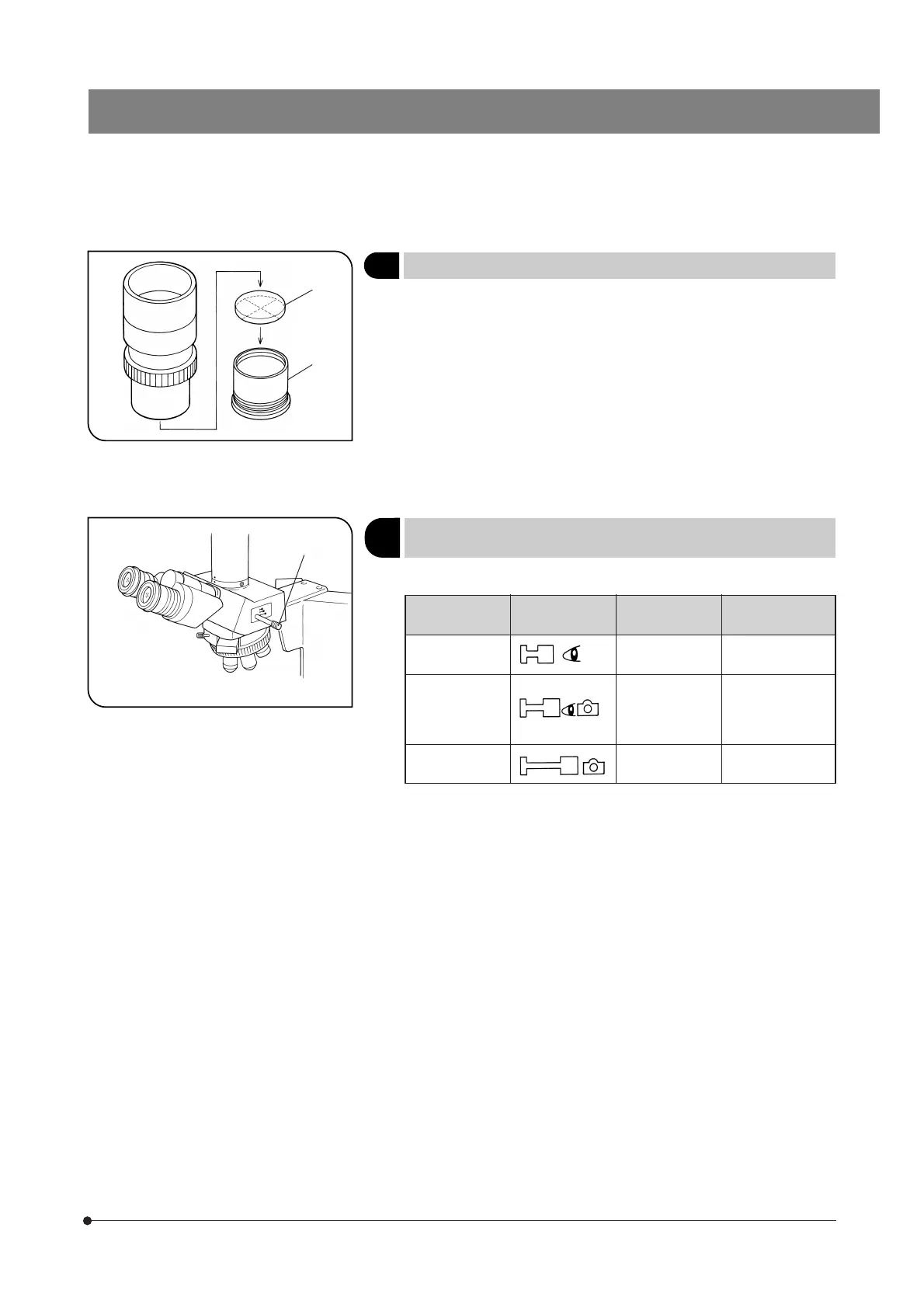
Fig. 25
Fig. 26
4 Using Eyepiece Micrometer Disks
(Fig. 25)
Eyepiece micrometer disks can be inserted into WHN10X-H (or WHN10X)
eyepieces.
When the eyepiece in use does not have a diopter adjustment function,
the micrometer disk cannot be brought into focus if you have poor eye-
sight. Should that be the case, adjust the focus with eyeglasses on.
Use 24 mm diam. x 1.5 mm micrometer disks.
Following Fig. 25, turn the built-in micrometer mounting frame ² counter-
clockwise to remove it from the eyepiece and place a micrometer disk @
into the mounting frame. The engraving on the micrometer disk should
face downward into the micrometer mounting frame.
Screw the micrometer mounting frame back into the eyepiece sleeve.
5
(Fig. 26)
Selecting the Light Path
(with the U-TR30-2 or U-SWTR-3)
Slide the light path selector knob @ to select the desired light path.
Light Path
Selector Knob
Symbol Intensity Ratio Applications
Pushed in
100% for binocu-
lar eyepieces
Observation of
dark specimens
Middle position
20% for binocular
eyepieces, 80%
for TV/photogra-
phy
Observation of
bright specimens,
photography, TV
observation
Pulled out
100% for TV/
photography
Photography, TV
observation
@
@
²



 To Next Page