16
BX41
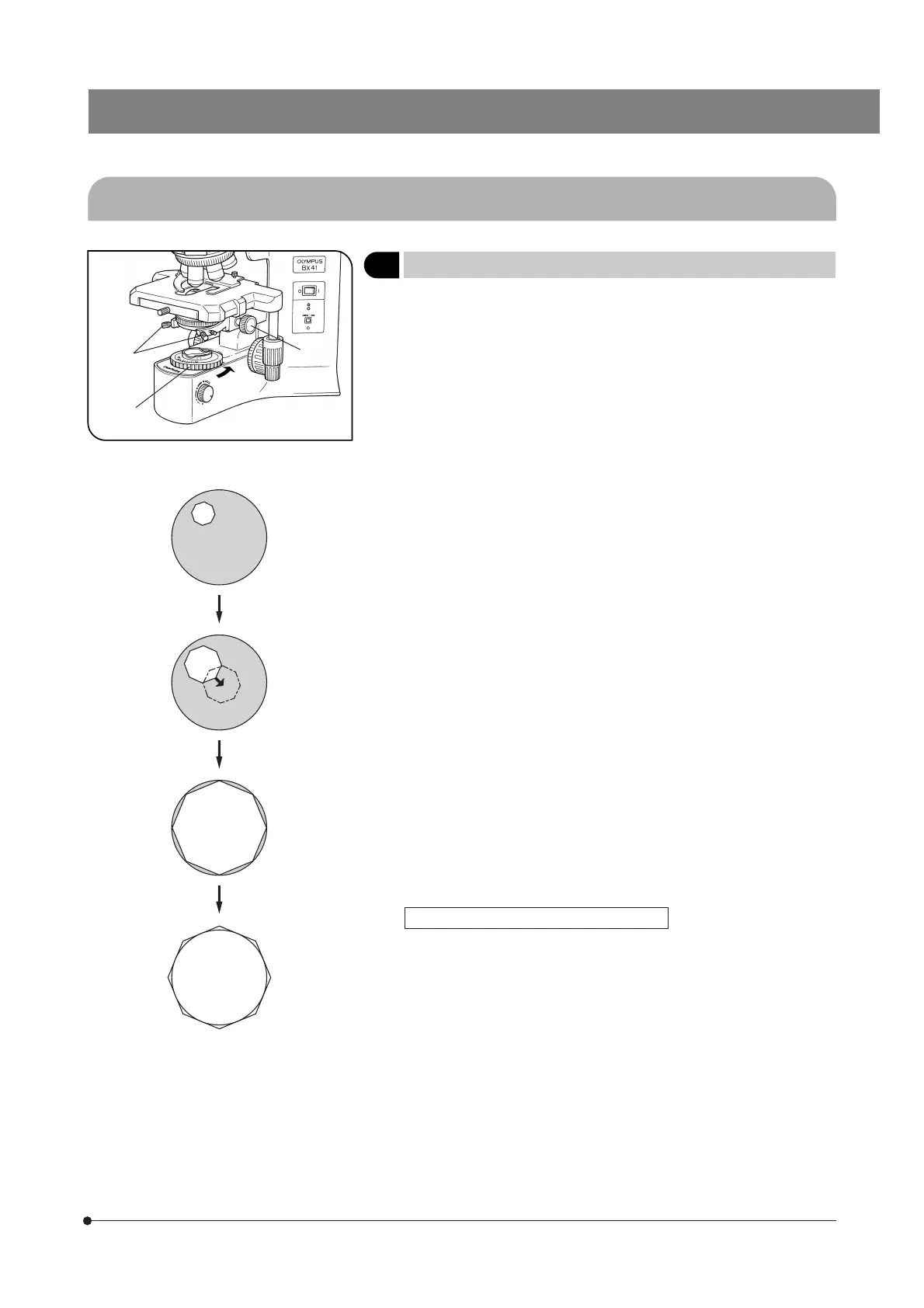
Fig. 29
3-5 Condenser
1 Centering the Condenser
(Figs. 29 & 30)
1. Turn the condenser height adjustment knob @ to raise the condenser to
its upper limit.
2. Focus on the specimen using the 10X objective.
#When using the U-SC3 swing-out condenser, move the top lens into
the light path.
3. Rotate the field iris diaphragm ring ² in the direction of the arrow so that
the diaphragm image comes inside the field of view.
4. Manipulate the condenser height adjustment knob @ to focus on the
diaphragm image
5. Turn the two condenser centering screws ³ to move the iris diaphragm
image to the center of the field of view.
6. Gradually open the field iris diaphragm. The condenser is properly cen-
tered if the iris image is centered and inscribed in the field of view.
7. During actual use, open the field diaphragm slightly until its image cir-
cumscribes the field of view.
Effects of Field Iris Diaphragm (Fig. 30)
The field iris diaphragm restricts the diameter of the beam of light enter-
ing the objective and thus excludes extraneous light, improving image
contrast. The diameter of the field iris should e adjusted for objective
power to the extent that it just circumscribes the field of view. (See “Com-
patibility of Objectives and Condensers” on the next page.)
@
²
³
Fig. 30



 To Next Page