EasyManua.ls Logo

Olympus BXFM Series - User Manual

Olympus BXFM Series
36 pages
Print Icon
To Next Page IconTo Next Page
Loading...
INSTRUCTIONS
BXFM
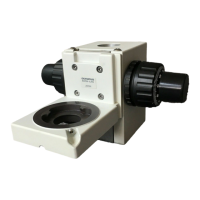
FOCUSING UNIT
A X 7 6 1 3
This instruction manual is for the Olympus Focusing Unit model BXFM and associated modules.
To ensure safety, optimum performance and familiarize yourself fully with the use of the assembled
microscope, we recommend that you study this manual thoroughly before operating the unit. Re-
tain this instruction manual in an easily accessible place near the work desk for future reference.
This publication is printed on 100% recycled paper

Questions and Answers

  • J
    Joe RyanAug 14, 2025
    Why is the image blurry on my Olympus BXFM?
    • S
      Stanley JonesAug 14, 2025
      Poor visibility, lack of sharpness, or poor contrast in the observed image can occur if the objective is not correctly engaged in the light path. Make sure that the revolving nosepiece clicks into place correctly. It could also happen if the objective or eyepiece in use are not the specified models. Replace them with the specified models.
  • T
    Terry StoneAug 17, 2025
    What to do if the Olympus BXFM Microscope bulb intermittently lights and goes out?
    • M
      Mrs. Katherine SmithAug 17, 2025
      If the bulb intermittently lights and goes out, it might be near the end of its service life. Replace the bulb. Another potential cause is that a cord or connector is not properly connected. Ensure that all cords and plugs are securely connected.
  • M
    Mary PetersAug 21, 2025
    Why is the field of view obscured on my Olympus BXFM?
    • D
      deborah78Aug 21, 2025
      An obscured or unevenly illuminated field of view could be because the revolving nosepiece is not in a click position. Ensure it is set in a click position. Another cause could be that the light path selector knob of the trinocular tube is positioned halfway. Push the light path selector knob completely in or out. Also, check if the filter is not in a click position and set it correctly.
  • M
    Michael McguireAug 25, 2025
    How to fix one side of the image being blurred on Olympus BXFM?
    • J
      Joshua OchoaAug 25, 2025
      If one side of the image is blurred or looks like it's flowing, the specimen might be tilted. Correct the specimen positioning. Another reason could be that the objective is not correctly engaged in the light path. Ensure the revolving nosepiece clicks into place correctly. Also, if the light axis is tilted because the weight is heavier than specified, reduce the number of modules to or below the weight limit.
  • B
    Brandon ChambersAug 28, 2025
    Why does my Olympus BXFM Microscope LED light but the lamp bulb does not?
    • J
      johnsonloriAug 29, 2025
      If the LED lights but the lamp bulb does not, the bulb is likely burnt out. Replace the bulb. Another possible reason is that a cord or connector is not properly connected. Make sure to connect cords and plugs securely.
  • M
    michellebrownSep 1, 2025
    How to adjust Olympus Microscope if field of view of one eye does not match that of the other?
    • S
      Stacie SmithSep 1, 2025
      If the field of view of one eye does not match that of the other, the interpupillary distance might be incorrect. Adjust the interpupillary distance. Alternatively, the diopter adjustment could be incorrect, so adjust the diopter. It is also possible that different eyepieces are used on the left and right. Change one eyepiece to match the other, ensuring both sides are the same type.
  • T
    Tim AllenSep 5, 2025
    Why is the coarse adjustment knob too heavy to rotate on my Olympus BXFM?
    • D
      Dr. Margaret CoxSep 5, 2025
      If the coarse adjustment knob is too heavy to rotate, the rotation tension adjustment ring is likely too tight. Loosen the ring to an optimum tightness.
  • S
    Sherri RosarioSep 9, 2025
    What to do if the focusing unit drifts down by itself on Olympus Microscope?
    • S
      samantha07Sep 9, 2025
      If the focusing unit drifts down by itself, causing a loss of focus during observation, the tension adjustment ring is likely too loose. Tighten the ring to an optimum tightness.

Summary

IMPORTANT

SAFETY PRECAUTIONS

Essential safety measures for operating the microscope.

Getting Ready

Maintenance and Storage

SYSTEM DIAGRAM

NOMENCLATURE

USING THE CONTROLS

Base and Power Supply Operations

Monitoring voltage and using the hand switch for illumination control.

Focusing Unit Operations

Adjusting Coarse Knob Tension

How to set the rotational tension of the coarse adjustment knob.

Observation Tube Operations

Adjusting the Diopter

How to adjust the diopter for sharp focus with each eye.

Eyepiece Micrometer Disks

Inserting and using micrometer disks for measurements.

Selecting Light Path of Trinocular Tube

Procedure to select light paths for trinocular tube configurations.

Reflected Light Illuminator (U-KMAS)

Using the Filters

Guide to selecting and inserting filters for illumination control.

OBSERVATION METHODS (Using U-KMAS)

Reflected Light Brightfield Observation

Step-by-step procedure for brightfield observation.

Reflected Light Nomarski DIC Observation

Setting the DIC Slider

How to set the DIC slider based on the objective in use.

Reflected Light Simplified Polarized Light Observation

Observation Method

How to perform simplified polarized light observation.

TROUBLESHOOTING GUIDE

Optical System Problems

Troubleshooting issues related to the optical system components.

Electrical System Problems

Troubleshooting issues related to electrical components and connections.

SPECIFICATIONS

MAIN DIMENSION DIAGRAM

OPTICAL CHARACTERISTICS UIS2 (UIS) Series

ASSEMBLY

Assembly Diagram

Visual guide showing the sequence of assembly for various modules.

Detailed Assembly Procedures

Attaching the Illuminator Holder

Step-by-step guide to attach the illuminator holder.

Attaching the Halogen Bulb

Procedure for safely replacing the halogen bulb.

Attaching the Cables and Cords

Instructions for correctly connecting cables and power cords.

PROPER SELECTION OF THE POWER SUPPLY CORD

Olympus BXFM Series Specifications

General IconGeneral
BrandOlympus
ModelBXFM Series
CategoryMicroscope
LanguageEnglish

Related product manuals