EasyManua.ls Logo

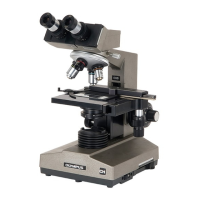
Olympus CX31 - User Manual

Olympus CX31
24 pages
Print Icon
To Next Page IconTo Next Page
Loading...
This instruction manual is for the Olympus Biological Microscope Model CX31. To ensure
the safety, obtain optimum performance and to familiarize yourself fully with the use of this
microscope, we recommend that you study this manual thoroughly before operating the
microscope. Retain this instruction manual in an easily accessible place near the work
desk for future reference.
INSTRUCTIONS
CX31
BIOLOGICAL MICROSCOPE
This instruction manual is for the Olympus Biological Microscope Model CX31. To ensure
the safety, obtain optimum performance and to familiarize yourself fully with the use of this
microscope, we recommend that you study this manual thoroughly before operating the
microscope. Retain this instruction manual in an easily accessible place near the work
desk for future reference.
INSTRUCTIONS
CX31
BIOLOGICAL MICROSCOPE
AX6655

Other manuals for Olympus CX31

Questions and Answers

  • G
    Gregory SandovalSep 4, 2025
    Why does the stage drift down by itself on my Olympus CX31 Microscope?
    • C
      Christopher GardnerSep 4, 2025
      If the stage drifts down by itself or focus is lost during observation with your Olympus Microscope, the tension adjustment ring may be too loose. Tighten it.
  • N
    Nicole MurphySep 18, 2025
    What to do if one side of the Olympus CX31 image is blurred?
    • M
      mcgeeryanSep 18, 2025
      If one side of the image appears blurred or the image seems to waver on your Olympus Microscope, ensure that the objective is correctly engaged in the light path by making sure the revolving nosepiece clicks into place correctly. Also, verify that the specimen is correctly mounted on the stage and secured with the specimen holder.
  • C
    comptonkellySep 16, 2025
    How to fix an obscured field of view on an Olympus CX31?
    • D
      dennislopezSep 16, 2025
      If the field of view is obscured or not evenly illuminated on your Olympus Microscope, check that the revolving nosepiece is correctly engaged and clicks properly into place. Also, ensure the field iris diaphragm is centered and opened to an optimum stop position. Finally, clean any dirt or dust from the objective, eyepieces, condenser, or light exit glass.
  • L
    Lori PayneSep 14, 2025
    Why is the visibility poor and the image not sharp on my Olympus Microscope?
    • G
      gstevensonSep 14, 2025
      If the visibility is poor, the image isn't sharp, the contrast is poor, or the details are indistinct on your Olympus Microscope, several factors could be at play. Ensure the objective is correctly engaged in the light path by confirming the revolving nosepiece clicks into place properly. Thoroughly clean any dirt or dust from the front lens of the objective. If using an oil immersion objective, make sure to use immersion oil, remove any bubbles present in the oil, and verify that you are using the specified immersion oil. Lastly, ensure the specimen itself is clean.
  • J
    Jeremy GriffithSep 12, 2025
    What to do if the front lens of a high power objective comes into contact with the specimen on my Olympus Microscope?
    • A
      Amy ClaySep 12, 2025
      If the front lens of a high power objective comes into contact with the specimen when it is engaged after a low-power objective on your Olympus Microscope, it could be due to: * The specimen being mounted upside down. Mount the specimen correctly. * The cover glass being too thick. Use 0.17 mm thick cover glass.
  • E
    Emily PerrySep 12, 2025
    Why doesn't the field of view of one eye match the other on my Olympus Microscope?
    • T
      Tammy HendricksSep 12, 2025
      If the field of view of one eye does not match that of the other on your Olympus Microscope, it could be due to: * Incorrect interpupillary distance. Adjust the interpupillary distance. * Incorrect diopter adjustment. Adjust the diopter. * Your view is not accustomed to microscope observation. Upon looking into eyepieces, try looking at the overall field before concentrating on the specimen range. You may also find it helpful to look up and into the distance for a moment before looking back into the microscope.
  • T
    Tara CochranSep 9, 2025
    What to do if the objective makes contact with the specimen before focus is obtained on my Olympus CX31 Microscope?
    • S
      Stephen FosterSep 9, 2025
      If the objective makes contact with the specimen before focus is obtained on your Olympus Microscope, the specimen may be mounted upside down. Mount the specimen correctly.
  • M
    Michele SkinnerSep 7, 2025
    What to do if the coarse adjustment will not go all the way down on my Olympus CX31?
    • D
      Daniel WaltonSep 7, 2025
      If the coarse adjustment will not go all the way down on your Olympus Microscope, the condenser holder may be too low. Raise the condenser holder.
  • L
    Leah CortezSep 5, 2025
    What to do if the coarse adjustment will not go all the way up on my Olympus CX31?
    • T
      Timothy Perez IISep 6, 2025
      If the coarse adjustment will not go all the way up on your Olympus Microscope, the simplified pre-focusing dial may be keeping the stage down. Set the stopper mechanism to the uppermost position.
  • H
    Howard GilbertAug 20, 2025
    What to do if my Olympus CX31 Microscope bulb does not light?
    • B
      Barbara McphersonAug 21, 2025
      If the bulb in your Olympus Microscope does not light, check the following: * Ensure the designated bulb is mounted correctly. * If the bulb is burnt out, replace it. * Make sure the power cord is properly connected.

Summary

Important Safety Information

Safety Precautions

Essential safety rules and guidelines to prevent injury and equipment damage during operation.

Safety Symbols and Labels

Safety Symbols

Explanation of symbols used on the microscope for safe operation.

Warning Labels

Location and importance of warning labels for special precautions.

Getting Started: Initial Setup

Maintenance and Storage

Cleaning and Storage Procedures

Instructions for proper cleaning, maintenance, and storage of the microscope.

General Cautionary Notes

Important warnings regarding potential damage or safety risks from improper use.

Microscope Nomenclature

Brightfield Observation Procedure Summary

Assembly and Setup

Bulb Replacement

Step-by-step guide for replacing the microscope's illumination bulb.

Power Cord Connection

Instructions for safely connecting the microscope's power cord.

Optional Cord Hanger Installation

Using the Controls

Base Controls: Power and Illumination

Operation of the main switch, light intensity, and field iris diaphragm.

Focusing Block Controls

Adjusting coarse/fine focus tension and using the simplified pre-focusing dial.

Stage Controls: Specimen Handling

Placing and moving specimens on the microscope stage.

Observation Tube Adjustments

Adjusting interpupillary distance and diopter for clear viewing.

Accessory Operations

Using eye shades, light paths, and eyepiece micrometer disks.

Condenser Controls

Centering the field iris diaphragm and adjusting the aperture iris diaphragm.

Immersion Objectives Usage

Guidelines for using immersion oil with high-power objectives.

Troubleshooting Guide

Optical System Troubleshooting

Resolving issues with field of view, illumination, and image clarity.

Focus and Stage Troubleshooting

Solutions for problems with focus, stage drift, and specimen placement.

Electrical System Troubleshooting

Troubleshooting illumination bulb and power cord issues.

Technical Specifications

Optical Characteristics

Power Supply Cord Selection

Olympus CX31 Specifications

General IconGeneral
TypeBiological Microscope
Observation MethodBrightfield
Objective Lenses4x, 10x, 40x, 100x (Oil)
FocusCoaxial coarse and fine focus knobs
WeightApprox. 7 kg
Eyepiece10x
NosepieceQuadruple
StageMechanical stage
IlluminationBuilt-in illumination
CondenserAbbe condenser N.A. 1.25 with aperture diaphragm
Illumination TypeLED
Power SupplyAC 100-240V, 50/60Hz
Optical SystemUIS2 (Universal Infinity System)

Related product manuals