EasyManua.ls Logo

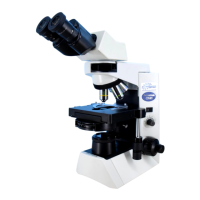
Olympus CX41 - User Manual

Olympus CX41
32 pages
Print Icon
To Next Page IconTo Next Page
Loading...
AX7255
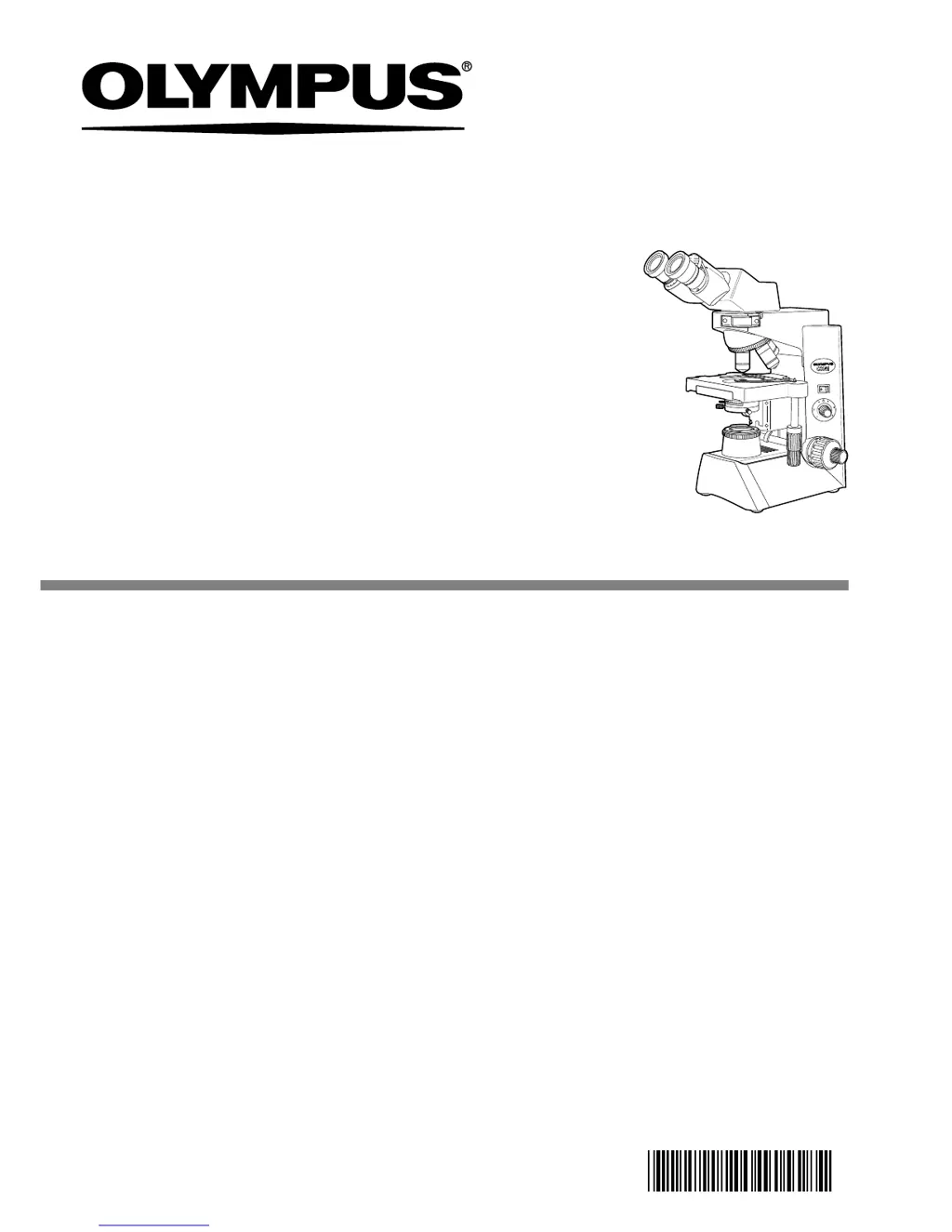
This instruction manual is for the Olympus System Microscope Model CX41. To ensure the
safety, obtain optimum performance and to familiarize yourself fully with the use of this
microscope, we recommend that you study this manual thoroughly before operating the
microscope. Retain this instruction manual in an easily accessible place near the work
desk for future reference.
INSTRUCTIONS
CX41
SYSTEM MICROSCOPE

Other manuals for Olympus CX41

Questions and Answers

  • C
    callahanbrandyAug 19, 2025
    What to do if the bulb does not light on Olympus Microscope?
    • D
      Douglas BanksAug 19, 2025
      If the bulb does not light on your Olympus Microscope, first mount the designated bulb. If already mounted, replace the bulb as it may be burnt out. Ensure the power cord is properly connected.
  • J
    Jordan RamirezAug 21, 2025
    How to fix field of view if it is obscured on Olympus Microscope?
    • N
      nhuynhAug 21, 2025
      If the field of view is obscured or not evenly illuminated on your Olympus Microscope, ensure that the revolving nosepiece and dummy slider click properly into place. Also, check that the condenser is fully re-inserted without any tilt, and the field iris diaphragm is correctly centered and opened to an optimum stop position. Clean any dirt or dust from the objective, eyepieces, condenser, or light exit glass.
  • R
    Roger BrownAug 23, 2025
    Why is the image blurry on my Olympus CX41?
    • L
      Linda BassAug 23, 2025
      If visibility is poor, the image isn't sharp, contrast is poor, or details are indistinct on your Olympus Microscope, ensure the objective is correctly engaged in the light path by making sure the revolving nosepiece clicks into place. Clean any dirt or dust from the front lens of the objective and specimen. If using an oil immersion objective, use the specified immersion oil, ensuring it's free of bubbles.
  • L
    Lisa JohnsonAug 26, 2025
    Why is one side of the image blurred on my Olympus CX41?
    • K
      Kelly OwensAug 26, 2025
      If one side of the image is blurred or the image seems to waver on your Olympus Microscope, ensure the objective is correctly engaged in the light path by confirming the revolving nosepiece clicks into place correctly. Also, make sure the specimen is correctly mounted on the stage and secured with the specimen holder.
  • L
    Linda Santiago DDSAug 28, 2025
    Why does the image blur when moving the specimen on my Olympus CX41?
    • S
      schroederjuliaAug 28, 2025
      If the image blurs as you move the specimen on your Olympus Microscope, ensure the specimen is correctly positioned on the stage. Mount the specimen correctly by applying it on the stage surface and inserting it below the specimen holder.
  • M
    Melissa ThompsonAug 29, 2025
    How to fix coarse adjustment knob if it is hard to turn on Olympus Microscope?
    • M
      Michael MorrisAug 30, 2025
      If the coarse adjustment knob is hard to turn on your Olympus Microscope, loosen the tension adjustment ring. Additionally, unlock the pre-focusing lever if you are trying to raise the stage with the coarse adjustment knob while the lever is locked.
  • P
    Paul SanchezSep 1, 2025
    What to do if the objective lens hits the slide on Olympus Microscope?
    • T
      taylorwarrenSep 1, 2025
      If the front lens of a high power objective comes into contact with the specimen when it is engaged after a low-power objective on your Olympus Microscope, ensure the specimen is mounted correctly. Also, use a 0.17 mm thick cover glass.
  • W
    wmedinaSep 3, 2025
    How to prevent image diffraction on Olympus CX41 Microscope?
    • M
      Margaret JacobsSep 3, 2025
      If the image shows diffraction on your Olympus Microscope, adjust the condenser height position. Also, open the aperture iris diaphragm.
  • D
    Dawn JonesSep 5, 2025
    Why does the bulb burn out so quickly on my Olympus CX41?
    • A
      Alex CobbSep 5, 2025
      If the bulb burns out almost immediately on your Olympus Microscope, use the correct bulb type.
  • M
    Matthew DelacruzSep 7, 2025
    Why is the field of view different for each eye on my Olympus Microscope?
    • A
      Amanda FowlerSep 7, 2025
      If the field of view of one eye does not match that of the other on your Olympus Microscope, adjust the interpupillary distance and diopter. Ensure that the same eyepieces are used on both the left and right sides. Try looking at the overall field before concentrating on the specimen range. You may also find it helpful to look up and into the distance for a moment before looking back into the microscope.

Summary

IMPORTANT SAFETY INFORMATION

Safety Precautions

Details essential safety measures for operating the microscope and avoiding hazards.

Safety Symbols and Initial Use

Getting Ready

Provides initial steps and precautions before using the microscope.

Maintenance and Cautions

Maintenance and Storage

Instructions for cleaning, maintaining, and storing the microscope safely.

Brightfield Observation Procedure

USING THE CONTROLS

TROUBLESHOOTING GUIDE

ASSEMBLY

POWER SUPPLY CORD SELECTION

Olympus CX41 Specifications

General IconGeneral
TypeBiological Microscope
Optical SystemUIS2 Optical System
ObjectivesPlan Achromat objectives (4x, 10x, 40x, 100x Oil)
NosepieceRevolving nosepiece for 4 objectives
Power SupplyAC 100-240V, 50/60Hz
Illumination6V/30W halogen bulb
FocusingCoaxial coarse and fine focusing knobs
StageFixed stage with specimen holder
Eyepiece TubeBinocular or Trinocular
CondenserAbbe condenser, NA 1.25, with iris diaphragm
Eyepiece10x/20mm high eyepoint, widefield (depending on model)

Videos

How to change the Bulb on a Olympus CX41 Microscope

Related product manuals