EasyManua.ls Logo

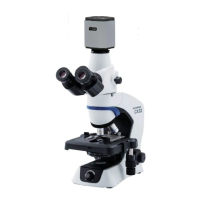
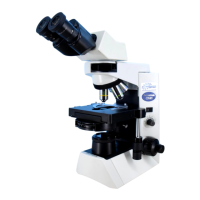
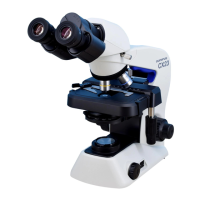
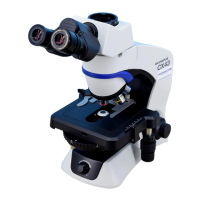
Olympus CX31-P - User Manual

Olympus CX31-P
36 pages
Print Icon
To Next Page IconTo Next Page
Loading...
INSTRUCTIONS
CX31-P
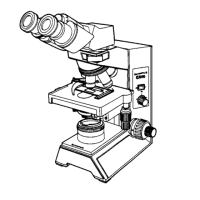
POLARIZING MICROSCOPE
This instruction manual is for the Olympus Polarizing Microscopes Model CX31-P. To ensure the
safety, obtain optimum performance and to familiarize yourself fully with the use of this microscope,
we recommend that you study this manual thoroughly before operating the microscope. Retain this
instruction manual in an easily accessible place near the work desk for future reference.
A X 7 3 4 9
This publication is printed on 100% recycled paper

Questions and Answers

  • O
    Olivia WilliamsAug 20, 2025
    Why does the observation image glare on my Olympus CX31-P Microscope?
    • M
      Mark WatkinsAug 21, 2025
      If the observation image from your Olympus Microscope glares, it might be due to the condenser being too low. Try raising it. Alternatively, the aperture iris diaphragm may be stopped down too much; in this case, open the aperture.
  • T
    Todd SmithAug 22, 2025
    What to do if the lamp bulb does not light on my Olympus CX31-P Microscope?
    • B
      butlerantonioAug 22, 2025
      If the lamp bulb of your Olympus Microscope does not light, first ensure that a bulb is attached. If it is, the bulb may be blown and needs replacement. Also, check that the power cord is securely plugged in.
  • S
    Stephanie CarrAug 25, 2025
    How to fix a dark field on an Olympus CX31-P when the bulb is on?
    • T
      Theresa PowellAug 25, 2025
      If the field is dark even when the lamp bulb is on in your Olympus Microscope, it could be because the Bertrand’s lens is in the light path. Disengage it from the light path. Another possible cause is that the analyzer is set to the cross-Nicol position; if so, disengage the analyzer from the light path.
  • J
    James BarrettAug 26, 2025
    Why is the image quality poor on my Olympus CX31-P?
    • S
      Stacy LeeAug 27, 2025
      If your Olympus Microscope image is poor, not sharp, has low contrast, or details appear solid and unclear, it could be due to several reasons: * The objective may not be correctly engaged in the light path. Set the revolving nosepiece correctly into a click position. * The objective front lens may be dirty. Clean it thoroughly. * If using an immersion objective, immersion oil may not be used. Apply immersion oil. * Bubbles may be mixed in the immersion oil. Remove the bubbles. * The specified immersion oil may not be used. Use the immersion oil supplied by Olympus. * The specimen may be dirty. Clean it thoroughly.
  • J
    joelwoodAug 27, 2025
    Why does part of the image look defocused on my Olympus Microscope?
    • R
      Richard AdkinsAug 28, 2025
      If part of the image is defocused or looks like it’s flowing in your Olympus Microscope, it could be because the objective is not properly engaged in the light path. Set the revolving nosepiece correctly into a click position. Alternatively, the specimen may not be set properly on the stage. Set the specimen correctly on the stage and secure it using the specimen holder.
  • D
    David SharpAug 30, 2025
    How to fix a cut-off field of view on an Olympus CX31-P?
    • H
      heather58Aug 30, 2025
      If the field of view is cut off or not regularly illuminated on your Olympus Microscope, check the following: * Ensure the revolving nosepiece is set to a click position. * Make sure the field iris diaphragm is centered properly. * Open the field iris diaphragm to an optimum size if it is stopped down too much. * Clean the objective, eyepieces, condenser, and/or window lens thoroughly if they are dirty.
  • L
    Lisa LucasSep 1, 2025
    What to do if the objective hits the specimen before focusing on Olympus CX31-P?
    • T
      Tiffany CarterSep 1, 2025
      If the objective hits the specimen before accurate focusing is obtained with your Olympus Microscope, ensure that the specimen is correctly oriented.
  • J
    Jason ObrienSep 2, 2025
    Why does the stage lower by itself on my Olympus Microscope?
    • J
      Jonathan MezaSep 3, 2025
      If the stage lowers by its own weight or focusing is lost due to slippage of the knob on your Olympus Microscope, the coarse adjustment knob rotation tension adjustment ring may be set too loose. Tighten the ring to adjust to proper tension.
  • M
    Miranda ShepardSep 4, 2025
    Why does the objective hit the specimen when switching objectives on my Olympus CX31-P?
    • J
      John WhiteSep 4, 2025
      If the objective hits the specimen when switching to a higher-magnification objective on your Olympus Microscope, make sure the specimen is correctly oriented. Also, ensure that you are using a cover glass with a thickness of 0.17 mm, as a thicker cover glass could be the cause.
  • S
    Sarah Mitchell DVMSep 6, 2025
    Why can't I observe the conoscopic image on my Olympus CX31-P Microscope?
    • K
      Kim PriceSep 6, 2025
      If you cannot observe the conoscopic image on your Olympus Microscope, the Bertrand’s lens may be disengaged from the light path. Engage it in the light path.

Summary

Important Safety and Handling Information

Safety Precautions

General safety guidelines for using the microscope and preventing hazards.

Operation

4-1 Microscope Frame Operations

Adjusting the main switch, light intensity, and field iris diaphragm.

4-2 Focusing Module Adjustments

Adjusting coarse focus knob tension and using the pre-focusing knob.

Polarized Light Observation Techniques

Specifications

Optical Characteristics

Troubleshooting Guide

1 Optical System Issues

Diagnosing and resolving issues with image darkness, clarity, and dust.

2 Focus Adjustment Mechanism Problems

Troubleshooting issues with focus knobs and stage movement.

3 Binocular Observation Tube Issues

Resolving problems with field of view matching and diopter settings.

4 Stage and Objective Switching Issues

Addressing specimen visibility during rotation and objective collision.

5 Electrical System Issues

Troubleshooting lamp and power cord related problems.

Assembly Procedures

Olympus CX31-P Specifications

General IconGeneral
TypeBiological Microscope
Optical SystemUIS2 (Universal Infinity System)
Objective Lenses4x, 10x, 40x, 100x (oil)
Magnification40x - 1000x
Light Source6V 30W Halogen lamp
Power SupplyAC 100-240V, 50/60Hz
NosepieceRevolving quadruple nosepiece
CondenserAbbe condenser NA 1.25
Focusing MechanismCoaxial coarse and fine focusing
IlluminationBuilt-in transmitted illumination system
Observation TubeBinocular, inclined at 30 degrees

Related product manuals