EN
111
Information
9
Setup menu
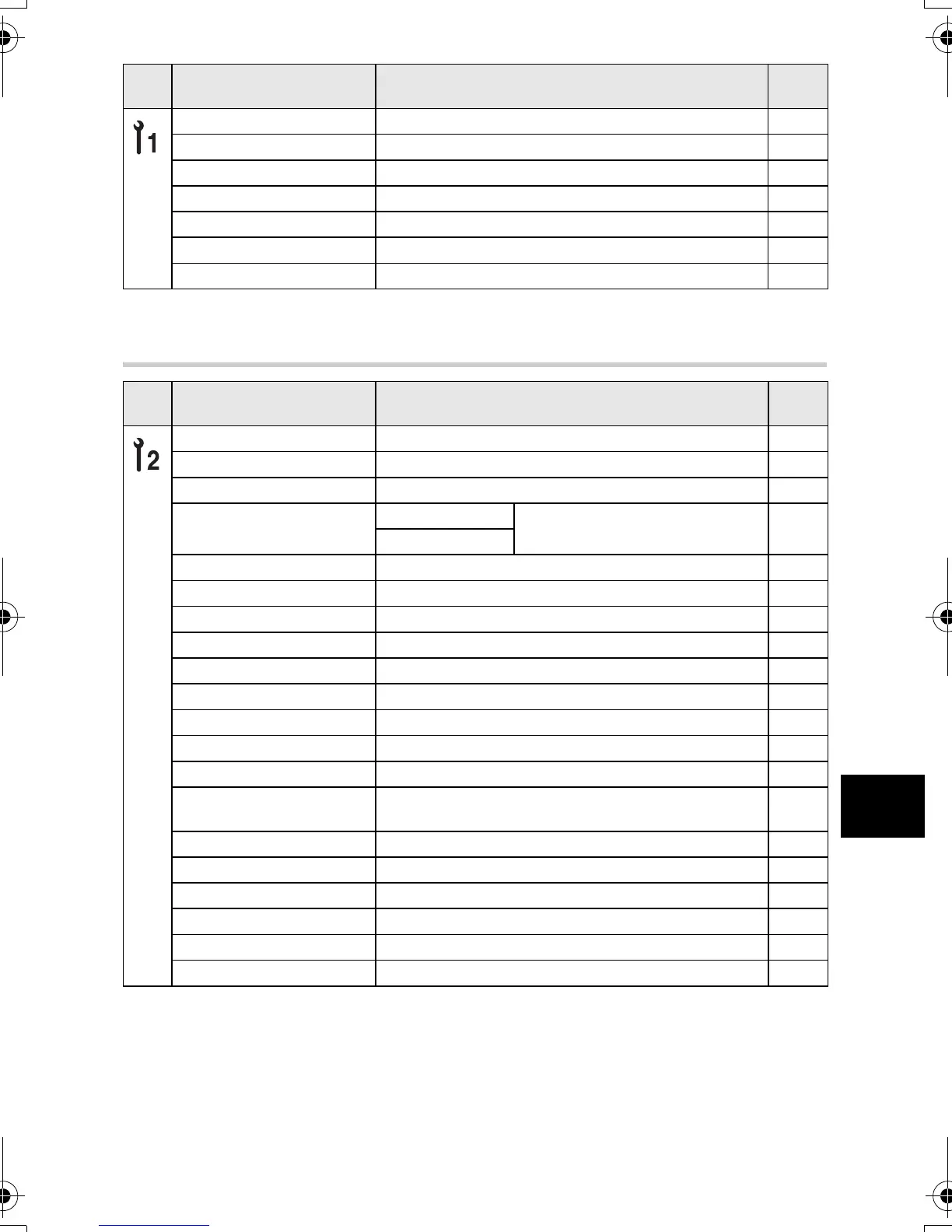
RESET LENS OFF/ON
*
P. 80
LIVE VIEW BOOST OFF
*
/ON P. 79
RELEASE PRIORITY S OFF
*
/ON P. 51
RELEASE PRIORITY C OFF/ON
*
P. 51
8 OFF/ON
*
P. 82
FRAME ASSIST OFF
*
/GOLDEN SECTION/GRID/SCALE P. 24
nLOCK OFF
*
/ON P. 84
*
Factory default setting
Tab Function Setting
Ref.
page
X k P. 8
CF/xD CF
*
/xD P. 108
FILE NAME AUTO
*
/RESET P. 81
EDIT FILENAME
Adobe RGB
OFF
*
/A - Z/0 - 9 P. 82
sRGB
s Lo -7 - 0
*
- Hi +7 P. 82
W
*1
P. 83
VIDEO OUT
*1
P. 83
REC VIEW OFF/1SEC - 20SEC (5 seconds
*
)P.82
SLEEP OFF/1MIN
*
/3MIN/5MIN/10MIN P. 82
BACKLIT LCD 8SEC
*
/30SEC/1MIN/HOLD P. 83
4 h TIMER OFF/4 h
*
P. 84
BUTTON TIMER 3SEC/5SEC/8SEC
*
/HOLD P. 84
PRIORITY SET YES/NO
*
P. 80
USB MODE
AUTO
*
/STORAGE/MTP/CONTROL/
<EASY/<CUSTOM
P. 83
COLOR SPACE sRGB
*
/Adobe RGB P. 63
A OFF
*
/ON P. 84
SHADING COMP. OFF
*
/ON P. 62
PIXEL MAPPING k P. 106
CLEANING MODE k P. 106
FIRMWARE k P. 84
*
Factory default setting
*1
Settings differ depending on the region where the camera is purchased.
Tab Function Setting
Ref.
page
s0010_e_00_unified.book Page 111 Thursday, April 19, 2007 10:26 AM












 To Next Page