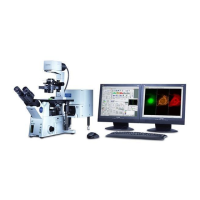
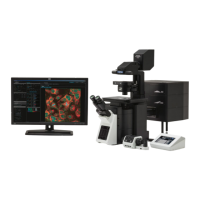
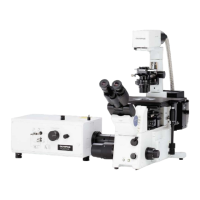
The Olympus FV1200 MPE Microscope is a sophisticated imaging system designed for advanced microscopy applications, particularly those requiring multi-photon excitation. This user guide provides comprehensive instructions for its operation, maintenance, and various imaging modes.
Function Description:
The Olympus FV1200 MPE Microscope is primarily used for acquiring high-resolution images of biological samples. Its core function revolves around multi-photon excitation, which allows for deeper tissue penetration and reduced phototoxicity compared to conventional confocal microscopy. The system supports various imaging modes, including transmitted light, epifluorescence, sequential scanning, and time-series (xyz-t) acquisition. It is capable of capturing both still images and time-lapse sequences, making it suitable for dynamic biological studies. The microscope integrates multiple laser sources and detectors to accommodate a wide range of fluorescent probes and experimental setups.
Important Technical Specifications:
While specific numerical specifications like resolution, magnification ranges, and laser wavelengths are not exhaustively listed in this excerpt, the manual alludes to several key technical aspects:
- Imaging Resolution: The system supports various pixel resolutions, with 512x512 pixels being a common setting for image acquisition. The manual mentions "12.5us/pixel" and "20 us/pixel" as scan speeds, indicating control over acquisition time and resolution.
- Laser Sources: The system utilizes multiple laser sources, including a Multi Ar laser, MCPSU (405/440/473/559/635nm), and LD559 laser. These lasers provide excitation at different wavelengths, allowing for the use of various fluorophores. The manual also mentions Alexa Fluor 405, EYFP, and Alexa Fluor 633 as examples of fluorophores used.
- Detectors: The system is equipped with detectors for different emission wavelengths, allowing for multi-channel imaging.
- Stage Control: The microscope features a motorized XY stage with joystick control, enabling precise positioning of the sample. The speed of stage movement can be adjusted (Fast/Med/Slow).
- Objective Lenses: The system supports various objective lenses, including 10x, 20x, 40x, and 60x, which can be selected via the touch panel controller (TPC).
- Software Integration: The microscope is controlled by the FV10-ASW program, which provides a graphical user interface for setting acquisition parameters, managing images, and performing data analysis.
- Data Storage: Images can be saved in various formats, including .tif, .oif, and .avi for time-lapse sequences. Metadata is stored in a separate ASCII text file.
Usage Features:
The Olympus FV1200 MPE Microscope is designed with several user-friendly features to streamline the imaging process:
- Intuitive Software Interface: The FV10-ASW program features a clear layout with dedicated sections for acquisition settings, image display, and data management. Parameters like scan speed, pixel resolution, area of interest, and zoom can be easily adjusted.
- Touch Panel Controller (TPC): A dedicated touch panel controller allows for quick access to common functions such as objective lens selection, fluorescence filter selection, and stage movement.
- Log Book System: Users are required to sign in to a log book before operation, likely for tracking usage and maintenance.
- Automated Objective Movement: The "Esc button" feature allows for automatic movement of the objective away from and back to the sample, preventing collisions and simplifying sample exchange.
- Fluorescence Filter Selection: Users can select appropriate fluorescence filters via the TPC to match their chosen fluorophores.
- Multi-channel Imaging: The system supports simultaneous acquisition of multiple fluorescence channels, allowing for co-localization studies.
- Sequential Scanning: For experiments requiring multiple fluorophores with overlapping emission spectra, the sequential scanning mode allows for sequential excitation and detection, minimizing crosstalk.
- Time-Series Acquisition (xyz-t): The system can acquire images over time, either as a series of 2D images or 3D volumes, enabling dynamic studies of biological processes.
- Image Export and Saving: Images can be exported in various formats (e.g., .tif, .oif, .avi) and with different color settings (RGB, grayscale). Metadata is saved separately, ensuring comprehensive data management.
- Region of Interest (ROI) Selection: Users can define specific regions of interest for scanning, optimizing acquisition time and reducing data size.
- Preview Mode: A preview mode allows users to quickly assess the sample and adjust settings before full acquisition, ensuring optimal image quality.
- Brightness and Contrast Adjustment: The software provides controls for adjusting brightness, contrast, and other image parameters during and after acquisition.
- User ID and Password Protection: The FV10-ASW program requires a user ID and password, ensuring secure access and personalized settings.
Maintenance Features:
The manual highlights several aspects related to the maintenance and care of the device:
- Cleanliness: Users are instructed to ensure the slide and coverglass are clean and sealed, which is crucial for optimal image quality and preventing contamination.
- Lamp Management: Instructions are provided for turning on and off the mercury lamp, and for adjusting its intensity.
- Laser Management: Specific procedures are outlined for turning on and off various laser sources, including waiting for temperature stabilization for the LD559 laser.
- System Shutdown Procedure: A detailed shutdown procedure is provided, including turning off all components in a specific order, ensuring the longevity of the system.
- Data Backup: Users are advised to transfer their image files to a USB flash memory or other storage devices, and to log off Windows after use.
- Regular Cleaning: The manual emphasizes wiping off oil or water from any oil objectives after use, using lens paper, to prevent damage and maintain optical quality.
- Software Updates: While not explicitly stated as a maintenance feature, the mention of "FV10-ASW program 4.2" suggests that software updates are part of the system's lifecycle.

 Need help?
 General

 To Next Page