7. Menus
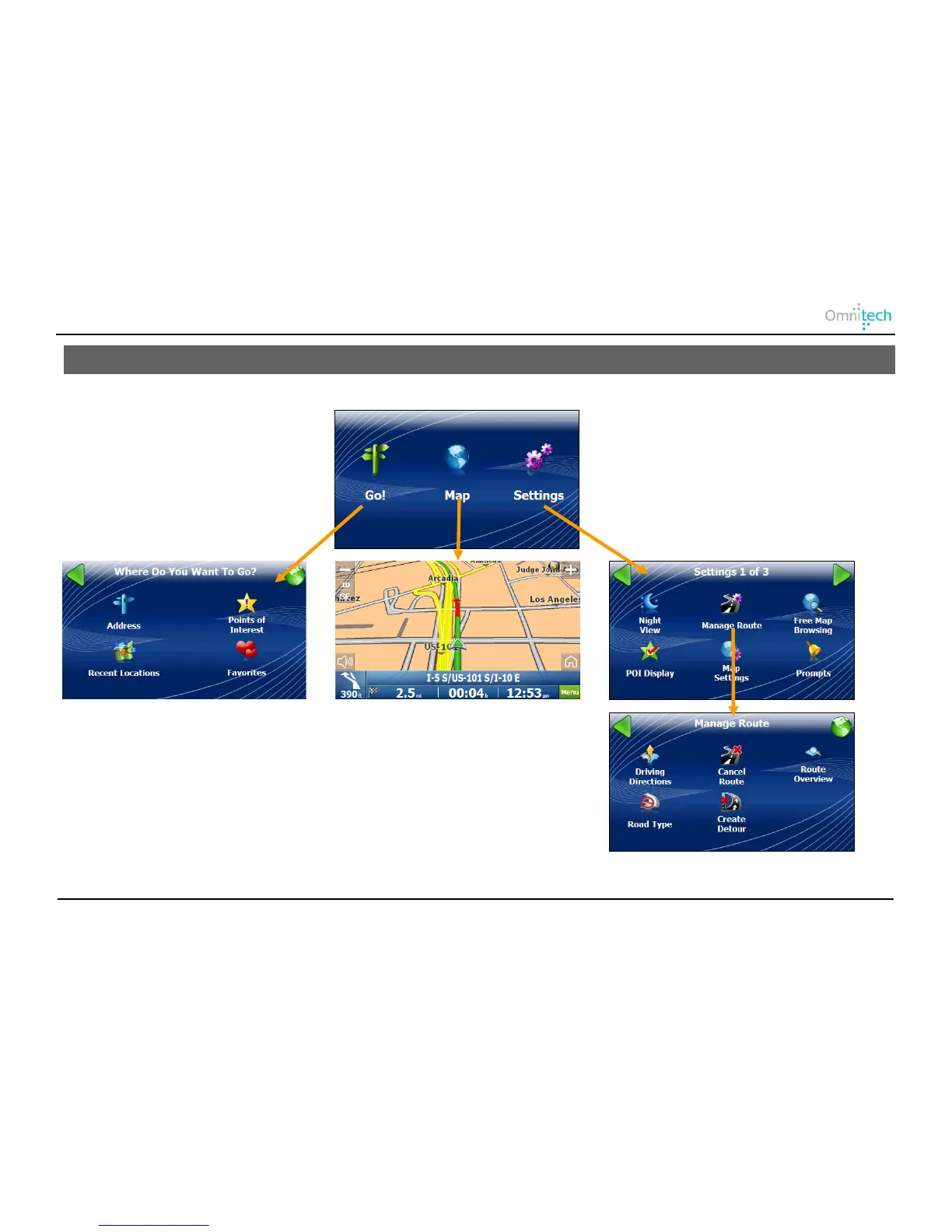
Displayed below are Destinator’s main menus.
Go – Lets you select a location to travel to.
Map – Displays route and map options.
Settings – Lets you choose setting options.
Manage Route – Additional features that determine the route.
Omnitech GPS User Manual 6


 To Next Page