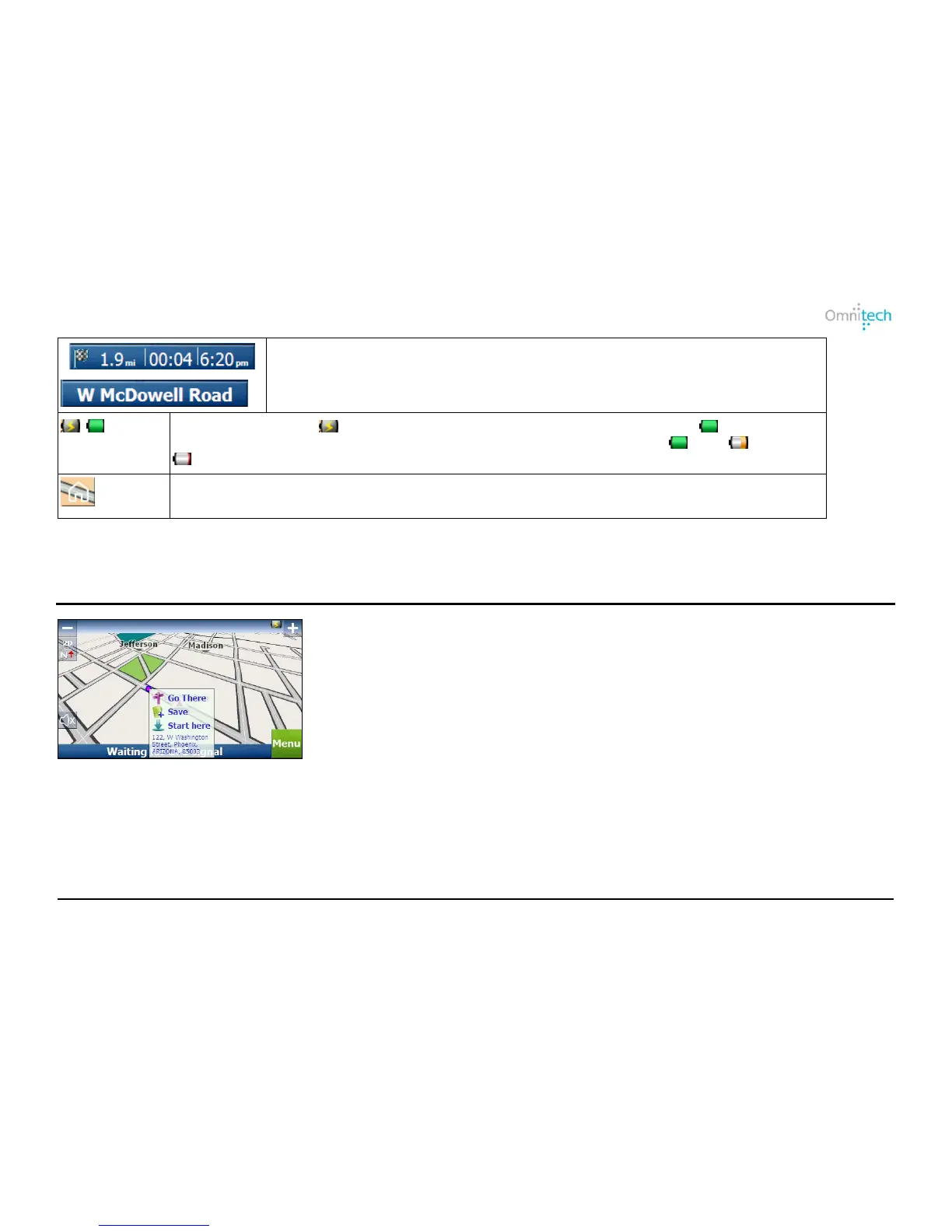
Tap the toggle button for different GPS information:
• Travel Distance, Remaining Time, Arrival Time.
• Current Street.
Destinator displays when the device is connected to a power source or when the
device is running on battery. The battery status is displayed as follows: Full, Half full,
Empty.
Tap to set your QuickNav location. When set, Destinator automatically calculates a route to
the location.
Travel by Tapping the Map
When you tap on the Map screen (enable the “Allow screen tap” option in Map Settings), the pop-up box is displayed,
providing options to:
• Navigate to the selected map location.
• Save the map location.
• Start from the selected map location.
Omnitech GPS User Manual 23


 To Next Page