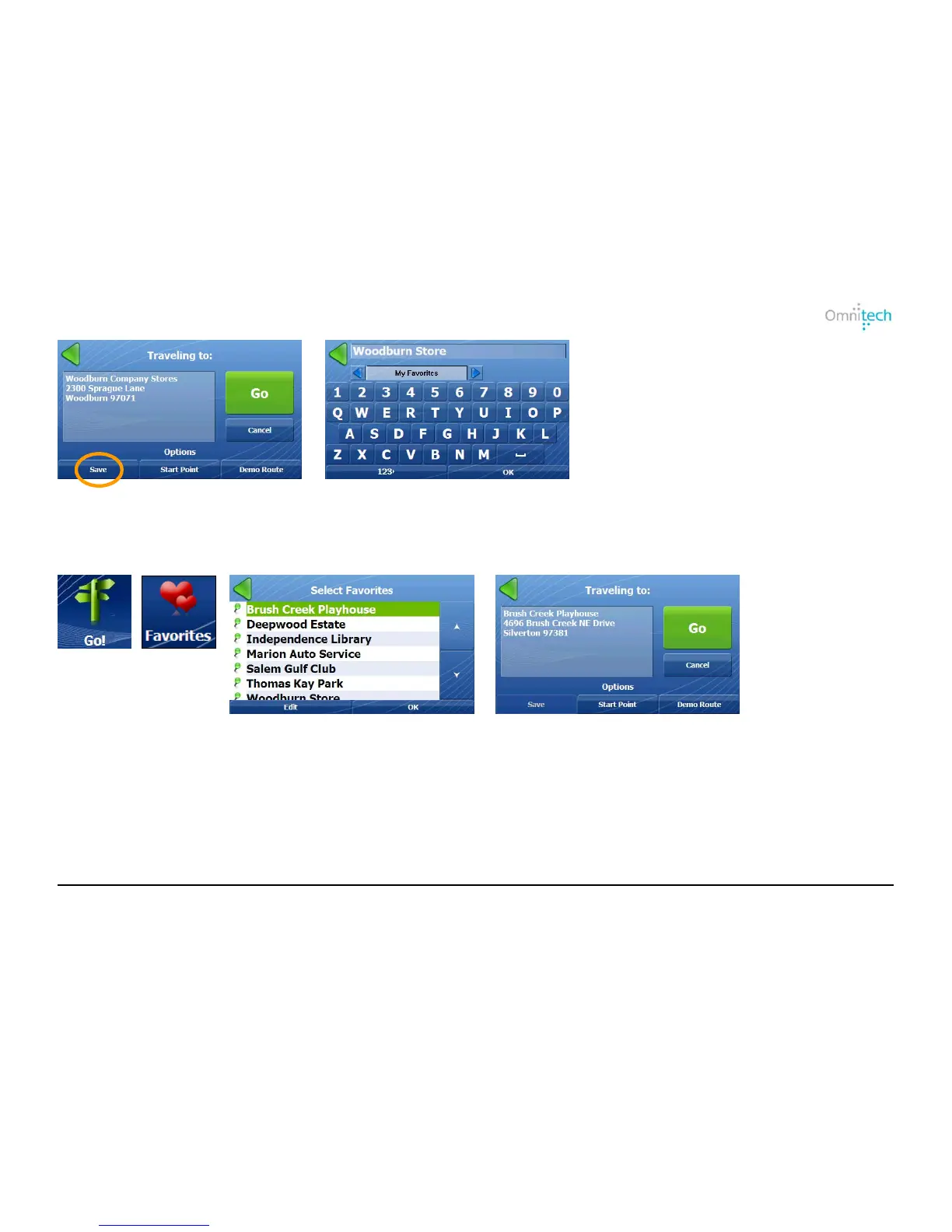
1. Tap Save.
2. Enter a name for the location, select a group (optional), and tap OK. The
location is automatically saved in My Favorites if a group is not selected.
Traveling to a Favorite Location
1. Tap
2. Tap
3. Select the location and tap OK.
4. Tap Go.
Omnitech GPS User Manual 15


 To Next Page