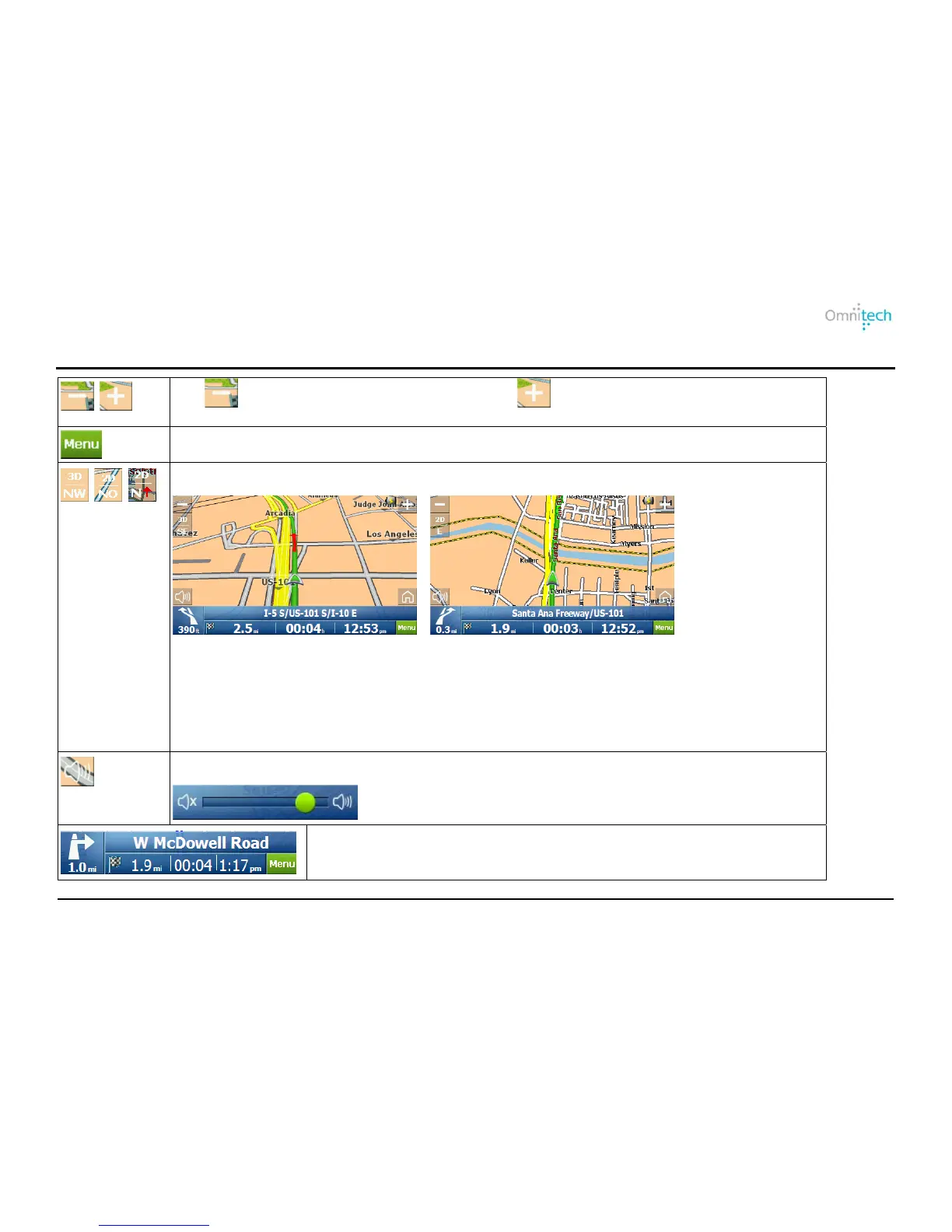
Map Icons
Tap to view a larger area in less detail. Tap to view a smaller area in greater
detail.
Tap to show the Main menu.
Tap the Compass to change the Map View display.
Compass Type:
3D – 3D map view with the forward direction at the top.
2D – 2D map view with the forward direction at the top.
2D N – 2D map view with North at the top.
Use the Volume bar to adjust or mute the volume.
Next turn information. Tap for turn-by-turn directions.
Omnitech GPS User Manual 22


 To Next Page