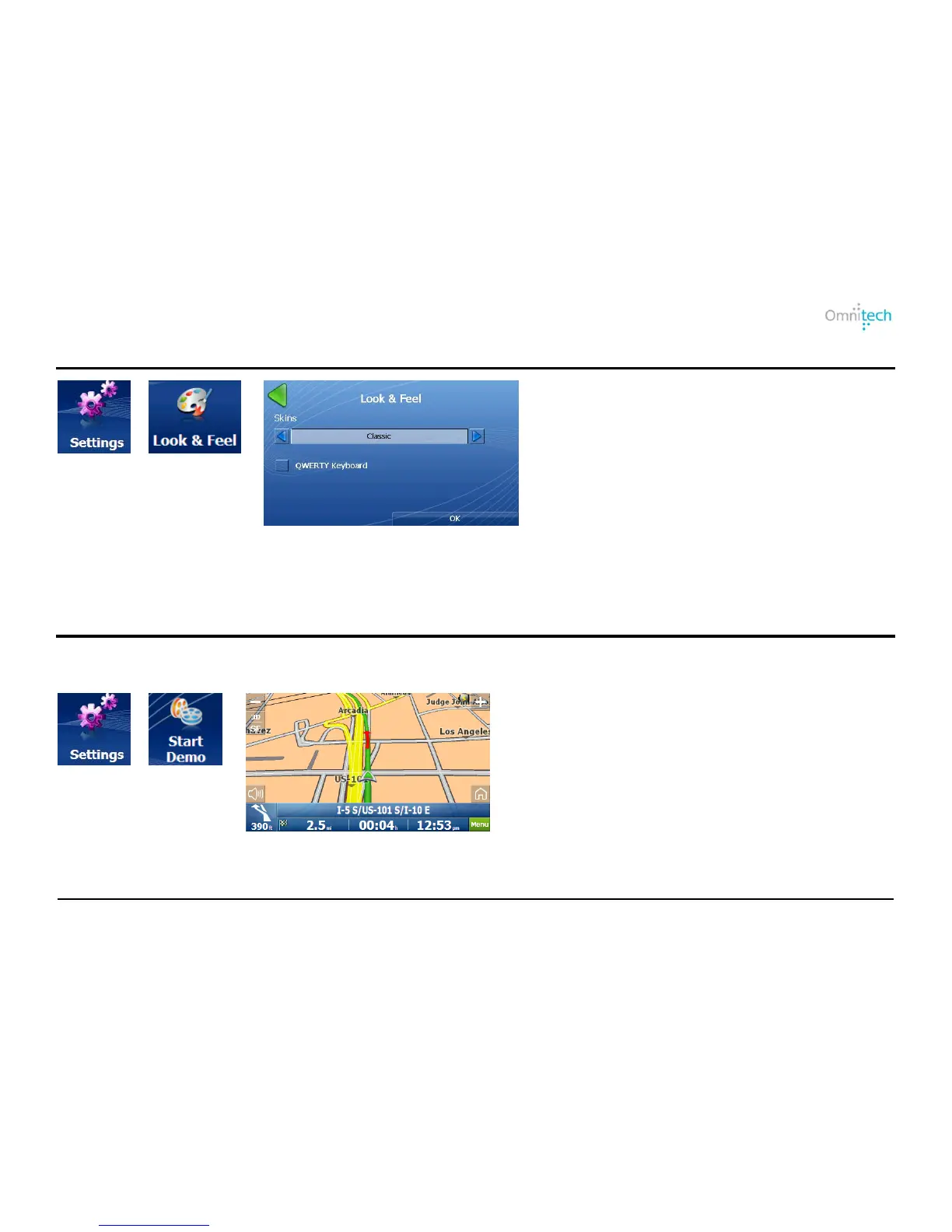
Look & Feel
1. Tap
2. Tap
3. Displays the Look & Feel screen.
Look & Feel Options:
Skins – Select a predefined skin.
QWERTY Keyboard – Display the
navigation keyboard as QWERTY.
Demo Route
You can get the feel of how Destinator navigates a route by launching a navigation demo. Tap the Start Demo button to
start the navigation demo. Tap the Stop Demo button to end the navigation demo.
1. Tap
2. Tap
3. Destinator runs the navigation demo.
Omnitech GPS User Manual 32


 To Next Page