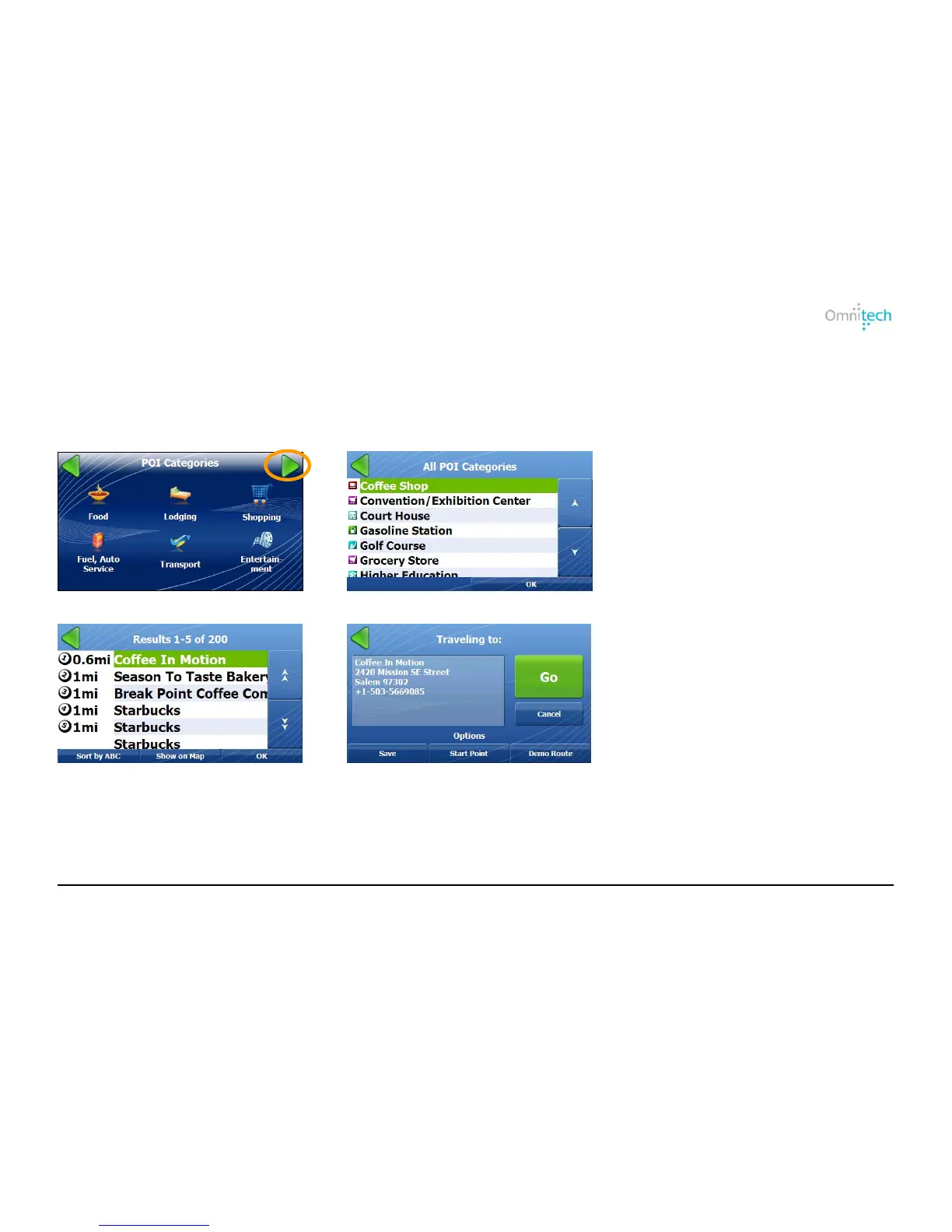
Tap the button to display the station address and to center the station on the map. When you have selected a station, click OK to
the Traveling To screen.
Browsing the Entire POI List
You can display the entire POI Category list.
1. Tap
2. Select a POI category and tap OK.
3. Select a POI location and tap OK.
4. Tap Go.
Traveling To Options
For information, see the Traveling to Options on page 10.
Omnitech GPS User Manual 13


 To Next Page