POI
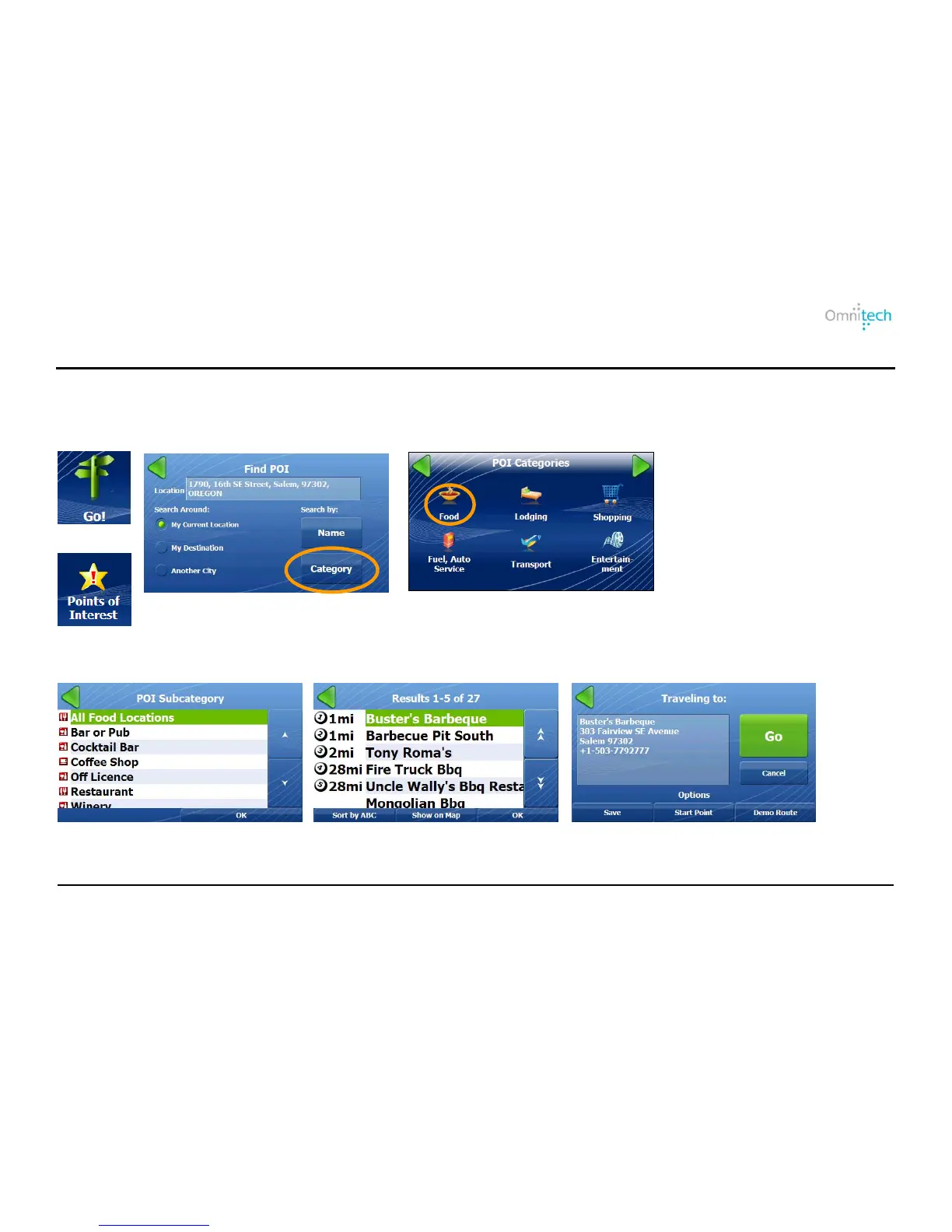
Points of Interest (POI) are a collection of thousands of interesting or useful places organized into easy-to-find categories
and subcategories.
Searching by POI Categories
1. Tap
2. Tap
3. Tap a Search Around option (My
Current Location is selected by
default) and the Category button.
4. Tap a category.
Search-Around Options:
My Current Location – Search
near your current location.
My Destination – Search near
your destination.
Another City – Search in another
city.


 To Next Page