11. Settings
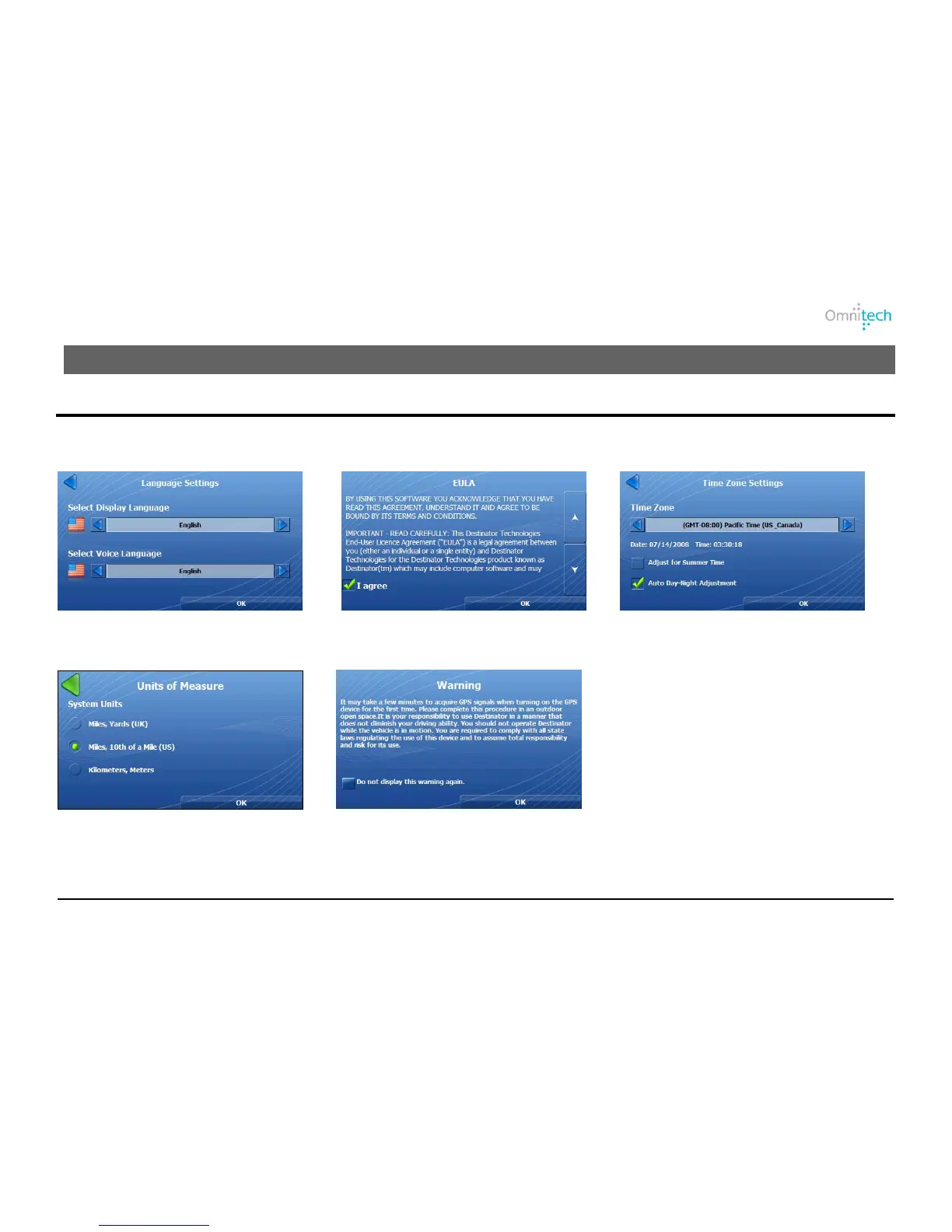
Configuration Wizard
This wizard, which automatically starts the first time you use Destinator, lets you easily configure the system settings by
providing a step-by-step setup process.
1. Set your language preference.
2. Review the map license agreement.
3. Select time and daylight savings.
4. Select your units of measure.
5. Review driver warning.
Note: You can also change these configurations from the Setting menus.
Omnitech GPS User Manual 27


 To Next Page