LVS-7500 External System Operations Manual
LVS-7500 External System Operations Manual Page 12 of 129
Data Restore
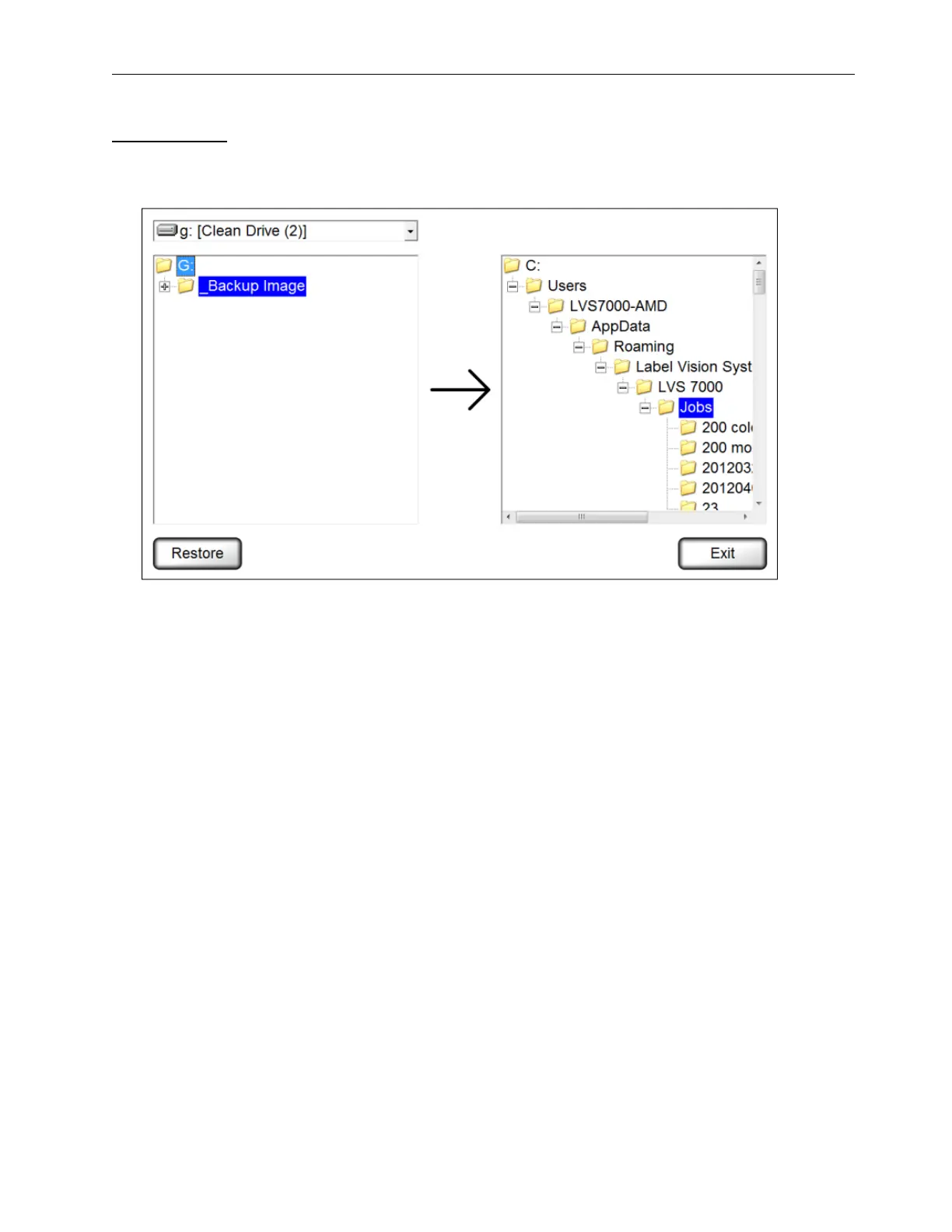
To restore (copy) jobs from a folder, drive or network location to the “Jobs” directory, follow the steps below.
1. Select Administration > Data > Restore from the menu bar. The following screen appears.
2. On the left side, select the folder(s) you want to restore. Multiple folders can be selected at one time by
pressing and holding the CTRL keyboard button, and then clicking each folder.
3. On the right side, select the “Jobs” directory.
4. Click Restore.



 To Next Page