LVS-7500 External System Operations Manual
LVS-7500 External System Operations Manual Page 25 of 129
Step 1: Set Label Dimensions
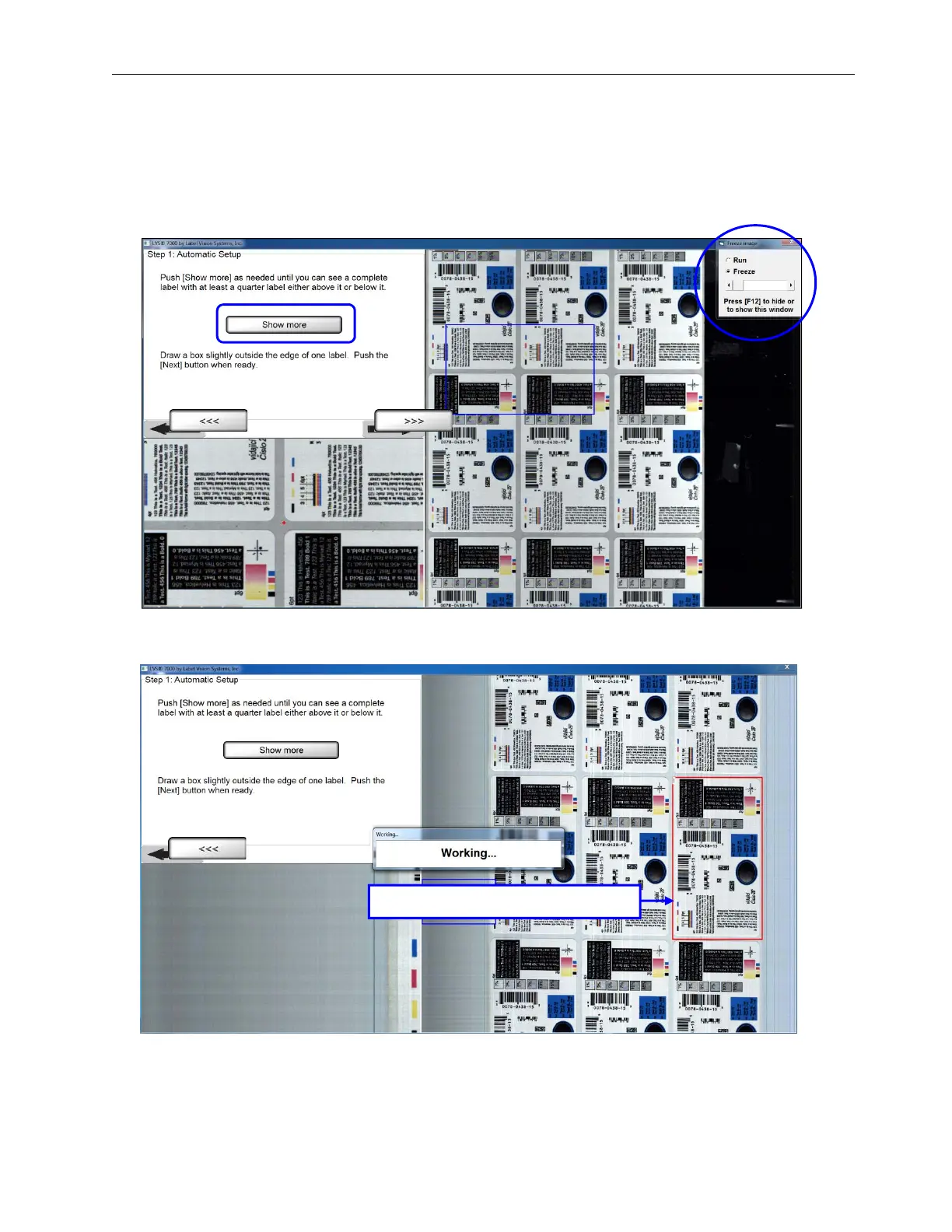
1. Run the roll of labels and stop when reaching the desired label(s). Note that pressing the F12 button on your
keyboard allows you to run or freeze images.
2. Click Show more until you can see a complete label with at least a quarter label either above or below the
label.
3. Draw a sector around an entire label and then click the right arrow button. A “Working” message appears
indicating the system is analyzing the label.
Draw a box around an entire label.



 To Next Page