LVS-750
0 External System Operations Manual
LVS-7500 External System Operations Manual Page 37 of 129
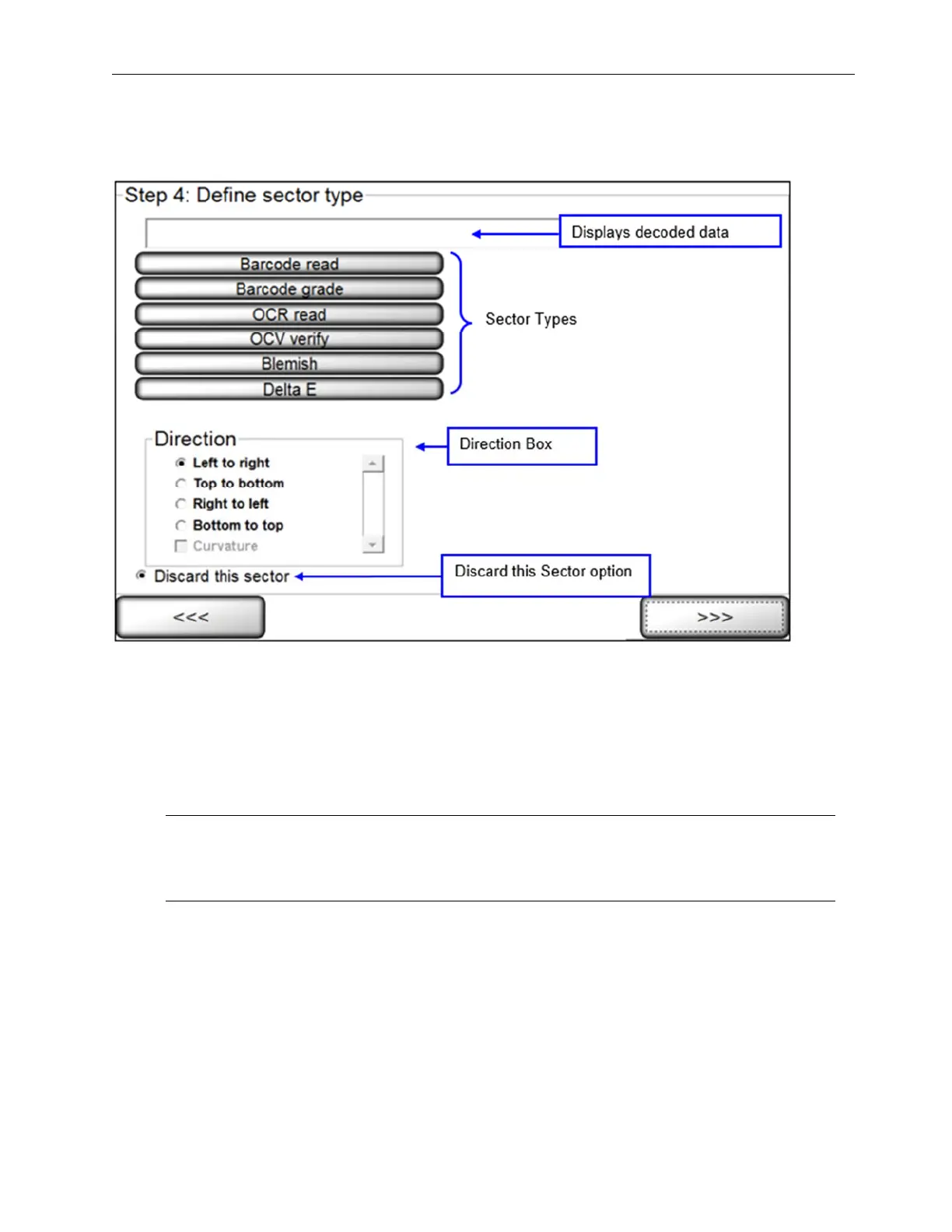
Step 4: Define Sector Type
This step allows you to select the desired sector type that your software is capable of analyzing.
The following sector types are available:
• Barcode read
• Barcode grade
• OCR r ead
• OCV verify
• Blemish
If a sector is deactivated, please contact your Omron Microscan representative to activate the desired sector type.
Note: The field located above the sector type list pre-populates with the string that the system is
returning for the sector type. For example, if selecting the Barcode read sector type, the field
populates with the decoded string.



 To Next Page