LVS-7500 External System Operations Manual
LVS-7500 External System Operations Manual Page 38 of 129
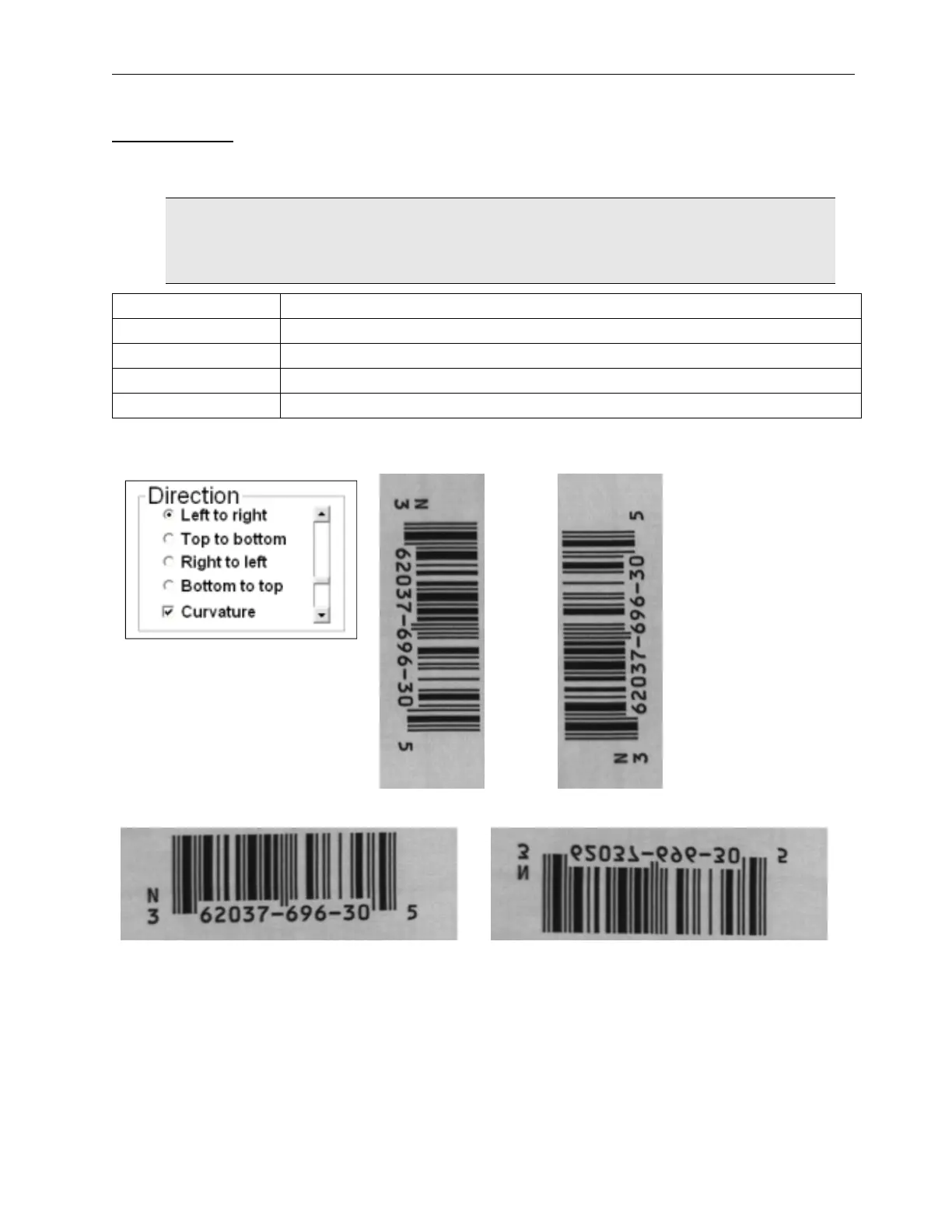
Direction Box
The box labeled Direction is applicable when using the OCR or OCV features; it tells the system the orientation
in which to read the characters across the screen. Five types of directions are available:
IMPORTANT: The LVS-7500 External System does not distinguish between
touching/overlapping characters; thus, characters must not touch or overlap. The LVS-7500
External System reads and/or verifies uppercase characters only.
Direction Description
Left to right Reads characters from left to right. Typically, this is the desired direction.
Top to bottom Reads characters from top to bottom.
Right to left Reads characters from right to left.
Bottom to Top Reads characters from bottom to top.
Direction Examples
Top to Bottom: Bottom to Top:
Left to Right:
Right to Left:
Discard This Sector
If you have incorrectly drawn a sector, click the Discard this Sector button and then select the right arrow
button. The sector is deleted. Sectors can also be removed by hitting the delete key while a sector(s) is active.



 To Next Page